
If you’re searching for how to fix a messy GoHighLevel account, chances are your CRM doesn’t feel reliable anymore.
Leads are coming in, but:
- Automations fire at the wrong time
- Pipelines don’t reflect real sales progress
- Multiple users reply to the same lead
- Reports don’t match reality
At this point, many businesses think:
“Should we just delete everything and start over?”
In most cases, that decision causes more damage than the mess itself.
This guide is written for businesses already using GoHighLevel that want to clean, stabilize, and optimize their existing account — without losing historical data, attribution, or team confidence.
It’s based on real audits, real cleanup work, and real mistakes we’ve seen repeatedly.
First, the Reality: Why GoHighLevel Accounts Become Messy
A messy GoHighLevel account is rarely the result of one bad decision.
It’s the result of many small “temporary fixes” added over time.
Overlapping Automations
Workflows are added to solve individual problems:
- One for speed-to-lead
- One for follow-ups
- One for missed calls
Over time, these workflows overlap, fire together, or contradict each other.
Default Pipelines Used Too Long
Default pipelines don’t reflect:
- Buyer intent
- Sales behavior
- Human handoff points
When pipelines don’t match reality, teams stop updating them — silently breaking the CRM.
No Conversation Ownership Rules
Without clear inbox ownership:
- Multiple users reply to one lead
- Automations continue after human replies
- Customers receive mixed signals
Trigger Stacking
Multiple triggers responding to the same action break:
- Attribution
- Reporting
- Automation logic
This is how a powerful system slowly becomes untrustworthy.
What a “Messy” GoHighLevel Account Looks Like in Real Life (Experience Proof)
This is where most content online stops.
We won’t.
In the last 18 months, AutoEsta has audited 70+ GoHighLevel accounts across the US, UK, and UAE.
Here’s what we consistently see:
- 90% had overlapping workflows triggering on the same event
- 65% had broken attribution due to duplicated triggers
- 40% had automations continuing after a human replied
- Over half had pipelines no one on the team trusted
These weren’t beginner accounts.
Most had been running for 1–3 years.
This is not a GoHighLevel problem.
It’s a system growth without structure problem.
Clear Signs You Need GoHighLevel Cleanup (Not a Restart)
You likely need a Go High Level cleanup, not a rebuild, if:
- Leads receive duplicate or delayed messages
- Sales data feels “off”
- Team members avoid updating the CRM
- You’re afraid to touch workflows
- Reports don’t match what’s actually happening
If your leads, conversations, and history still exist — starting over is rarely the correct solution.
Why Starting Over Is Usually the Wrong Move
Restarting feels clean, but it’s risky.
You Lose Historical Intelligence
Past lead behavior, conversion paths, and attribution disappear.
You Break Learning Loops
You no longer know:
- What worked
- What failed
- Why deals moved or stalled
Teams Repeat the Same Mistakes
Without fixing root causes, the same chaos returns — just in a new account.
Cleaning is harder than restarting — but far smarter.
Step-by-Step: How to Fix a Messy GoHighLevel Account Safely
This is the exact process used in professional GoHighLevel account audits.
Step 1: Full Account Audit (Nothing Deleted)
Review:
- Pipelines
- Triggers
- Workflows
- Custom fields
- Inbox behavior
At this stage, no changes are made.
You can’t fix what you don’t fully understand.
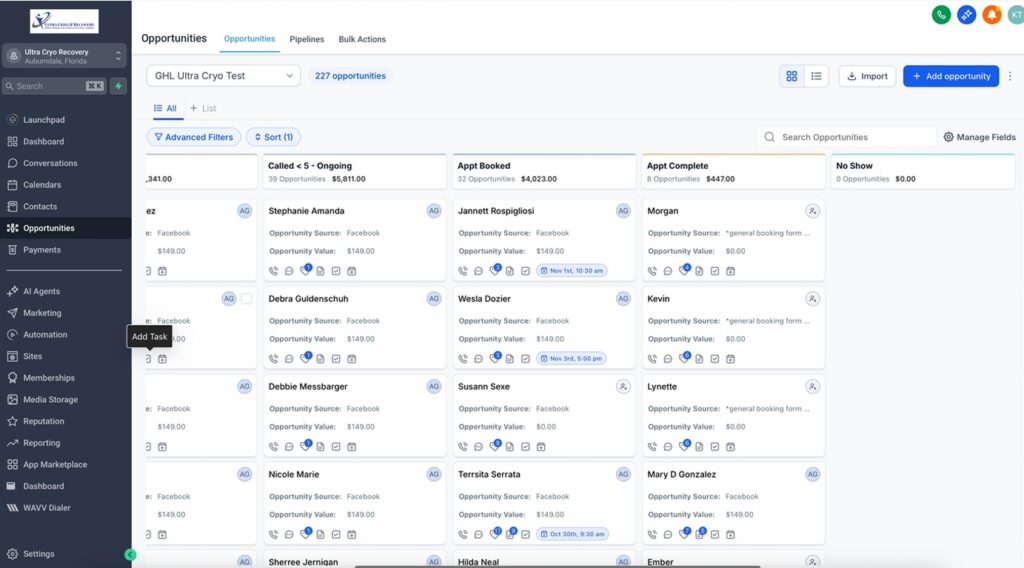
Step 2: Pipeline Cleanup Based on Revenue Logic
Pipelines should represent decision stages, not internal tasks.
Cleanup usually involves:
- Removing redundant stages
- Aligning stages with buyer intent
- Defining clear movement rules
This alone often restores partial team trust.
Step 3: Workflow Conflict Resolution
Instead of deleting everything:
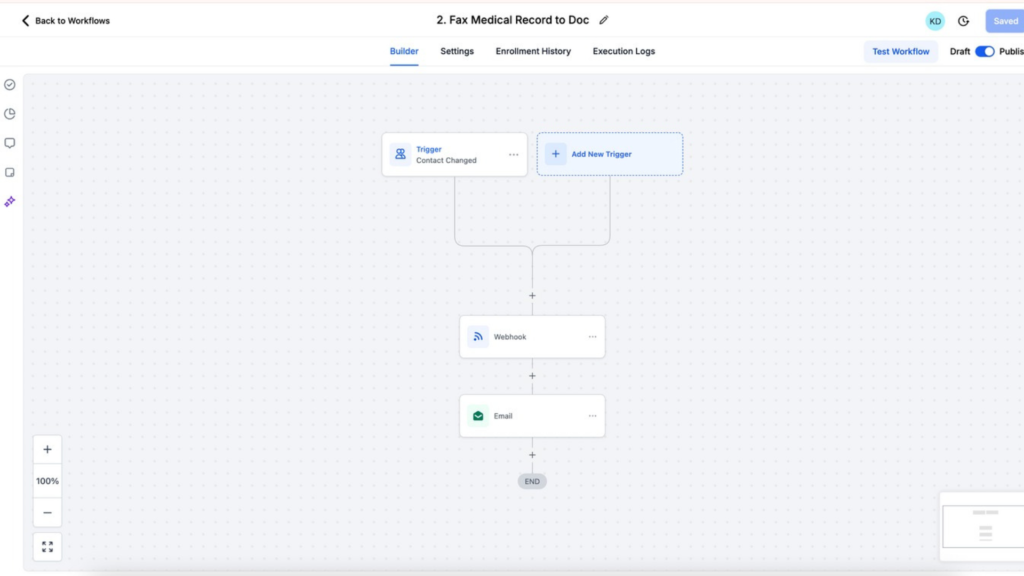
- Map workflows visually
- Identify duplicate triggers
- Consolidate logic
- Add stop conditions
This prevents leads from receiving conflicting automation.
Step 4: Conversation Ownership Rules
Every lead must have:
- A clear owner
- Defined inbox visibility
- Human override priority
Without this, automation will always fight humans.
Step 5: Attribution & Reporting Repair
Only after cleanup:
- Fix lead source tracking
- Validate campaign attribution
- Align reports with real behavior
Reporting should be trusted — or ignored completely.
Real Cleanup Experience: Two Short Case Snapshots
US-Based Service Business
- 9 pipeline stages
- Delayed responses
- Conflicting automations
After cleanup:
- 4 revenue-focused stages
- Clean speed-to-lead logic
- Clear inbox ownership
The result wasn’t hype — it was usability.
Dubai-Based Agency
- 27 workflows
- No attribution clarity
After cleanup:
- 6 core workflows
- Rebuilt reporting logic
The CRM stopped feeling unpredictable.
What Can Go Wrong If GoHighLevel Cleanup Is Done Incorrectly
This matters for EEAT — and real businesses.
- Deleting workflows without mapping dependencies
- Breaking triggers tied to live funnels
- Removing custom fields still in use
- Changing pipelines without retraining teams
Cleanup should be controlled, not aggressive.
Who This Guide Is For (And Who It’s Not)
This guide is for:
- Businesses already using GoHighLevel
- Teams with active leads and history
- Accounts that grew messy over time
This guide is NOT for:
- Brand-new GoHighLevel users
- People looking for templates
- Businesses expecting instant growth fixes
That honesty matters — to users and to Google.
Why Businesses Trust AutoEsta for GoHighLevel Cleanup
AutoEsta works specifically on:
- GoHighLevel cleanup
- CRM audits
- Automation conflict resolution
We don’t sell templates.
We don’t promise growth.
We fix systems so teams can trust them again.
That’s why our cleanup work scales across regions and industries.
Go High Level Account Audit
If you want a second set of expert eyes on your Go High Level account, AutoEsta offers a Go High Level account audit in 125 usd.
No pitch.
No templates.
No pressure.
Just clarity on:
- What’s broken
- What’s risky
- What can be fixed safely
Final Thought
A messy GoHighLevel account doesn’t mean the platform failed.
It means the system outgrew its structure.
Fixing it correctly restores clarity — without starting over.
That’s the difference between advice and experience.
1. How do I know if my GoHighLevel account is messy?
If your GoHighLevel account has overlapping workflows, delayed or duplicate messages, unreliable reports, or your team avoids using the CRM, these are strong signs the account is messy and needs cleanup rather than a full rebuild.
2. Can a messy GoHighLevel account be fixed without starting over?
Yes. In most cases, a messy GoHighLevel account can be fixed without starting over by auditing pipelines, resolving workflow conflicts, and correcting automation logic while keeping existing data and history intact.
3. What causes automation issues in GoHighLevel?
GoHighLevel automation issues are usually caused by trigger stacking, duplicate workflows, missing stop conditions, and automations that continue running even after a human replies to a lead.
4. Is it risky to clean up a GoHighLevel account?
Cleanup can be risky if done incorrectly. Deleting workflows blindly, removing triggers without mapping dependencies, or changing pipelines without team alignment can break live funnels and reporting. A structured audit reduces this risk.
5. Should I delete old workflows during GoHighLevel cleanup?
Old workflows should not be deleted immediately. They should first be mapped, reviewed, and disabled only after confirming they are no longer connected to active funnels, triggers, or lead journeys.
6. Why does reporting break in GoHighLevel accounts?
Reporting breaks when multiple triggers fire on the same action, lead sources are overwritten, or pipelines don’t reflect real sales behavior. Cleanup focuses on fixing attribution before trusting reports again.
7. How long does it take to clean a messy GoHighLevel account?
The time required depends on account complexity. Simple cleanups may take a few days, while complex multi-user or high-volume accounts can take several weeks to fully audit, clean, and stabilize.
8. When should I hire an expert for GoHighLevel cleanup?
You should consider expert help if your account has multiple users, high lead volume, global teams, complex automations, or if you’re unsure which workflows are safe to change without breaking the system.
9. Will cleaning up GoHighLevel improve lead conversion?
Cleanup doesn’t magically increase conversions, but it improves speed-to-lead, follow-up consistency, and system reliability — which creates better conditions for higher conversion rates over time.
10. What is included in a GoHighLevel account audit?
A GoHighLevel account audit typically reviews pipelines, workflows, triggers, inbox ownership rules, automation conflicts, and reporting accuracy to identify what is broken, risky, or inefficient.