What is an AI calling agent?
An AI calling agent is a voice system that answers or places phone calls using speech recognition, a language model, and synthetic speech, follows a script built for your business, and writes the outcome into your CRM.
Under the hood there are four moving parts: telephony (the phone connection), speech-to-text (turning what the caller says into text), a language model (deciding what to say next, within rules you set), and text-to-speech (speaking the reply). Quality depends on how well those four are tuned together, and on the design of the conversation, which matters more than most buyers expect. A capable model with a careless script will still make a poor phone call.
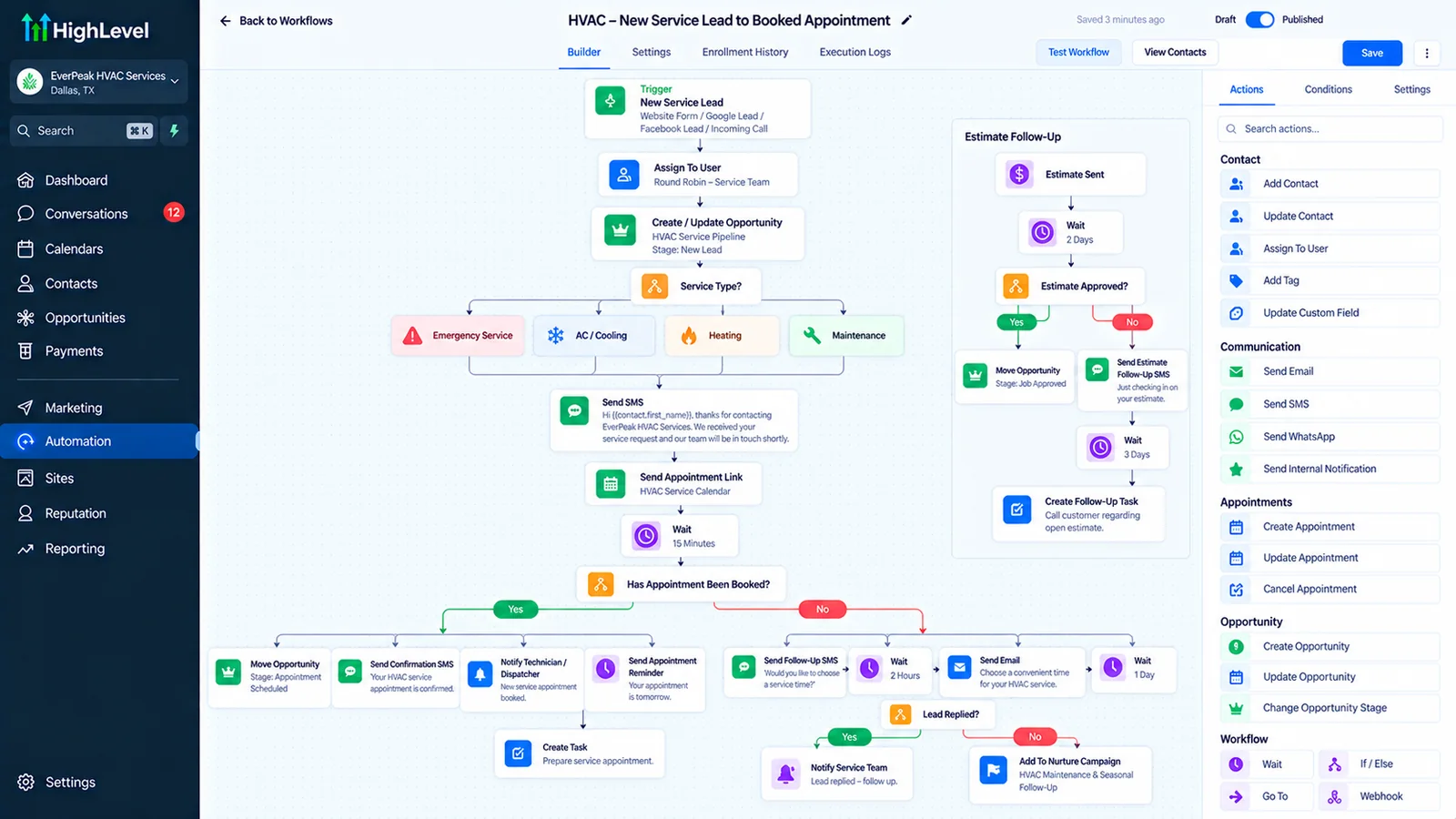
For businesses that live on enquiries (dental practices, home services, real estate, clinics, agencies), the practical value is simple: every call gets answered, every new lead gets called within minutes, and every appointment gets confirmed, without adding staff. Autoesta builds these agents to work directly with your GoHighLevel pipeline so outcomes land where your team already works.
What jobs can an AI calling agent do?
Answer inbound calls
The agent picks up every call, including after hours and during busy periods. It can answer common questions, take the caller's details, qualify them, and book an appointment. Missed calls are one of the most expensive leaks in service businesses: a caller who reaches voicemail often calls the next name on the list.
Call new leads back quickly
When a form is submitted or an ad lead arrives, the agent can call within minutes, while the person is still thinking about the problem. Speed to first contact is one of the most reliable levers in lead handling, and it is exactly the task humans do inconsistently.
Confirm appointments and reduce no-shows
The agent calls to confirm a day or two ahead and offers to reschedule on the spot, freeing the slot if the person cannot attend. Combined with text reminders, this is the core of appointment booking automation. It is one part of the patient-intake system described in our dental case study.
Reactivate old leads and past customers
A polite call to a list of people who enquired months ago ("we noticed you asked about X, is that still something you want?") often surfaces demand that was already paid for.
Qualify before a human gets involved
The agent asks the questions your team would ask (budget range, timeline, location, service needed) so people spend time only on qualified conversations.
How do you design a call that people don't hang up on?
Call design is where most of the quality comes from. The structure we use:
- Open with who and why. Name the business and the reason for the call in the first sentence. Callers decide within seconds whether to stay.
- Disclose that it is an automated assistant where required or where honesty is the better policy. Most people are fine with it if the call is useful and quick.
- Ask one question at a time. Stacked questions cause confusion and errors.
- Confirm important details back. Read back names, numbers, dates, and times.
- Handle interruptions. Real callers talk over the agent; the agent must stop and listen.
- Have a graceful "I can't help with that." Route to a person or take a message rather than guess.
- Close with the next step. What happens now, and when.
Guardrails
Every agent needs boundaries written into it: no quoting prices you have not approved, no medical, legal, or financial advice, no promises about outcomes, and no inventing information the agent does not have. The safest agents answer only from a knowledge base you have reviewed, and say "I'll have someone confirm that for you" when they are outside it.
Human handoff
Define exactly when a call transfers to a person: an angry caller, an emergency, a high-value opportunity, a request the agent cannot handle, or the caller simply asking for a human. If the transfer does not work reliably, the agent becomes a frustration machine. Test it as carefully as anything else.
What are the legal and compliance rules for AI calling?
In the US, calls that use AI-generated voices are treated as artificial-voice calls under the TCPA, so outbound calls generally require the recipient's prior consent, and recording rules vary by state.
This is the area where businesses get hurt, so it is worth understanding before you switch anything on. In broad terms:
- Outbound calls and consent. The FCC ruled in 2024 that AI-generated voices count as "artificial" voices under the Telephone Consumer Protection Act. That generally means you need the recipient's prior express consent, and for marketing calls that consent typically needs to be written. Calling a purchased list without consent is a serious risk.
- Do-not-call lists. Registry and internal do-not-call obligations still apply.
- Calling hours. Restrictions apply to when you may call, based on the recipient's local time.
- Recording. Some US states require the consent of everyone on a call before recording, others only one party. A short recording notice at the start of the call is common practice.
- Disclosure. Being open that the caller is automated is good practice and, in some jurisdictions, expected or required.
- Sensitive data. Health, financial, and children's data carry extra obligations. Do not assume any tool is compliant by default.
The safe pattern is to use AI calling first for inbound calls and for outbound calls to people who have asked to hear from you (someone who just submitted a form with consent wording, or an existing customer being reminded of an appointment). Cold outbound to lists is where the legal risk concentrates.
Can the agent make this call?
How does an AI calling agent connect to GoHighLevel?
The agent is only as useful as what happens to the call afterwards. In a proper build:
- The caller is matched to an existing contact (by phone number) or a new contact is created, avoiding duplicates.
- The outcome is written back: booked, not interested, call back later, wrong number, do not contact.
- The appointment is created in the correct calendar, with the time zone right.
- The transcript and recording (where lawful) are attached to the contact for review.
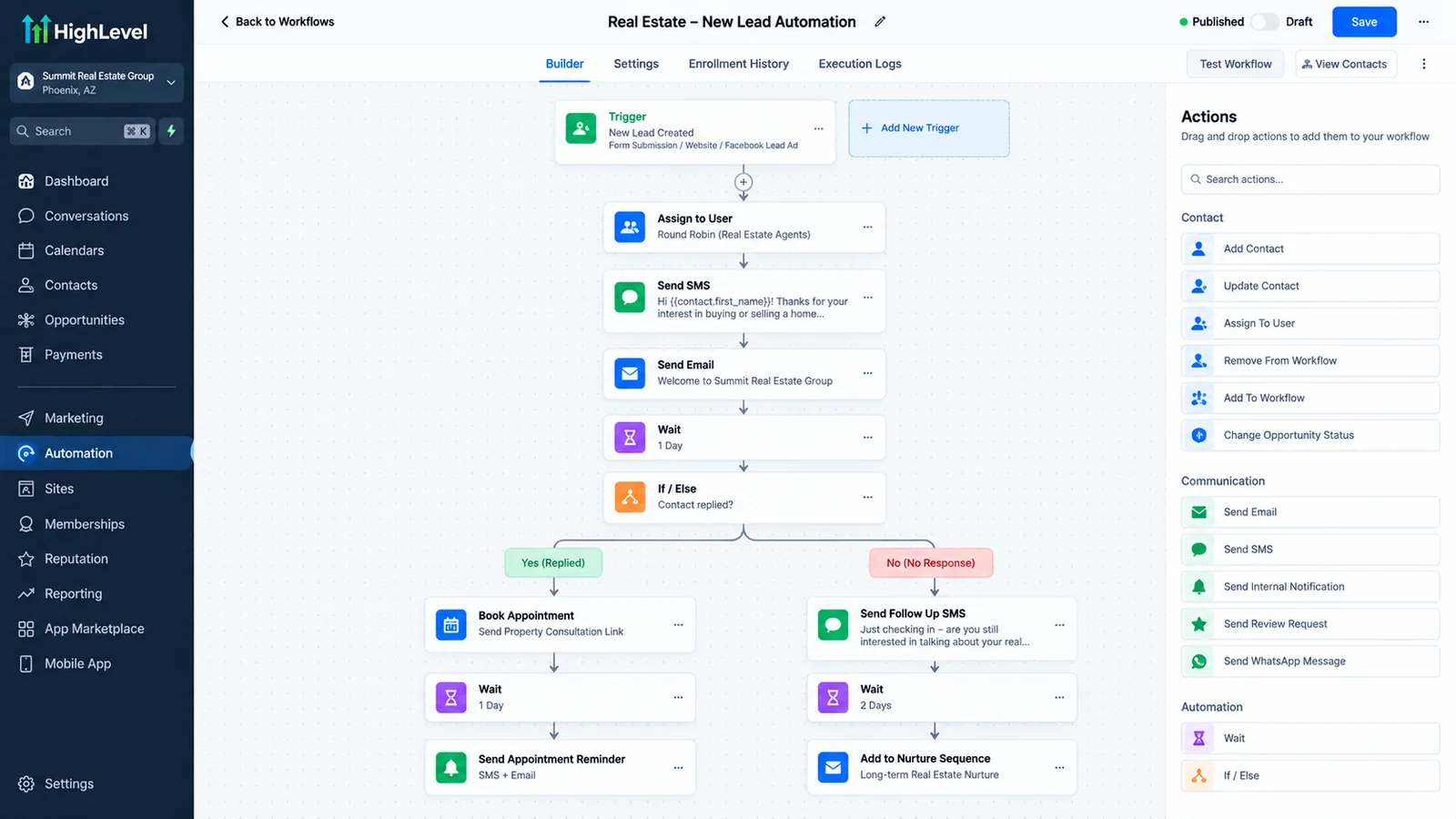
- The pipeline stage changes automatically, and follow-up workflows start.
- Opt-outs are respected everywhere: a person who says "don't call me again" is flagged so no workflow contacts them.
Where data has to move between other tools, n8n or Zapier connects the rest. For website visitors who prefer typing, an AI chat agent uses the same knowledge base and pipeline.
An inbound call, after hours
How do we build and test an AI calling agent?
- Define the job. One agent, one clear purpose at first: answer, confirm, or call back new leads. Do not launch an agent that does everything.
- Collect the knowledge. Services, hours, locations, policies, common questions, and what must never be said.
- Write the call flow. Opening, questions, branches, handoffs, close.
- Connect telephony and the CRM. Numbers, forwarding, calendars, contact matching, outcomes.
- Test heavily. Run a large set of test calls including interruptions, background noise, accents, hard questions, angry callers, wrong numbers, and attempts to make the agent say something it should not.
- Soft launch. Start with a limited share of calls, or after-hours only, and listen to real calls.
- Review weekly at first. Read transcripts, find where callers get stuck, and refine the script.
A launch is the start of tuning, not the end. Good agents improve quickly in the first month because real callers reveal things no test script anticipated.
What does an AI calling agent cost?
There are two kinds of cost: the build (design, integration, testing) and the running cost (voice platform usage, telephony minutes, and language-model usage, which are typically metered). Running costs vary with call volume, call length, and the platform, and providers change their rates, so we do not quote a per-minute figure here. For dated list prices from six platforms, see our AI voice agent pricing research. What we can say is that for most service businesses the running cost of an automated call is a small fraction of a staff member's time, but the honest comparison is against what a missed call is worth to you, not against a salary. Scope and pricing are confirmed on a strategy call. AI agents are scoped as part of a larger build or added to an existing system; see the setup page.
Running costs change with the country you call from and to. Transfers to a person cost $0.014 a minute in the US and Canada, $0.075 to an Australian mobile and about $0.30 to a UAE mobile on HighLevel's rates; see the comparison by country and our UK and Australia pages.
What are the limits of AI calling?
An honest list, because you should know before you buy:
- Noisy lines and heavy accents still cause transcription errors, so confirmation of key details matters.
- Complex, emotional, or high-stakes conversations (a bereavement, a complaint, a medical emergency) belong with a person.
- Latency (a pause before the agent replies) can feel unnatural if the setup is poorly tuned.
- Some callers simply dislike talking to automation, so offering a human option protects your reputation.
- The agent only knows what you tell it. A stale knowledge base produces confident wrong answers.
- Regulated industries need extra care, especially healthcare and finance.
How do you measure whether an AI calling agent is working?
| Measure | What it tells you |
|---|---|
| Answer rate | Share of inbound calls picked up (should approach 100%) |
| Speed to first call | Minutes from a new lead to the first call attempt |
| Contact rate | Share of outbound attempts that reach a person |
| Booking rate | Share of conversations that end in a booked appointment |
| Show rate | Share of booked appointments that happen |
| Transfer and escalation rate | How often the agent needs a human, and why |
| Complaint and opt-out rate | Early warning that a script or timing is wrong |
| Cost per booked appointment | The number that ties it back to money |
Compare against your baseline before launch. We will not claim a specific uplift for your business in advance, because it depends on your call volume, market, and current response speed. What we can do is set up the measurement so you can see the effect for yourself.
AI calling agent or AI chat agent: which do you need?
| AI calling | AI chat | |
|---|---|---|
| Best for | High-intent moments: inbound calls, hot leads, confirmations | Website visitors who are researching |
| Speed | Real-time conversation | Instant, asynchronous |
| Consent burden | Higher for outbound | Lower |
| Typical outcome | Booked appointment or transfer | Answered question, captured lead, booking |
Most businesses eventually use both, with a shared knowledge base. See how they compare in more detail in our AI automation overview.
What does a call flow look like?
Two illustrative skeletons. Details are tailored to each business.
Inbound call, after hours
- Greet: business name and a short disclosure that this is an automated assistant, plus a recording notice where needed.
- Ask how you can help, and listen.
- Identify the intent: book, ask a question, urgent issue, existing customer.
- For booking: collect name, number, service, and preferred time, then offer real available slots and confirm.
- For questions: answer from the approved knowledge base or offer a call-back.
- For urgent issues: follow the escalation rule (transfer, on-call notification, or emergency instructions).
- Read back the key details and end with what happens next.
Outbound appointment confirmation (to consenting customers)
- Identify the business and the reason: a reminder of an appointment on [day] at [time].
- Ask whether they can still attend.
- If yes, confirm any preparation details. If no, offer to reschedule and book the new time.
- If they ask for a person, transfer or arrange a call-back.
- Record the outcome in the CRM.
What should you test before launch?
- Callers who interrupt, mumble, or speak quickly.
- Background noise and poor connections.
- Names and addresses that are hard to spell.
- A caller who asks for a human immediately.
- A caller who says "stop calling me" (the opt-out must stick everywhere).
- Questions the agent should refuse to answer.
- Attempts to make the agent promise a price or an outcome.
- A booking made from a different time zone.
- Transfers when nobody answers.
- Calls that drop halfway, and whether the CRM record is left in a sensible state.
Record test calls, read the transcripts, and fix what you find before a real customer does.
For a clinic-specific breakdown of what to automate and the HIPAA add-on requirements, see our guide to GoHighLevel for healthcare clinics.
If you want to see what HighLevel's native AI agents do and cost before hiring anyone, read our guide.
Not sure whether to build on HighLevel's native Voice AI or a third-party platform? See our comparison of AI voice agent platforms for GoHighLevel.
For the full comparison on speed, cost, consent, and which fits your business, read our guide to AI calling agents vs AI chat agents.
More questions about AI calling agents
Does the agent sound robotic?
Modern synthetic voices are natural enough that many callers do not mind, but quality depends on the platform and tuning. We test with real calls before launch, and recommend disclosure so callers are never misled.
Will callers know it is AI?
We recommend telling them. It builds trust, and in some places it is expected or required.
Can it transfer to a real person?
Yes. Transfers to a phone number or team, and message-taking when nobody is available, are part of the design and are tested before launch.
What happens if it doesn't know the answer?
It is built to say so, take a message or transfer, and flag the gap so we can add the answer to its knowledge base.
Can it work outside business hours?
Yes, and after-hours is often the safest and highest-value place to start.
Is it suitable for healthcare or finance?
Possibly, with care. These fields involve sensitive data and specific regulations, so you and your counsel must decide what the agent may handle. We configure it conservatively, but we do not certify compliance.
Can I use my existing phone number?
Usually yes, through call forwarding or number porting, depending on your carrier and setup.
How do I get started?
Book a call on the contact page. Tell us what happens to your calls today, and we will show you where an agent would help and where it would not.
Can the voice agent book into my calendar?
Yes. An AI phone agent for appointment booking checks live availability in your calendar, offers slots, books the one the caller picks and sends the confirmation, then logs the call and outcome in the CRM.
How natural does an AI voice agent sound?
Current AI voices sound close to a person on short, focused calls, with brief pauses while the model responds. It works best when the script is narrow and there is a call transfer to a person for anything the agent should not handle.
What is the difference between an AI voice agent for business and an IVR menu?
An IVR makes callers press keys through fixed options. An AI voice agent for business understands what the caller says, answers questions from your information, books appointments and writes the result to your CRM.
Related: GoHighLevel voice AI, is AI calling legal, AI agents for business, the FCC opt-out rule changes, AI agent adoption statistics, robocall and spam text statistics and whether an AI agent replaces staff.
See how AI calling fits a full lead system in real estate lead automation and CRM automation services.
How do you automate inbound calls with voice AI?
The agent answers the line, asks the questions your team would ask, books into the calendar, hands off to a person when the caller needs one, and writes the outcome to the CRM. The highest-value use is after hours and at peak times, when calls are most often missed. The call flow above shows an example, and the measurement section lists the numbers to track from the first day.
Can AI voice agents handle a call center's inbound volume?
Our builds are scoped to a defined call flow for businesses such as clinics, real estate teams and service companies. High call volume changes the scope, the testing and the cost, so we size it on the free strategy call before anyone commits. If your calls go to a large queue, ask for that sizing first rather than assuming a standard build fits.
