What is appointment booking automation?
Appointment booking automation lets people book themselves into your calendar, then keeps each appointment on track with automatic confirmations, reminders, and rescheduling, so staff stop chasing people by phone.
It covers the whole span from "someone wants to book" to "they showed up": the booking page, the availability rules behind it, the messages that follow, the handling of changes and cancellations, and the recovery process when someone does not show. We build this on GoHighLevel so bookings, conversations, and pipeline stages sit in one record.
For service businesses the calendar is the product. An empty slot cannot be resold, so the two leaks that matter most are people who never book (friction and slow response) and people who book but do not attend (no-shows). Automation addresses both.
Why do appointments fall through?
Before booking
- Slow response. Someone enquires and waits hours for a reply. By then they have contacted a competitor.
- Booking friction. "Call us to book" or a long form loses people who wanted to book at 10pm.
- Unclear availability. Back-and-forth over times exhausts both sides.
After booking
- Forgetting. The most common reason. The appointment was weeks away and nothing prompted the person.
- A conflict arose, and rescheduling felt like effort or an awkward call.
- Unclear logistics: where to park, what to bring, how long it takes.
- Cooled interest. The urgency behind the enquiry faded.
- Low commitment. A free, easily-forgotten booking with no cost to skipping.
Each cause has a specific countermeasure, which is why a generic "send a reminder" approach underperforms a system designed around them.
What does a complete booking system include?
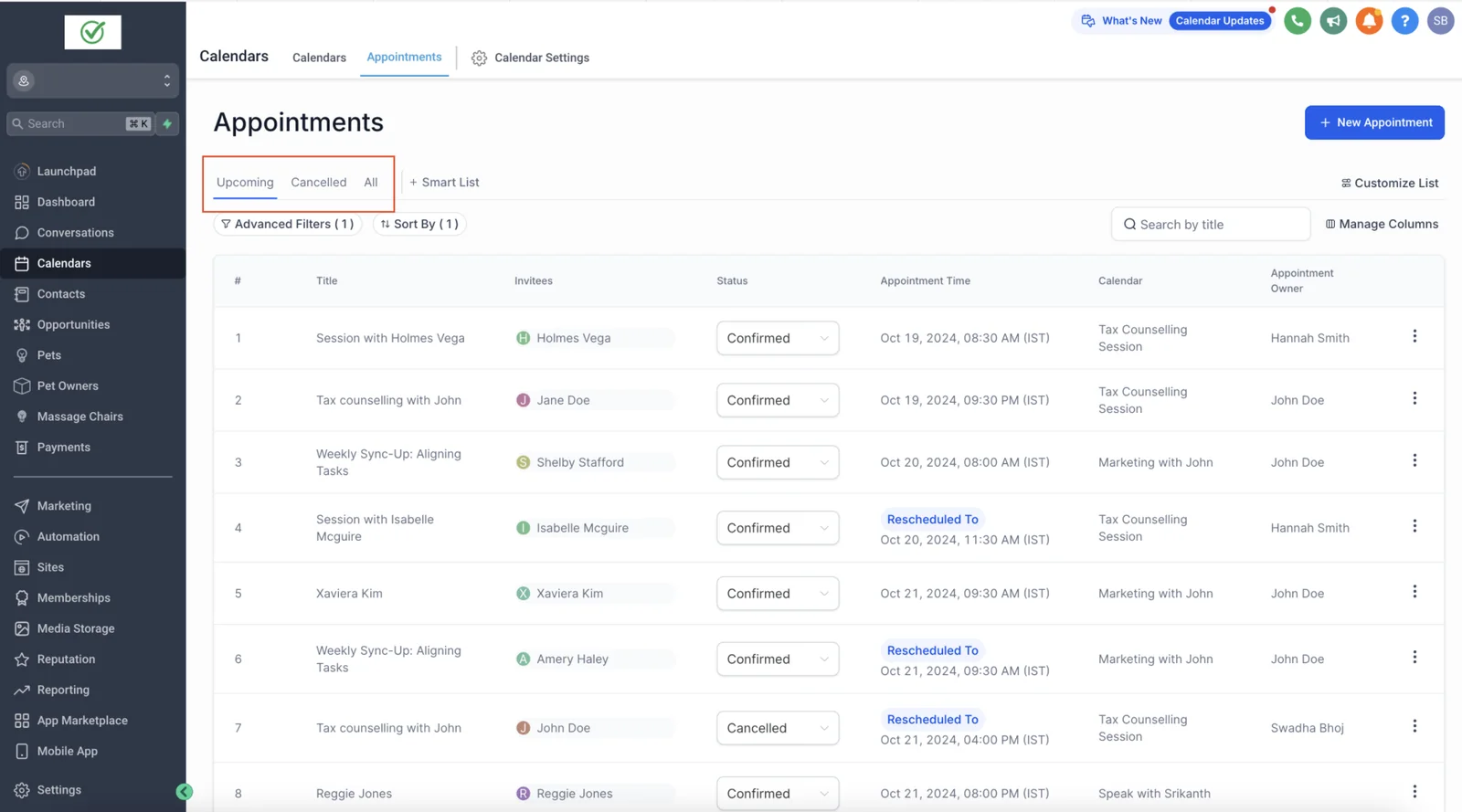
1. A booking page or widget
Available on your website, in messages, and on social profiles, showing real open slots. The person selects a time, enters minimal details, and receives confirmation immediately.
2. Availability rules
These rules do most of the quiet work of preventing chaos:
- Working hours per person and per service.
- Appointment length per service type.
- Buffers before and after, for preparation, travel, or cleaning.
- Minimum notice, so nobody books ten minutes ahead unless you want that.
- Daily and weekly caps to protect your schedule.
- Booking horizon, how far ahead people can book.
- Holidays and time off.
3. Team scheduling
Round-robin assignment across staff, preference for a specific provider, or routing by service type, so the right person gets the right appointment.
4. Intake questions
A small number of questions that let you prepare or qualify (new or returning, service needed, anything the provider should know). Every extra field costs completions, so ask only what you will use.
5. Two-way calendar sync
Personal and work calendars are checked for conflicts and updated automatically, so a busy Google or Outlook slot blocks booking and double booking cannot happen. One-way sync is a common cause of double booking, and one of the first things we check in an account audit.
6. Confirmations and reminders
Detailed below.
7. Rescheduling and cancellation links
Self-serve links in every message. Making it easy to cancel sounds counterintuitive, but a cancellation with notice lets you refill the slot, while a no-show cannot be recovered.
8. Waitlist and slot recovery
When someone cancels, the slot is offered automatically to people who wanted an earlier time.
9. No-show recovery
A prompt, friendly message offering to rebook, followed by a task for a person to call where the appointment was valuable.
10. After-visit follow-up
Thank-you message, next-step booking (recall or follow-up), and a review request at the right moment.
What is the best reminder schedule?
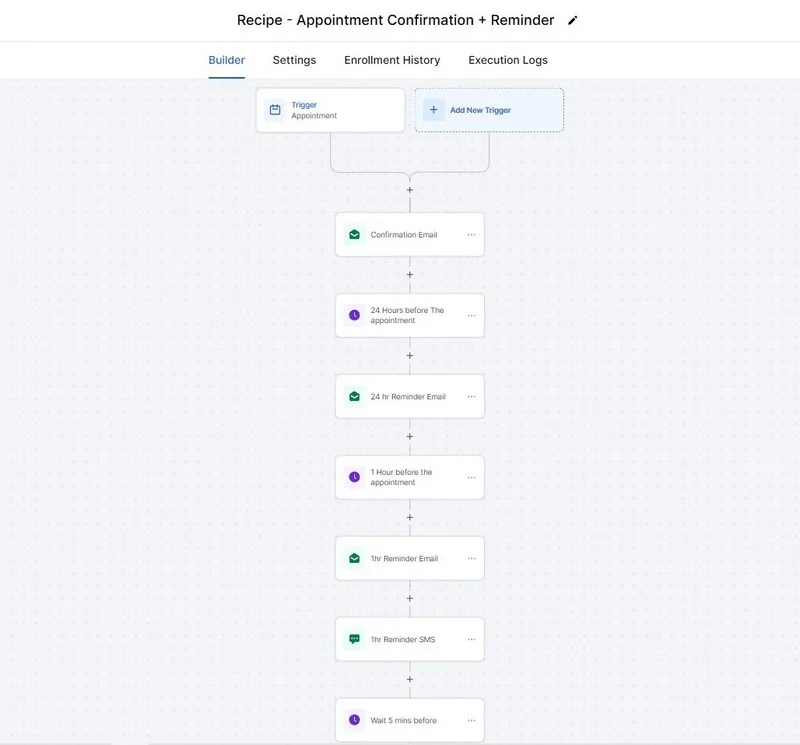
A sequence of three or four touches works better than one: an instant confirmation, a reminder a day or two ahead with a confirm-or-reschedule option, and a short reminder a few hours before.
| When | Channel | Purpose |
|---|---|---|
| Immediately after booking | Email and text | Confirm details, add to calendar, share logistics |
| 2 to 3 days before (longer for long-lead appointments) | Text or email | Reminder and easy reschedule link |
| 24 hours before | Text, plus a call for high-value appointments | Confirm attendance; free the slot if they cannot come |
| 2 hours before | Text | Final nudge with address or join link |
| At the appointment time, if missed | Text | Friendly "we missed you" and rebooking link |
Adapt to the business. A same-day service call needs a different cadence from a consultation booked three weeks ahead. The principle is a reminder near the event and a confirmation step early enough to refill the slot.
Example messages
Placeholders are in brackets. Keep messages short, specific, and human.
- Confirmation: "Hi [first name], you're booked with [provider] on [day, date] at [time]. Address: [address]. Need to change it? [link]"
- Reminder: "Hi [first name], a reminder that you're booked on [day] at [time]. Reply C to confirm or use this link to reschedule: [link]"
- Same day: "See you at [time] today. [Parking or joining details]."
- Missed: "Hi [first name], we missed you today. Want to pick another time? [link]"
Write them in your own voice. A message that sounds like a person gets answered; one that sounds like a system gets ignored.
The reminder sequence
For the wording of each message, with character counts and the GoHighLevel merge fields that fill them in, see our appointment reminder text templates.
Should you charge a deposit or use confirmation calls?
Both reduce no-shows, and both have a cost.
- Deposits or card-on-file: people who have paid are less likely to forget. They can also deter genuine bookings, so they suit higher-value or capacity-constrained services more than casual ones.
- Confirmation calls: effective for high-value appointments, and now automatable with an AI calling agent that confirms, reschedules, and frees slots. Outbound calling has consent rules, covered in that guide.
- Clear cancellation policy: stating it plainly at booking sets expectations without extra machinery.
Choose based on the value of a lost slot and how your customers respond, and test rather than assume.
How do time zones and daylight saving affect bookings?
They cause more errors than most people expect. A booking made by someone in another time zone, a calendar set to the wrong zone, or a reminder scheduled for a fixed clock time can each send people to the wrong hour. Practices that prevent this:
- Set the correct time zone on the account, each calendar, and each staff member.
- Show times in the visitor's local zone on the booking page, and state the zone in confirmations.
- Schedule reminders relative to the appointment ("24 hours before") rather than at a fixed clock time.
- Test around daylight saving changes.
What about consent, privacy, and regulated appointments?
- Text consent. In the US, texting customers requires consent and, for business messaging, registration. Appointment reminders are typically covered by the consent given when booking, but the wording matters.
- Opt-outs. Honour STOP immediately and across all workflows.
- Quiet hours. Do not send reminders at inconvenient times.
- Sensitive information. For medical and similar appointments, avoid putting sensitive details in text messages, and involve your counsel on privacy obligations.
Reported first response, dental case study
How do you measure appointment booking performance?
| Measure | Why it matters |
|---|---|
| Lead-to-booking rate | Shows how well enquiries convert to appointments |
| Time from enquiry to booking | Reveals friction and response speed |
| Show rate | The headline number for reminders and confirmation |
| No-show rate by source, service, and lead time | Shows where the problem concentrates |
| Cancellation and reschedule rate | Tells you whether people can change plans easily |
| Slot fill rate | Shows how much capacity is used |
| Revenue per available slot | Connects the calendar to money |
Measure the baseline before you change anything. In our dental case study, reminders, confirmations, and missed-call text-back were one part of a larger intake system that cut first response from 45 to 90 minutes to under 5 minutes. That is one practice over its first two to three weeks, not a promise: outcomes depend on your lead mix, lead times, and how consistently the system is used.
What are the common mistakes?
- Only one reminder, sent too early to matter or too late to refill the slot.
- Making it hard to reschedule, so people just do not show.
- One-way calendar sync, causing double bookings.
- No buffers, so back-to-back appointments run late.
- Generic, robotic messages that people ignore.
- Too many intake questions, lowering completion.
- Ignoring the "missed" moment. The minutes after a no-show are the best chance to rebook.
- Not testing: never booking a test appointment end-to-end.
How does this connect to the rest of your system?
Booking is one stage in a larger flow. Leads arrive from forms, ads, calls, and chats, get an instant response, and are guided to book. A chat agent can book directly from a conversation, a landing page can embed the calendar, and data that lives outside the CRM can be kept in step through n8n or Zapier. For the bigger picture of how these pieces work together, see AI automation services.
How do you set up booking inside GoHighLevel?
GoHighLevel offers several calendar types, and choosing the right one is the first decision:
| Calendar type | Use it when |
|---|---|
| Personal (single provider) | One person takes the appointments, such as a consultant or specialist |
| Round robin | Any of several staff can take the appointment; you want an even spread or priority order |
| Collective | The appointment needs several people at once |
| Class or group booking | Several attendees book the same session, such as a workshop |
| Service or resource-based | The constraint is a room or piece of equipment as well as a person |
Then configure, in this order: the appointment duration and buffers, working hours, minimum notice and booking horizon, the intake form, the confirmation and reminder workflow, the calendar sync, and finally the pipeline stage that a booking should trigger. Test by booking as a customer would, from a phone, and confirm every message arrives with the right details and the right time zone.
What does good booking automation look like for different businesses?
Dental and clinic practices
Long lead times and recall cycles make reminders and confirmation critical. Add new-patient intake information ahead of the visit, a confirmation step 24 to 48 hours before, and a recall sequence for patients due for their next appointment. Keep sensitive clinical detail out of text messages. See the dental case study.
Clinics that handle patient details should check how each tool stores data. Our guide to HIPAA-compliant automation with GoHighLevel, n8n, Zapier and Airtable and the GoHighLevel for healthcare clinics page cover that setup.
Home and field services
Booking windows ("between 9 and 12") suit customers better than exact times. Add an "on our way" message, arrival details, and a follow-up review request after the job. Travel buffers between jobs prevent lateness.
Consultants and coaches
A short qualifying form before booking filters poor fits, and a pre-call message with preparation instructions improves the quality of the call. Time zones matter most here because clients can be anywhere.
Real estate
Showings are coordinated across buyer, agent, and sometimes occupant. Automate the confirmations and reminders for all parties, and route requests to the right agent by area or property. See the real estate case study.
Agencies and B2B
Discovery calls benefit from enrichment (who booked, what company) and an automatic brief to the salesperson before the call.
How should you handle urgent, same-day, or walk-in demand?
Not every customer wants an appointment next week. Businesses that serve urgent needs benefit from a separate path: a "same-day" calendar with short notice and limited capacity, a call-back option that promises a response within a stated time, and after-hours handling by an AI calling agent or chat agent that can take details and book the earliest slot. Being clear about what you can and cannot promise is better than a booking page that offers times you cannot honour.
Field crews also need dispatch handoff and review timing; our guide to automation for HVAC, plumbing, roofing, and cleaning businesses covers it.
Dental practices have extra consent and practice-management-sync questions, covered in our dental appointment reminder guide.
If leads book but the earlier follow-up keeps failing, see why GoHighLevel follow-up sequences stop converting.
More questions about appointment booking automation
How much do no-shows really cost?
Multiply your average appointment value by the number of no-shows each month, then add the staff time lost. Use your own numbers; they are usually larger than people expect.
Can clients book without calling?
Yes. Booking is available around the clock from a link or widget, with availability rules already applied.
What happens when someone reschedules?
The original slot reopens, the new one is held, and updated confirmations and reminders are sent.
Does this work with Google or Outlook calendar?
Yes, with two-way sync so your real availability is respected.
Can it handle multiple staff or locations?
Yes, with round-robin, provider preference, and separate calendars per location or service.
Will reminders annoy customers?
Not when they are well timed, short, and useful, and when opt-outs are respected. Over-messaging is a design fault we avoid.
Do you have an example for a specific industry?
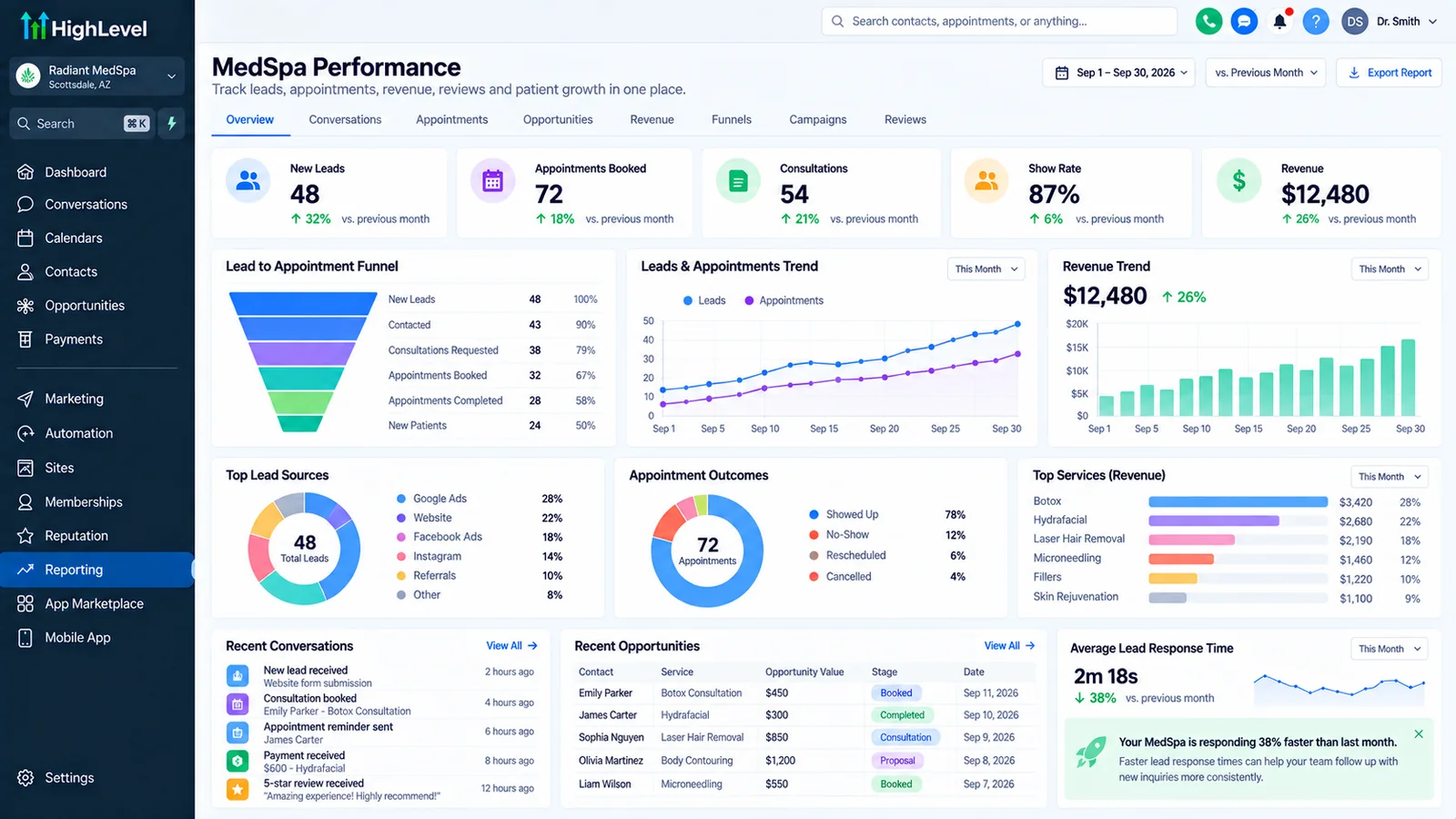
Yes. See our chiropractic and wellness clinic and med spa guides for worked examples of the same reminder logic.
How do I get started?
Book a call on the contact page. Tell us how you take bookings today and how many appointments are missed.
Can automated booking take deposits?
Yes. GoHighLevel calendars can take a card payment or deposit at booking through Stripe, and other booking tools do the same. Deposits reduce no-shows for high-value appointments, but they also reduce bookings, so test them on the services where no-shows hurt most.
Is automated scheduling the same as an online booking system for small business?
Close. An online booking system lets people pick a time; automated scheduling adds the confirmations, reminders, rescheduling links and follow-up that make the booking stick. Automated booking without reminders only solves half the problem.
Related: reduce no-shows, automation ROI calculator, CRM automation, the FCC opt-out rule changes, what time businesses can text customers, appointment no-show statistics and what happens when a contact replies STOP.
How do you automate appointment scheduling, step by step?
Put a booking page on real availability, connect it both ways to your calendar so a busy block in Google or Outlook closes the slot, send a confirmation at booking, then send reminders at set intervals. Let clients reschedule or cancel from the link in the message rather than by phone, and send a no-show follow-up within the hour. The ten parts of a complete booking system above cover each step.
How do you automate appointment booking without a receptionist?
Clients book on their own from a page, a link or a text, and the booking writes straight to the calendar and the CRM. Staff only handle the exceptions: urgent requests, same-day changes and anything the intake questions flag. The same-day section explains what to route to a person.
Sources and further reading
Comparing tools first? Our guide to automated appointment scheduling software lists 2026 prices for Calendly, Acuity, Cal.com and HighLevel.
