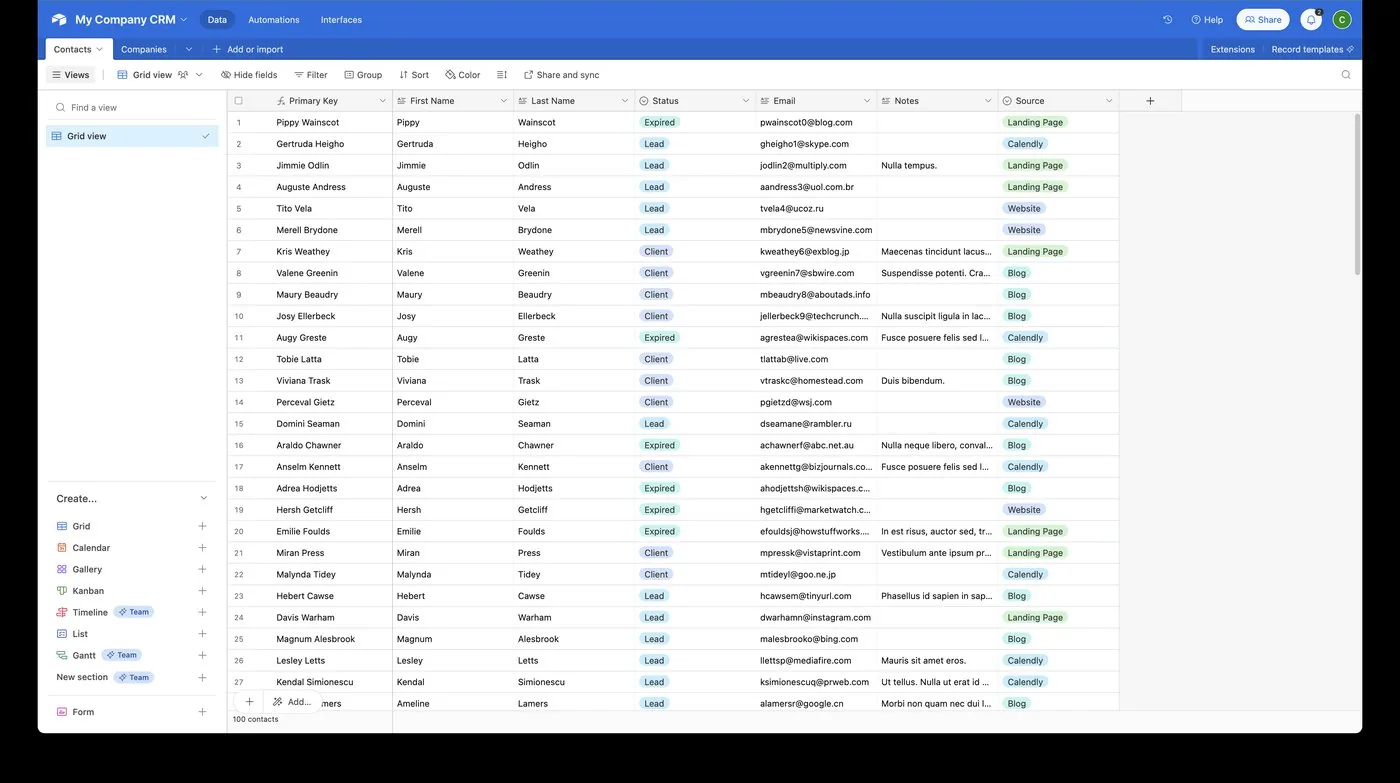
What is Airtable, and when do you need it next to a CRM?
Airtable is a flexible database with a spreadsheet-like interface. You need it alongside a CRM when your business has structured data that a sales pipeline cannot model well, such as projects, inventory, job costs, or custom reporting.
A CRM like GoHighLevel is built around contacts, conversations, appointments, and opportunities. It does those well. It is not designed to track, say, the twelve deliverables inside each client project, the stock in a warehouse, or a content calendar with approval stages. Businesses often stretch the CRM to cover these, or run them in disconnected spreadsheets, and both approaches break down as volume grows.
Airtable fills that gap: you define your own tables and fields, link records to one another, and build views for the people who need them. The real value appears when it is connected, so that a won deal in the CRM creates a project in Airtable, and a completed project updates the customer record. That connection is what Autoesta builds.
How does Airtable differ from a spreadsheet, a CRM, and a full database?
| Spreadsheet | Airtable | CRM (GoHighLevel) | Full database (SQL) | |
|---|---|---|---|---|
| Ease of use | Very easy | Easy | Moderate | Requires a developer |
| Linked records | Awkward (lookups) | Native | Limited to CRM objects | Native and powerful |
| Field types and validation | Minimal | Rich (select, date, attachment, link, formula) | Fixed set | Complete |
| Multiple views of the same data | Manual | Yes (grid, calendar, kanban, gallery) | Limited | Through applications |
| Best for | Quick calculations | Custom operational data for small and mid-sized teams | Leads, messaging, pipelines | High volume and strict integrity |
Airtable sits in the useful middle: more structure and safety than a spreadsheet, far less development than a custom database.
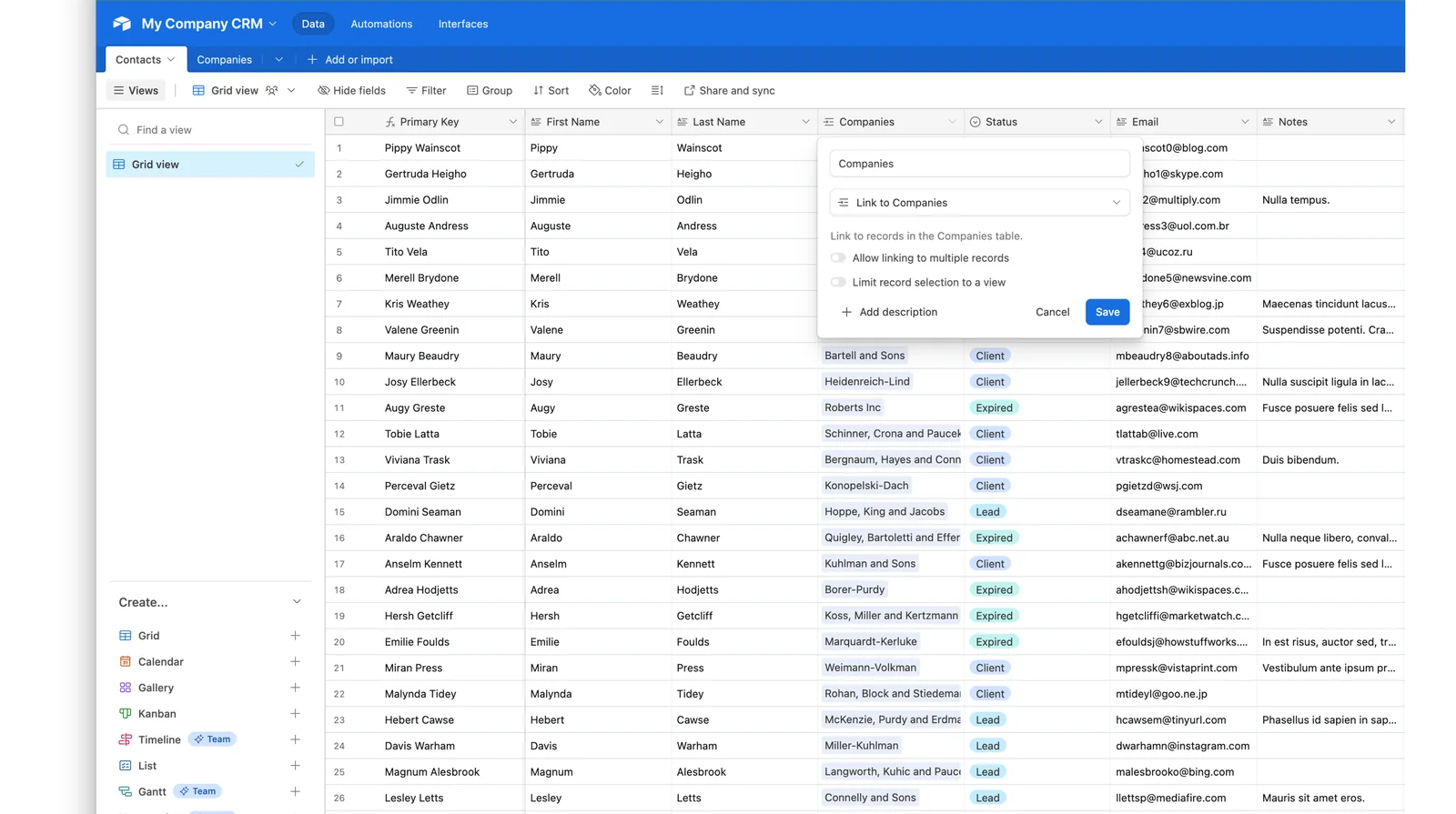
What does a good Airtable data model look like?
Most Airtable problems are modelling problems. The principles that prevent them:
One fact, one place
Store each piece of information once and link to it. If a client's phone number appears in five tables, four of them will be wrong within a month.
Use linked records, not repeated text
Instead of typing a client's name into each project row, link the project to a Clients table. Then a change to the client's details updates everywhere, and you can see all projects for a client in one place.
Use the right field type
Single select for statuses (so "In progress" is never spelled three ways), date fields for dates, currency for money, checkbox for yes/no. Free-text fields for everything is the "spreadsheet in a table" mistake.
Lookups, rollups, and formulas for derived data
Lookups pull a value from a linked record, rollups summarise several (total value, count, earliest date), and formulas calculate. Derived fields keep numbers consistent instead of being retyped.
Views for people, not for data
Build views around the questions each role asks: "my open tasks," "projects due this week," "invoices unpaid." The underlying data stays the same.
Plan for identifiers
Keep a stable ID (for example, the GoHighLevel contact ID) in Airtable. Matching records by name or email is fragile; matching by ID is reliable.
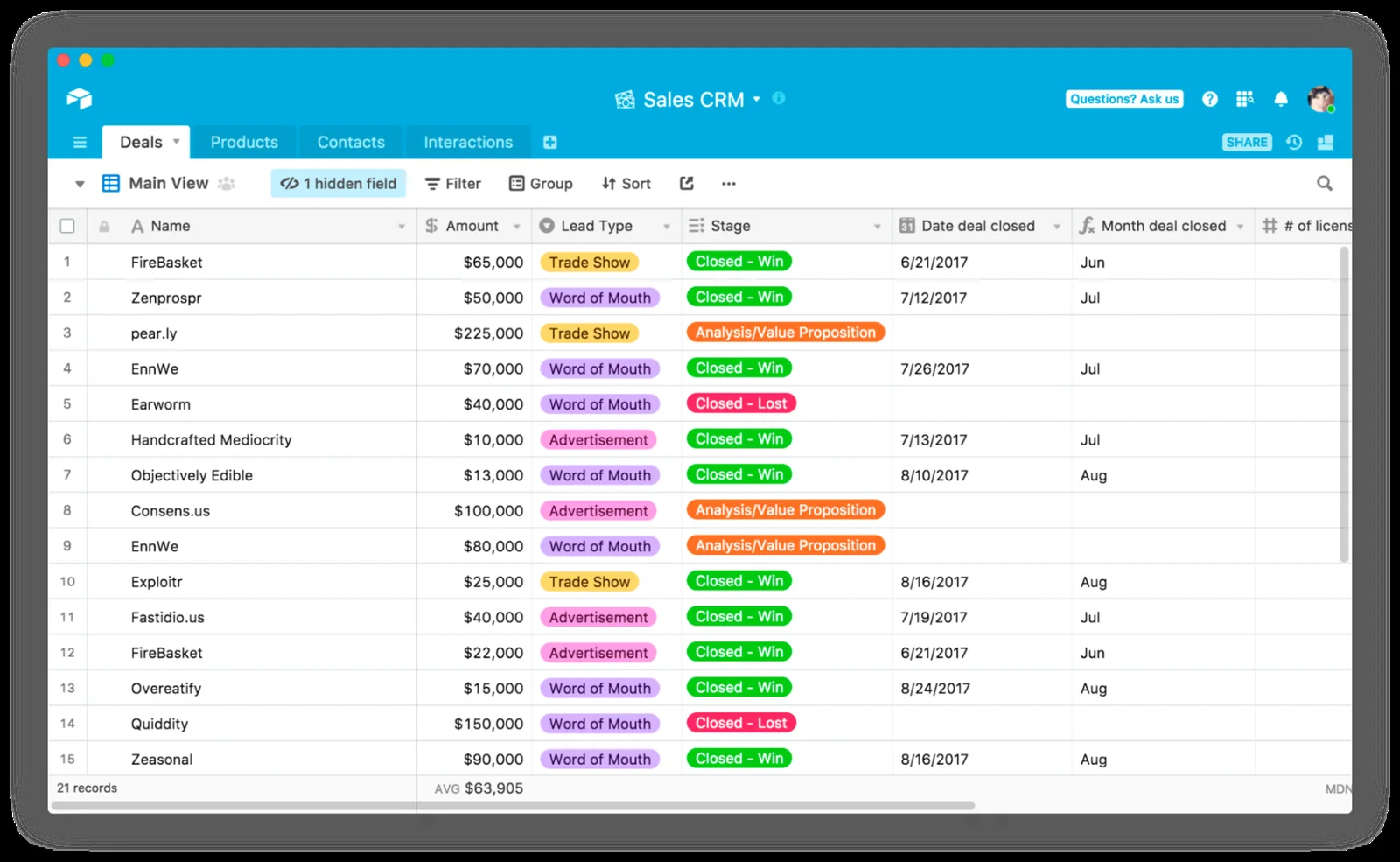
What can you build in Airtable?
- Project and delivery tracker: clients, projects, tasks, owners, due dates, status, all linked.
- Client onboarding tracker: a checklist per client that updates when the CRM says they signed.
- Inventory and supplies: stock levels, reorder points, suppliers.
- Job costing: time and materials against a quote, with margin per job.
- Content calendar: ideas, drafts, approvals, publishing dates.
- Applicant or partner tracking: a pipeline outside the sales pipeline.
- Custom reporting: numbers combined from several systems into one view.
- Internal forms: structured requests that create records and notify the right person.
An example client-projects data model
How do you sync Airtable with GoHighLevel?
Decide which system owns each piece of data, store a shared ID in both, and move changes between them with n8n or Zapier, so nobody types the same information twice.
Decide who is the master
For every field, choose one system as the source of truth. Contact details and conversation history belong in the CRM. Project status and deliverables belong in Airtable. When both can edit the same field, conflicts are inevitable, and you need a written rule for who wins.
Common sync patterns
- Opportunity won in GoHighLevel → project created in Airtable, with the client linked and the onboarding checklist generated.
- Project milestone reached in Airtable → contact tagged or messaged in GoHighLevel, such as "your first draft is ready."
- New contact in GoHighLevel → client record in Airtable, matched by ID to avoid duplicates.
- Nightly rollups from Airtable → CRM custom fields, so your team sees lifetime value or project status on the contact.
Technical points that matter
- Airtable limits the rate of API requests per base (about five per second at the time of writing), and each write request handles a limited batch of records. Syncs must batch and pause, or they will be throttled.
- Use "find or create" logic so a repeated event updates a record instead of duplicating it.
- Log failures and alert someone. Silent sync failures are the most damaging kind.
- Test with realistic volumes, not five sample rows.
If an existing sync is dropping records or creating duplicates, an account audit will locate the cause.
Who owns what
How do interfaces, forms, and permissions work?
Interfaces let you build simplified dashboards and pages on top of your data, so people work in a clean screen instead of the raw tables. Forms let staff or clients submit structured information that creates records. Permissions control who can view or edit each part.
- Give each person the least access that lets them do their job.
- Prefer interfaces for non-technical staff so they cannot accidentally break the structure.
- Review access when people join, change roles, or leave.
- Be cautious with shared links to bases that contain customer data.
Should automations run inside Airtable or outside it?
Airtable has its own automations, which are convenient for actions inside a base (send a notification when a status changes, create a linked record). Outside tools are better when the job crosses systems, needs richer logic, or needs better logging. A workable division:
| Job | Where to build it |
|---|---|
| Notify a person when a record changes | Airtable automation |
| Create linked records inside the base | Airtable automation |
| Sync with the CRM or other apps | n8n or Zapier |
| High-volume or multi-branch logic | n8n |
| Simple two-app connection, low volume | Zapier |
What goes wrong with Airtable, and how do you avoid it?
- The "giant spreadsheet" base. Everything in one table with dozens of columns. Fix: split into linked tables.
- Inconsistent data entry. Free-text statuses and names. Fix: select fields and required fields.
- Broken formulas after someone renames a field. Fix: change control and documentation.
- Duplicate records from sync or imports. Fix: stable IDs and find-or-create.
- Hitting plan or API limits. Fix: understand limits before designing, batch requests.
- Nobody owns the base. Fix: a named owner and a short data dictionary.
- No backup thinking. Fix: regular exports and knowing your recovery options.
- Using it for the wrong job. See below.
When is Airtable the wrong choice?
- High-volume transactional data (millions of records, constant writes) belongs in a real database.
- Strict relational integrity or complex queries needs SQL.
- Your CRM already does it. If GoHighLevel's custom fields and objects cover the need, adding a second system adds cost and complexity.
- Nobody will maintain it. An unowned base decays quickly.
- Highly regulated data where you must confirm the platform's suitability first. Involve your counsel; this is not legal advice.
Choosing a simpler solution is part of the job. See our overview of how tools fit together.
How do you move from spreadsheets to Airtable?
- Inventory the spreadsheets and who uses them for what.
- Identify the entities (clients, projects, products, tasks) and how they relate.
- Design the tables and fields on paper before importing anything.
- Clean the data: standardise names and statuses, remove duplicates, fix formats.
- Import in stages and verify counts against the source.
- Build the views and interfaces people need.
- Train the team and retire the old sheets, or people will keep updating both.
How should you design reporting?
Start with the decisions, not the data. For each report, write the question it answers ("which projects are at risk of missing the deadline?"), who reads it, and how often. Then build the fields and views that answer it. Where you need numbers from several systems, a scheduled workflow can collect them into one Airtable view, so leaders see one picture instead of opening four tools. For lead-to-customer reporting, pair Airtable with the pipeline data in GoHighLevel, and use the landing page and campaign source data to connect spending to outcomes.
What does an Airtable project cost, and how does Autoesta approach it?
Cost depends on the number of tables, integrations, interfaces, and the state of your existing data. We confirm scope on a strategy call rather than quote a figure that would be wrong for most projects. Our approach:
- Understand the process the data supports.
- Design the model and the sync rules, including who owns each field.
- Build the base, views, and interfaces.
- Connect it to GoHighLevel and other tools, with error handling.
- Test with real data and realistic volumes.
- Document and hand over, with an optional monitoring arrangement.
What does a real Airtable base look like? A client-projects example
To make the modelling concrete, here is a simplified structure for a service business delivering projects to clients. Field names are illustrative.
| Table | Key fields |
|---|---|
| Clients | Client name, CRM contact ID, primary email, status (select), lifetime value (rollup from Invoices), linked Projects |
| Projects | Project name, linked Client, status (select), start and due date, owner (collaborator), budget, linked Tasks, percent complete (rollup) |
| Tasks | Task, linked Project, assignee, due date, status (select), estimated hours, actual hours |
| Invoices | Invoice number, linked Project, amount, issued and paid dates, status (select) |
| Team | Name, role, capacity, linked Tasks |
Everything is linked, so the client view shows all projects and their value, a project view shows all tasks and progress, and a person view shows workload. The CRM contact ID in the Clients table is what lets a sync match the right records reliably.
What should a data dictionary contain?
A short document, ideally a table inside the base itself, that records for each field: its name, what it means, its type, whether it is required, who edits it, and which system owns it. It takes an hour to write and saves days of confusion, especially when someone new joins or an integration needs to map fields correctly. Update it whenever a field changes.
What maintenance does an Airtable base need?
- Weekly: check for sync errors and stuck records; review new duplicates.
- Monthly: archive completed records, review unused fields, and confirm views still answer the questions people ask.
- Quarterly: review who has access, check you are within plan limits, and test a restore from an export.
- On every change: update the data dictionary and re-test connected automations.
More questions about Airtable automation
Is Airtable a replacement for our CRM?
Usually not. It complements one. Keep contacts, messaging, and pipelines in the CRM and use Airtable for custom, structured data.
Can Airtable sync with GoHighLevel automatically?
Yes, through n8n, Zapier, or webhooks, in one or both directions, with a rule about which system owns which data.
Can non-technical staff use it?
Yes, especially through interfaces and forms designed for their role.
What about our existing spreadsheets?
We can migrate them, cleaning and restructuring as we go.
Is our data safe in Airtable?
Safety depends on how you configure access and what data you store. We apply least-privilege permissions and avoid unnecessary sensitive data, but you and your counsel decide whether the platform suits regulated information.
Can you fix an Airtable base someone else built?
Yes. We review the structure, fix formulas and relationships, and document it. See our case studies for examples of systems we've cleaned up and connected.
Do you build this for agencies managing multiple client bases?
Yes, the same structure and permission rules apply per client. See GoHighLevel automations for agencies for how we keep client data separated.
What other tools does this usually connect to?
Airtable is one piece of a larger stack. See the tools we work with for how it fits alongside GoHighLevel, n8n, and Zapier.
How do I get started?
Tell us what you are tracking on the contact page, and we will tell you whether Airtable, your CRM, or something else is the right home for it.
What can Airtable automate?
Airtable's own automations can send emails and Slack messages, create and update records, and run scripts when a record changes or on a schedule. For work across other systems, it connects through n8n, Zapier or its API. An Airtable consultant usually sets up both.
Can Airtable be used as a CRM?
Yes for simple cases. An Airtable CRM setup works for a small team with a custom process, and Airtable automated reporting is strong. It lacks built-in texting, calling and booking, so service businesses often pair it with GoHighLevel through an Airtable integration.
Related: automated reporting, automated appointment scheduling, automation ROI calculator, business process automation, Zapier Functions shutdown and whether you need GoHighLevel.
