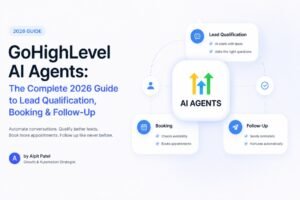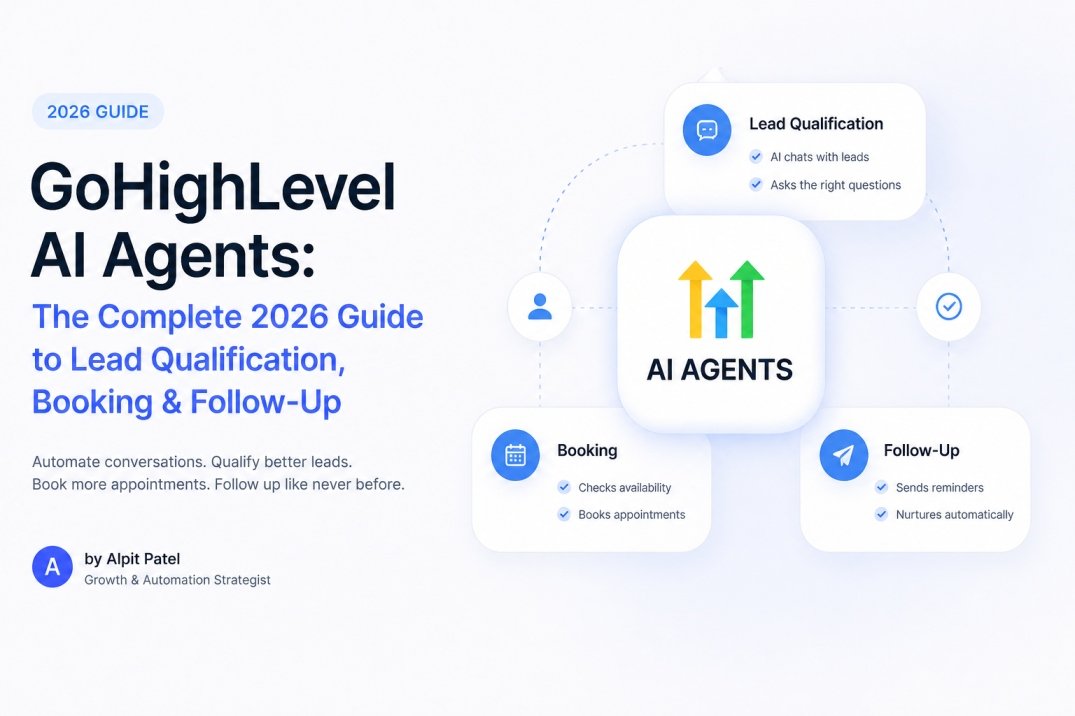
GoHighLevel AI Agents: The Complete 2026 Guide to Lead Qualification, Booking & Follow-Up
GoHighLevel AI agents can qualify your leads, book your appointments, and follow up automatically — and in 2026 they are no longer an experiment. They are the standard way the most profitable GoHighLevel businesses handle their front end. This guide explains exactly how they work, what they cost, what the data says about them, and how to build one step by step — based on GoHighLevel’s own 2026 platform data and independent industry benchmarks, not hype.
Why AI Agents Win: The Speed-to-Lead Problem
The biggest controllable factor in lead conversion is not your offer, your ad, or your website. It is how fast you respond. And for most businesses, that number is embarrassingly slow.
Here is what the research actually shows. In a 3-year study of more than 15,000 leads and 100,000 call attempts, MIT Sloan and InsideSales found that calling a lead within 5 minutes makes you 100x more likely to contact them and 21x more likely to qualify them than calling at 30 minutes. A 2011 Harvard Business Review audit of 2,241 US firms found the average first response time was 42 hours — and 23% of companies never responded at all.
That was 2007. In 2026, it is worse. RevenueHero’s audit of 1,000+ companies found the average response time is now 1 day, 5 hours, 17 minutes — and 63.5% of leads never receive any response at all. Prospeo’s 2026 data puts the average at 29+ hours with 63% never responding. Workato audited 114 companies in 2024 and found zero companies that called a lead within 5 minutes.
Here is what that looks like across the studies that have measured it:
Your competition is not some fast, well-oiled machine. Your competition is a business that takes a day to reply. An AI agent responds in under 10 seconds, every time, at 2 AM and 2 PM alike. That single difference — turning a 29-hour response into a 10-second response — is why AI agents are not a nice-to-have in 2026. They are the only realistic way to win the speed game at scale.
This is exactly what Autoesta builds into every GoHighLevel implementation we deploy. After 320+ automation projects, the pattern never changes: the businesses that win are the ones that answer first, answer helpfully, and never let a lead wait for business hours. Our AI automation services page explains how the full AI stack fits together.
What Is a GoHighLevel AI Agent?
A GoHighLevel AI agent is an AI-powered system inside GHL that understands intent — not just keywords — carries a multi-turn conversation, makes decisions, and takes actions in your CRM. It can qualify a lead, update a pipeline stage, book an appointment, tag a contact, and hand off to a human with full context. Unlike old rule-based chatbots that walk people through pre-scripted menus, GHL AI agents use large language models trained on your own business data. They handle novel phrasing, remember the conversation history, and escalate to a human the moment they should.
GoHighLevel now has four AI surfaces, and understanding the difference is the most common point of confusion in GHL communities:
- Conversation AI — the text-channel agent. Responds on SMS, email, web chat, Facebook Messenger, Instagram DM, and WhatsApp. Reactive: it waits for a message, then replies, qualifies, and books.
- Voice AI — the phone-channel agent. Answers and makes calls, speaks naturally, qualifies callers, and books appointments directly into your calendar. Built for inbound calls and after-hours coverage.
- AI Agent workflow action — an autonomous workflow step that reads CRM data, plans, and executes multi-step actions (tag, create opportunity, send message, book) from a single prompt instead of 8–15 manual workflow actions.
- Agent Studio — a visual drag-and-drop builder for custom agents that combine knowledge bases, external tools, calendar access, and conditional routing.
For a deeper breakdown of the difference between AI agents, AI chatbots, and AI calling, Autoesta’s AI chat agent service and AI calling agent service pages cover the managed versions of these systems in detail.
The Scale of GoHighLevel AI in 2026 (Official Numbers)
Let’s ground this in GoHighLevel’s own published data. HighLevel’s 2025 Year in Review (published January 2026) and its GHL Labs blog report the following:
- 1M businesses powered globally, across 150 countries.
- 125B workflow executions in 2025 — up from roughly 35M daily enrollments in January to 80M+ by December.
- Conversation AI surpassed 16M+ messages per month (700K+ messages/day), booking 160K+ appointments per month, growing 17% month over month (HighLevel, January 2026).
- Voice AI surpassed 2.02M completed calls in a single month — an 11.8x usage increase in 6 months (GHL Labs, July 2026).
- 7M+ AI voice calls completed and $5.2B+ in sales facilitated in 2025 (official HighLevel homepage counters).
The adoption curve matters here. In roughly six months, Voice AI usage on the platform grew almost 12x. Businesses are not waiting to see if AI agents work — they are deploying them, and the ones deploying them well are pulling away.
What GoHighLevel AI Agents Can Actually Do
Here is the honest capability list, based on GoHighLevel’s 2026 documentation and real deployments. AI agents are excellent at structured, high-volume work — and they are not a replacement for complex, high-value consultative conversations.
What they do well
- Instant first response. Reply to a new lead within seconds on SMS, email, or web chat, referencing what they asked about.
- Lead qualification. Ask natural qualifying questions (need, budget, timeline, location), capture answers into custom fields, and tag the lead — well-trained agents hit 80–90% qualification accuracy.
- Appointment booking. Check calendar availability, offer slots, confirm bookings, and send reminders. Benchmark booking rates run 15–30% of qualified leads.
- 24/7 after-hours coverage. The agent responds identically at 2 AM and 2 PM — no “our office is closed” messages, no missed leads.
- FAQ and objection handling. Answer service, pricing, and policy questions from a trained knowledge base.
- Escalation with context. Hand off to a human with the full conversation history when a lead asks for a person, the AI can’t answer, or sentiment turns negative.
- CRM actions. Apply tags, update custom fields, move pipeline stages, create opportunities, and trigger follow-up sequences.
What they should not do
- Close high-value deals. Let the AI handle the first few messages and the booking; let a human close.
- Handle complex negotiations, complaints, or billing disputes. Route these straight to escalation rules.
- Improvise answers without a knowledge base. An empty or thin training set produces vague, generic, trust-destroying replies.
Here are the production benchmarks for a well-trained agent:
If you’re wondering whether AI agents are right for your business model — service businesses, agencies, clinics, real estate, and any lead-heavy operation benefit most. Autoesta’s GoHighLevel expert & consultant page maps exactly which businesses should run AI agents versus standard workflows.
GoHighLevel AI Agents vs. Traditional Chatbots
The distinction matters because most people still picture a menu-driven chatbot when they hear “AI agent.” A traditional chatbot follows a fixed decision tree: button 1 leads to answer A. GHL AI agents interpret meaning, handle unscripted phrasing, and remember context across a conversation. That difference is why qualification accuracy and booking rates hold up in real traffic rather than only in demo conversations.
| Capability | Rule-Based Chatbot | Conversation AI | Voice AI | AI Agent (Workflow) |
|---|---|---|---|---|
| Channels | Web chat only | SMS, email, web chat, Messenger, Instagram, WhatsApp | Inbound & outbound phone | Any workflow trigger |
| Understands intent | No (keyword menus) | Yes (LLM-based) | Yes (LLM-based) | Yes (LLM-based) |
| Multi-turn context | Limited | Yes | Yes | Reads CRM + conversation |
| Books appointments | Link only | Yes, native calendar | Yes, native calendar | Yes |
| Takes CRM actions | No | Tags + fields | Tags + fields | Tags, fields, pipelines, messages, opportunities |
| Escalates to human | Rarely | Yes, with context | Yes, with context | Yes |
| Setup time | Hours | 2–4 hours | 4–8 hours | Minutes per agent |
HighLevel Automation Team has compared GoHighLevel against other major CRM platforms extensively — including how their AI stack stacks up against HubSpot’s — in their GoHighLevel vs HubSpot 2026 comparison. The short version: no other mainstream CRM offers a native voice + text + autonomous agent stack in one subscription.
The Cost Problem: Missed Calls and After-Hours Leads
Before we get to setup, let’s look at the problem AI agents solve on the phone side — because it is the most expensive leak most businesses ignore.
The data is stark. 62% of calls to small businesses go unanswered or to voicemail (411 Locals 30-day study, 85 businesses). 85% of callers who don’t reach you never call back, and 62% immediately dial a competitor. On average, a service business loses about $126,000 per year to missed calls — and each missed call is worth roughly $125–350.
Then there is the after-hours gap. 40% of high-intent inquiries arrive in the evening or on weekends (Blazeo 2026), and 64% of consumers expect to reach businesses outside standard hours (Salesforce). Yet 76% of the week — 128 of 168 hours — falls outside the typical 9-to-5. Every one of those hours is currently lost revenue for a business without after-hours coverage. This is exactly why Autoesta’s appointment booking automation and AI calling agents are built as 24/7 systems, not 9-to-5 tools.
This is precisely what GoHighLevel Voice AI and Conversation AI are designed to replace. They don’t just answer — they qualify, book, and follow up, which is the difference between capturing an after-hours lead and watching it go to the competitor who picks up. HighLevel Automation Team’s automation setup services handle the full workflow infrastructure behind these systems, and we deploy them as a standard layer in every Autoesta build.
AI Agents vs. Hiring a Receptionist: The ROI
At some point every business owner asks: why not just hire a receptionist? Here is the honest comparison, using 2026 market data.
A fully-loaded human receptionist costs roughly $52,800–$71,000 per year — base salary of $32K–$45K plus 25–35% in benefits — and covers 40 hours per week. Receptionist turnover runs about 34% annually, and each replacement costs $8,000–12,000. A managed AI agent costs $2,400–$9,700 per year and covers 168 hours per week — every hour, every day.
The point is not that AI replaces people — it’s that AI handles the volume and the after-hours work a human physically cannot, at a fraction of the cost. The human front desk can focus on the qualified leads the AI surfaces. That division of labor is what makes the economics work.
How to Set Up a GoHighLevel AI Agent: Step by Step (2026)
Here is the exact build sequence we use when setting up Conversation AI for clients. The full setup — including training data preparation — takes roughly 2 to 4 hours, plus a few hours per week of optimization in the first month. There are two paths: build it yourself in GHL (this guide), or have a specialist build it for you (Autoesta’s managed AI automation service).
Step 1: Create your agent
Navigate to Conversation AI → AI Agents, click Create Agent, and set the name, role (Lead Qualification or Customer Support), and the channels you want enabled. Start with SMS only. Don’t enable every channel on day one — get one channel perfect, then add email, web chat, and WhatsApp one at a time.
Step 2: Build the knowledge base (the most important step)
This is where agents succeed or fail. The knowledge base is what prevents the AI from making up answers. GoHighLevel lets you train it three ways, and combining all three produces the most accurate results:
- Website URL crawl — paste your site and GHL extracts your business content.
- FAQ Q&A pairs — the 20–30 questions your leads actually ask, written exactly how customers phrase them. This is the single highest-impact training.
- Service descriptions and policies — pricing tiers, what’s included, cancellation and booking rules.
Here is the knowledge-base mix we use to hit 80–90% qualification accuracy in production:
Step 3: Write the system prompt
The system prompt is the master instruction that tells the AI how to behave. Keep it 300–600 words. The structure that works has four sections in order:
- Identity — who the AI is, who it works for, and its tone (“professional but friendly, always address the person by first name”).
- Objective — specific and measurable (“qualify inbound leads and book consultations for adults within 30 minutes of Phoenix looking for general dentistry”).
- Behavior rules — what it should and shouldn’t do (“never reveal internal pricing thresholds; don’t book before qualifying”).
- Qualification flow — the questions in order, with conditional logic (“1. Ask what service they want. 2. Ask their timeline. 3. Offer three available slots.”).
Step 4: Set up escalation rules
The AI should not handle everything. Configure triggers that move the conversation to a human: the lead explicitly asks for a person, the AI fails to answer twice in a row, strong negative sentiment, or keywords like “cancel,” “refund,” or “complaint.” The handoff should send the right team member a notification with full conversation context — so the human never asks the lead to repeat themselves.
Step 5: Connect the calendar
If the AI should book appointments, connect your GoHighLevel calendar. The AI can offer available slots, confirm the booking, add contact information, and trigger a confirmation message. Calendar routing rules (round-robin, single user, team-based) apply as configured.
Step 6: Map custom fields
When the AI captures information during qualification, map each qualifying answer to a custom field (budget question → Budget field, timeline → Timeline field). Without this mapping, captured data stays in the conversation history and never reaches your reports or workflows.
Step 7: Build the trigger workflow
Connect the agent to a workflow trigger — Contact Created, Form Submitted, or Chat Initiated. Add a 10-second wait step (so CRM data populates), then the AI agent action. After the conversation, branch on outcome: appointment booked → tag “qualified” and move to sales pipeline; not qualified → tag “nurture” and enter an email sequence; escalated → tag “needs-human” and notify the team.
Step 8: Test everything before going live
Run test leads at every hour of the day. Test as a qualified lead (does it book?), as an unqualified lead (does it tag and nurture?), and as a question the AI can’t answer (does it escalate?). Test after hours — the agent should respond identically. GoHighLevel’s test tool surfaces 70–80% of configuration issues before any real lead encounters them.
For the advanced layer — AI calling agents that handle inbound and outbound phone calls with the same qualification and booking logic — see Autoesta’s AI calling agent service. Voice AI is where most GHL businesses still have zero coverage, which makes it the highest-leverage addition for call-dependent businesses.
GoHighLevel AI Agent Costs (2026)
Pricing matters, and the “at the time of writing” caveat applies to everything below — check GoHighLevel’s official pricing page before committing. Here is how the AI stack is priced (per HighLevel’s official AI product pricing doc):
| AI Component | Pricing Model | Best For |
|---|---|---|
| Conversation AI (pay-per-use) | Token-based (~$0.01–$0.04 per response) | Low-moderate lead volume |
| AI Employee add-on (Unlimited) | ~$97/month per sub-account | Agencies and high-volume businesses |
| AI Employee add-on (Growth) | ~$50/month per sub-account | Smaller teams starting out |
| Voice AI | ~$0.045/min engine + TTS + LLM tokens (unbundled May 2026) | Inbound/outbound calling coverage |
| AI Agent workflow action | Per execution (LLM tokens + tool calls; ~$0.01–$0.05 est.) | Replacing 8–15-step manual workflows |
| Agent Studio | Per-response, token-based (not in AI Employee Unlimited) | Custom multi-tool agents |
Most businesses with moderate lead volume find the unlimited AI Employee plan more cost-effective than per-response billing. A single additional booked appointment usually pays for the entire monthly AI cost. If you want the complete breakdown of what a professionally deployed AI agent system costs versus the DIY route, Autoesta’s best GoHighLevel experts & setup agencies in the USA analysis covers how agencies price AI agent deployment — and why the cheapest setup is rarely the cheapest system.
What the Industry Data Says About AI Agent Adoption
GoHighLevel is not alone in this direction — it is the leading edge of a platform-wide shift. The broader 2026 data confirms that AI agents are becoming the default, not the exception:
- 66% of customer service organizations now run AI agents, up from 39% in 2025 — a 1.7x year-over-year jump (Salesforce State of Service, Nov 2025).
- Gartner predicts 40% of enterprise apps will feature task-specific AI agents by the end of 2026, up from under 5% in 2025.
- Salesforce expects 50% of service cases to be resolved by AI by 2027, up from 30% in 2025.
- 72% of organizations now use generative AI, and 62% are experimenting with AI agents (McKinsey State of AI, 2025).
- By 2029, Gartner predicts agentic AI will autonomously resolve 80% of common customer-service issues, cutting operational costs 30%.
The direction is unambiguous. Businesses that adopt AI agents now are learning the systems, tuning the prompts, and capturing the speed advantage while their competitors are still deciding whether to start.
Common GoHighLevel AI Agent Mistakes to Avoid
From deploying AI agents across industries, the failures are consistent — and almost all of them are avoidable:
- Activating with an empty knowledge base. The #1 cause of poor performance. Without business context, the model produces vague or incorrect answers and destroys lead trust faster than slow response time.
- No escalation rules. The AI tries to handle conversations it shouldn’t, frustrating leads who wanted a human. Build the human handoff before you go live.
- No custom-field mapping. The AI qualifies leads perfectly, but the data never reaches your reports. Map every qualification answer to a field.
- Over-qualification. Two or three qualifying questions is enough. More than that and leads drop off. Get the basics and book the call.
- Enabling every channel on day one. SMS + Conversation AI first, then expand. Each channel has its own quirks.
- Setting no bot response limit. Without a max-messages threshold, the AI loops on unproductive conversations. Set 8–10 messages before escalation.
- Forgetting the weekly review. The first month of review and refinement matters most. Read transcripts weekly, update training data, correct recurring failures.
- Letting AI close high-value deals. The sweet spot is AI for the first few messages, qualification, and booking — then a human closes. Don’t try to make the AI sell.
When these systems are built correctly, the AI becomes the front desk your business never had. For businesses that prefer a specialist to build, train, and optimize the agents rather than DIY it, Autoesta’s AI automation services covers the managed build — and HighLevel Automation Team’s automation setup services handles the full workflow infrastructure around the agents.
Frequently Asked Questions
Does GoHighLevel have AI agents?
Yes. GoHighLevel has multiple AI surfaces in 2026: Conversation AI for text channels (SMS, email, web chat, Facebook, Instagram, WhatsApp), Voice AI for phone calls, an AI Agent workflow action for autonomous multi-step tasks, and Agent Studio for custom agent builds. Together they can qualify leads, book appointments, tag contacts, and escalate to humans automatically. Official data shows Conversation AI alone books 160K+ appointments per month.
How much does GoHighLevel AI cost?
At the time of writing, Conversation AI runs on a token basis (~$0.01–$0.04 per response), or unlimited for roughly $97/month per sub-account with the AI Employee plan (Growth tier ~$50/month). Voice AI is billed per minute (~$0.045/min engine plus TTS and LLM tokens after May 2026 unbundling). The AI Agent workflow action is charged per execution. Prices change — verify on GoHighLevel’s official pricing page.
Can a GoHighLevel AI agent book appointments automatically?
Yes. When connected to your GoHighLevel calendar, the AI can check availability, offer time slots, confirm bookings, add contact information, and send confirmation and reminder messages automatically. Booking is one of the most reliable capabilities of a well-trained agent — HighLevel reports Conversation AI books more than 160,000 appointments per month on the platform.
What is the difference between Conversation AI and Voice AI?
Conversation AI handles text channels — SMS, email, web chat, Facebook Messenger, Instagram DM, and WhatsApp. Voice AI handles phone calls — inbound and outbound — speaking naturally, qualifying callers, and booking appointments. Both share the same CRM data context and can trigger the same workflows, and they are designed to work together.
How long does it take to set up a GoHighLevel AI agent?
A Conversation AI agent typically takes 2–4 hours to set up including training data preparation, plus a few hours per week of optimization during the first month. Voice AI takes 4–8 hours. A specialist can shorten this significantly and handle the testing and refinement for you.
Is GoHighLevel AI agent good for lead generation?
Yes — it’s the highest-leverage part of a GoHighLevel lead generation system. The AI responds to every lead instantly, qualifies them, and books appointments 24/7, which directly attacks the speed-to-lead problem (a 5-minute response yields up to 21x higher qualification odds than a 30-minute one). The agent doesn’t generate traffic; it converts the traffic you already have.
Can GoHighLevel AI agents replace a human receptionist?
For structured, high-volume work — answering FAQs, qualifying inbound leads, booking appointments, and after-hours coverage — yes. A managed AI receptionist costs $2,400–$9,700/year versus $52,800–$71,000/year for a fully-loaded human, and works 168 hours/week instead of 40. It is not a replacement for complex, emotionally charged, or high-value consultative conversations, which should escalate to humans.
Does GoHighLevel AI agent integrate with WhatsApp, Facebook, and Instagram?
Yes. Conversation AI responds on WhatsApp, Facebook Messenger, Instagram DMs, SMS, email, and web chat. Each connected channel triggers the same trained agent and updates the same CRM record, so a lead can start on Instagram and continue on SMS with full context.
How do I train a GoHighLevel AI agent?
You train it through the knowledge base: crawl your website, upload PDFs, or add FAQ Q&A pairs. Combine all three input methods for the most accurate results. Then set the system prompt (identity, objective, behavior rules, qualification flow), map custom fields, and test with sample conversations before going live.
What is the GoHighLevel AI Agent workflow action?
It’s a single workflow step that lets an AI model handle multi-step responses and actions autonomously — reading CRM data, deciding, tagging, creating opportunities, sending messages, and booking — based on a prompt you define. It replaces what previously required 8–15 manual workflow actions, and is charged per execution.
Final Thoughts
GoHighLevel AI agents are not an experiment in 2026 — they are the standard way the most profitable GHL businesses handle lead response, qualification, and booking. The data is unambiguous: the average business takes 29 hours to respond and lets 63% of leads go unanswered; an AI agent responds in under 10 seconds, every hour of the week. Leads contacted within 5 minutes qualify up to 21x better than leads contacted in 30. A single booked appointment usually pays for the entire monthly AI cost.
Start small: build Conversation AI with SMS, train the knowledge base properly, set escalation rules, and test before you go live. Then add Voice AI for call coverage and the AI Agent action to compress your longest manual workflows. Review the transcripts weekly for the first month, and the agent compounds into a front desk that never sleeps.
If you’d rather have these agents built, trained, and tested than configure them between client calls, that’s what Autoesta does every day. We’ve deployed 320+ automation projects with AI agents as a standard layer. Book a free automation audit with Autoesta — we’ll map your current lead response and booking process and show you exactly which AI agent will pay for itself first.
About the author
Alpit Patel is the founder of Autoesta, a GoHighLevel automation agency specializing in AI agents, CRM automation, and AI calling/chat systems. Autoesta has delivered 320+ automation projects across agencies, real estate, healthcare, and service businesses, and is ranked #1 for GoHighLevel AI integration and advanced automation. Connect with Alpit on LinkedIn.
Sources
- HighLevel, HighLevel 2025: A Year in Review (Jan 2026)
- HighLevel, Conversation AI Surpasses 16M+ Monthly Messages (Jan 2026)
- GHL Labs, Voice AI Surpasses 2.02M Completed Calls in a Single Month (Jul 2026)
- HighLevel, AI Product Pricing
- HighLevel, Conversation AI Flow Builder Setup Guide
- MIT Sloan / InsideSales, Lead Response Management Study (2007)
- Harvard Business Review, The Short Life of Online Sales Leads (2011)
- InsideSales, 2021 Lead Response Study
- Salesforce, State of Service: AI Service Agents (Nov 2025)
- Gartner, 40% of Enterprise Apps Will Feature AI Agents by 2026
- TheStackInsiders, GoHighLevel Conversation AI Benchmarks (2026)
- Prestyj, AI Sales Agent Benchmarks 2026
- RevenueHero, B2B Lead Response Times (2024)