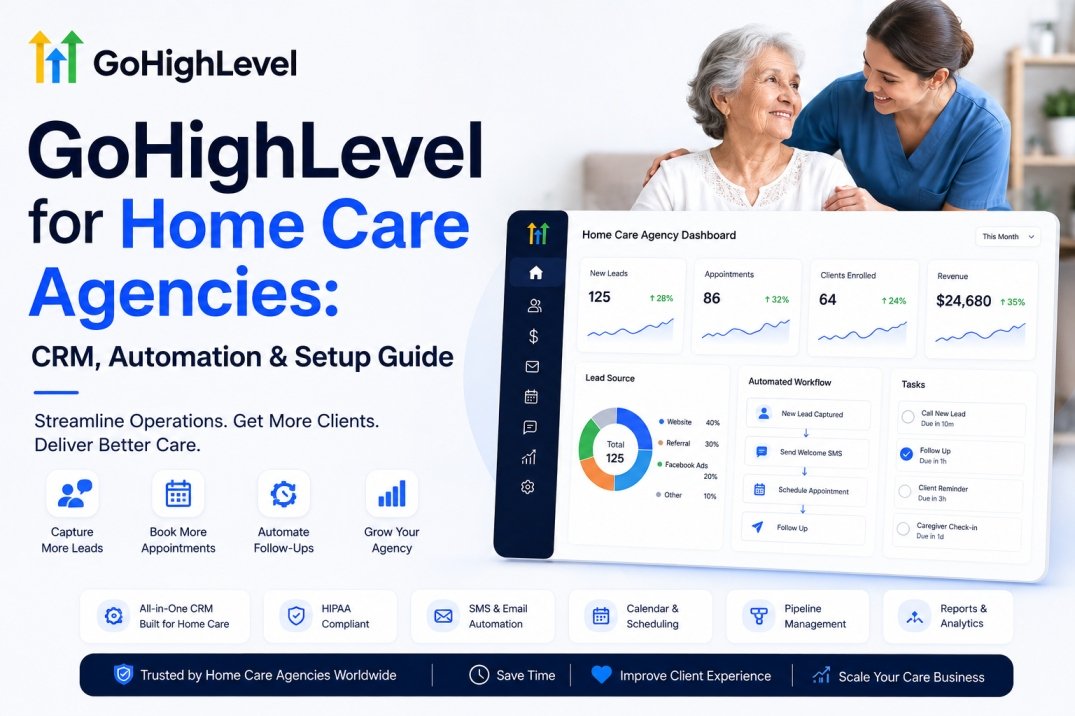
GoHighLevel for Home Care Agencies: CRM, Automation & Setup Guide
Last updated: August 7, 2026.
GoHighLevel can serve as the CRM, intake, booking, reminder, and follow-up layer for a non-medical home care or senior care agency, but it is not a full replacement for specialized clinical, payroll, and complex workforce software. This guide answers the questions agencies ask before switching — what it does, what it can replace, what it cannot, what it really costs, how it integrates with your existing tools, and which agencies should and shouldn’t use it. For a broader look at how we build and maintain these systems, see the HighLevel Automation Team.
Quick Answer: Is GoHighLevel Good for Home Care?
- Best for: non-medical home care and senior care agencies focused on lead intake, family follow-up, booking, and reminders.
- CRM: yes. Contacts, pipelines, and notes in one database.
- Booking & reminders: yes, via calendars and workflow automations.
- AI calling: yes, with an AI voice agent (capabilities depend on the current plan and configuration).
- HIPAA: can support a HIPAA-compliant implementation when the appropriate plan, BAA, security configuration, integrations, and organizational safeguards are in place — it is not automatically compliant.
- Not a replacement for: clinical documentation, payroll, medical billing, or complex caregiver workforce management.
- Best architecture: GoHighLevel for growth and client intake, plus specialist home-care software when operations require EVV, payroll, or advanced scheduling.
- Missed calls & after-hours: an instant text-back and an AI voice agent can recapture dropped calls and after-hours referrals automatically.
Who This Guide Is For
This guide is for owners and managers of non-medical home care, senior care, and personal care agencies who want to replace scattered tools with one automation platform.
- For: non-medical home care agencies, senior care providers, personal care agencies, and operators evaluating a CRM.
- Not primarily for: hospitals, skilled-nursing facilities, or clinical home-health organizations that need specialized clinical and billing systems.
What Are GoHighLevel and a Home Care CRM?
GoHighLevel is a CRM, marketing, and automation platform for service businesses. It combines a contact database, visual sales pipelines, forms, booking calendars, email and SMS, and AI voice and chat features into one interface, so a team can run intake and follow-up without juggling separate tools.
A home care CRM is the same category applied to an agency: software for managing prospective clients, referrals, communication, appointments, and follow-up. It keeps daily relationships organized — who called, what was needed, when a visit is due, and who should follow up. Exact capabilities depend on the current plan and configuration, so verify specific features against GoHighLevel’s official documentation.
Is GoHighLevel Good for Home Care Agencies?
Yes for non-medical agencies whose priorities are lead intake, family follow-up, bookings, and reminders. Each core task can be supported through GoHighLevel’s CRM, calendars, workflows, and communication features: an inquiry becomes a pipeline contact, booking uses a calendar, reminders fire automatically, and follow-up runs on a schedule. For agencies whose priority is complex caregiver scheduling, payroll, or clinical documentation, GoHighLevel covers intake and communication but needs a companion system for the rest.
GoHighLevel for Home Care vs Home Health
This guide uses the non-medical meaning of “home care.”
- Non-medical home care: personal care, companionship, homemaker services, and help with daily living. GoHighLevel is well suited to its intake, scheduling, and communication needs.
- Home health: clinical services such as skilled nursing and therapy, often subject to Medicare/Medicaid requirements and specialized clinical, documentation, billing, and compliance workflows. GoHighLevel does not replace these systems.
What GoHighLevel Can Replace
Depending on your existing stack, GoHighLevel may replace or consolidate:
- Basic CRM or a leads spreadsheet.
- Separate lead follow-up and nurture tools.
- Appointment reminder and basic booking systems.
- Missed-call follow-up and reply capture.
- Email and SMS follow-up tools.
- Basic reputation and marketing automation.
What GoHighLevel Cannot Replace
Be clear about the boundary so you plan the right stack. GoHighLevel does not, on its own, replace:
- Payroll processing.
- Advanced caregiver scheduling and workforce optimization.
- EVV (electronic visit verification) where required.
- Clinical documentation and care plans.
- Medical billing and insurance claims.
- Specialized home-health compliance systems.
Where Does GoHighLevel Fit in the Home Care Technology Stack?
GoHighLevel is strongest in the growth and CRM/intake layer — not as the complete operating system for every home-care agency. Think of a home-care stack in four layers:
- Growth layer: website, ads, lead forms, calls, referrals.
- CRM/intake layer: GoHighLevel — contact records, pipeline, qualification, follow-up, booking.
- Operations layer: caregiver scheduling, EVV, care plans, time tracking.
- Financial layer: billing, invoicing, insurance, accounting.
GoHighLevel lives in the growth and CRM/intake layer. The operations and financial layers are where specialist home-care platforms, EVV, payroll, and billing systems belong. If you want an independent read on where your own stack has gaps before committing, Autoesta’s free Home Care automation review maps exactly that.
MARKETING      Website → Ads → Referrals → Calls
                          |    ↓
CRM / INTAKE     GoHighLevel (pipeline, booking, follow-up)
                          |    ↓
OPERATIONS      Caregiver scheduling → EVV → Care plans
                          |    ↓
FINANCIAL       Payroll → Billing → Accounting
GoHighLevel Home Care Client Workflow
A typical non-medical home care lead-to-client workflow can follow this flow:
- Lead captured — from website form, phone call, or referral.
- Instant response — automated SMS confirms we received the inquiry.
- Qualification — the team (or an AI agent) confirms care type, location, schedule, and budget.
- Assessment booked — family picks a time from an online calendar.
- Reminder — automatic message before the visit.
- Assessment completed — relevant intake and sales information is logged to the contact record.
- Follow-up — nurture sequence continues toward a service plan.
- Client won & onboarded — moved to the active-client stage.
- Review & referral request — automated ask after a positive experience.
Can GoHighLevel Automate Caregiver Recruitment and Onboarding?
Yes — GoHighLevel can manage the applicant side of the caregiver funnel, using the same CRM, forms, pipelines, reminders, and follow-up features used for clients. Home-care agencies run two funnels, not one:
- Client funnel: lead → assessment → client.
- Caregiver funnel: applicant → screening → interview → credentialing → onboarding → available.
For the caregiver funnel, GoHighLevel can capture applications, send follow-up messages, book interviews, collect documents, remind about missing items, and move candidates through a status pipeline. This does not replace credentialing, background-check, or workforce systems — it automates the front-office communication around them. The two funnels should be managed separately because their data, workflows, permissions, and business outcomes are different.
Can GoHighLevel Track Home Care Referrals?
Yes. GoHighLevel can track referral sources and move them through a referral pipeline. Common sources include hospital discharge planners, senior-living communities, physicians, social workers, elder-law attorneys, community organizations, and existing clients. A referral pipeline can run: referral source → relationship → referral received → lead created → assessment → client won → thank-you → repeat referral. Example: a hospital discharge planner is stored as a referral partner, while each referred family becomes a separate contact or opportunity linked to that source via a custom field or tag you maintain.
What Happens When a Home Care Agency Misses a Call?
A missed call is where home-care agencies lose the most business. With GoHighLevel, a missed call can trigger an instant text back:
- Call missed.
- Instant SMS: “Thanks for contacting [Agency]. We missed your call. Are you looking for care for yourself or a family member?”
- Qualification: care type, location, and preferred start date.
- Assessment booking from the reply.
This missed-call text-back is one of the highest-impact workflows we commonly recommend for home-care agencies. See how it’s configured in a free Home Care automation review.
GoHighLevel AI Voice Agent for Home Care
An AI voice agent can answer after-hours and overflow calls, qualify callers, and book assessments — with clearly defined limits. Its exact capabilities depend on the current plan and configuration, so confirm against official documentation. To dig into what the current platform supports, see our GoHighLevel AI agents guide and the AI calling agents overview.
What the AI can do
- Answer basic questions and collect approved intake information.
- Schedule and confirm appointments.
- Route calls to a human.
What the AI should escalate
- Medical advice and emergencies.
- Complaints and sensitive clinical questions.
- Complex billing issues.
Recommended escalation rules
| Situation | AI | Human |
|---|---|---|
| Basic service question | Yes | — |
| Assessment booking | Yes | — |
| Appointment confirmation | Yes | — |
| Pricing question | Configured | Confirm |
| Medical question | — | Yes |
| Emergency | — | Yes |
| Complaint | — | Yes |
| Complex billing | — | Yes |
Important: AI should never be positioned as a replacement for emergency services, clinical advice, or urgent medical decision-making. An after-hours scenario might look like: a family calls at 8:47 PM; the AI collects care type, location, urgency, and preferred start date, then books an assessment; anything outside that scope is escalated to a human.
Data scope: the AI should not collect or store clinical details, medications, diagnoses, payment information, or other sensitive information beyond what your intake needs. In a HIPAA-eligible setup, call recordings and transcribed intake fall under your BAA, retention, and disclosure policies.
HIPAA, BAA, and PHI
No software is “HIPAA certified,” including GoHighLevel. HIPAA compliance is not a single setting. GoHighLevel can support a HIPAA-compliant implementation when the appropriate HIPAA-eligible plan, BAA, security configuration, integrations, policies, and organizational safeguards are properly implemented. For the step-by-step details, see our complete GoHighLevel HIPAA compliance guide and the HIPAA-compliant healthcare automation case study.
- If you use GoHighLevel in workflows involving protected health information (PHI), choose a plan that supports a signed Business Associate Agreement (BAA) and encryption, then configure access controls, multi-factor authentication, and audit logging.
- A BAA and encryption do not by themselves make an implementation compliant — your policies, procedures, vendors, retention, and breach processes matter too.
- Agencies should minimize stored data and follow their own compliance policies about what information is appropriate to keep in the CRM.
What does “HIPAA-eligible” mean? It means the platform can support a compliant implementation — platform capability, not organization compliance. Compliance is achieved through configuration and your own organizational safeguards. Note that HIPAA applies to covered entities and business associates; whether a specific home-care agency is subject to HIPAA depends on its role and the transactions it performs.
Enforcement follows the U.S. Department of Health and Human Services (HHS), Office for Civil Rights (OCR). Under the federal civil-money-penalty tiers, penalties can range from $100 to $50,000 per violation depending on knowledge and culpability, with maximums up to $1.5 million per violation category per calendar year — these are statutory base figures that are adjusted annually for inflation (see 45 CFR § 160.404). electronic protected health information (ePHI) sent by email, SMS, or AI calling may be subject to the HIPAA Security Rule’s safeguards, and a covered entity and its business associates share responsibility for safeguarding PHI under the HIPAA Privacy Rule and Security Rule (HHS: HIPAA for Professionals). Whether a particular correspondence or workflow counts as ePHI depends on the circumstances and your role.
Does a Home Care Agency Need A2P 10DLC for GoHighLevel SMS?
If a home-care agency sends business SMS to U.S. recipients from a standard 10-digit local number, A2P 10DLC registration is generally required. A2P 10DLC is the U.S. carrier registration process for application-to-person business messaging from 10-digit local numbers; approval is determined by U.S. carriers and the registration process, and HighLevel provides the registration workflow through its A2P 10DLC documentation. Follow messaging compliance: obtain consent, honor opt-outs, keep records, and use appropriate messaging frequency and content. Don’t overstate requirements beyond what your provider and legal counsel confirm.
Can GoHighLevel Integrate With Home-Care Software?
It depends on the software’s API, webhooks, Zapier/Make support, or other integration options. In many cases the strongest architecture is to use GoHighLevel for marketing, lead capture, intake, and communication while keeping specialist software for caregiver operations, EVV, payroll, or clinical workflows. GoHighLevel connects to many tools through native integrations or Zapier/Make, and we build these bridges regularly — see our Zapier/Make automation services and n8n advanced automation. Verify the specific integration before relying on it.
Can GoHighLevel and home-care software work together? Yes. A common setup: Google/Meta/website → GoHighLevel (qualified client) → home-care management platform (caregiver + scheduling + EVV + payroll).
How Much Does GoHighLevel Really Cost for a Home Care Agency?
At the time of writing, HighLevel’s published pricing is $97/month for Starter, $297/month for Unlimited, and $497/month for Agency Pro (always confirm on the GoHighLevel pricing page). The total monthly cost is more than the platform fee — some AI features are billed as add-ons or usage-based. Budget for:
- Platform: base plan.
- Phone/SMS usage: per-number and per-message costs.
- AI usage: AI voice/chat consumption and any AI add-on pricing where used.
- HIPAA add-on: $297/month according to HighLevel’s current published pricing (verify before purchase); account-wide once purchased.
- Setup and implementation: internal time or an agency build.
- Third-party integrations: Zapier/Make or other connectors.
- Specialist software: the companion home-care platform if your ops require it.
Illustrative monthly cost model
| Cost component | Small agency | Growing agency |
|---|---|---|
| HighLevel platform | $97/mo (Starter) | $297/mo (Unlimited) |
| HIPAA add-on | If required ($297/mo) | If required ($297/mo) |
| Phone / SMS | Usage-based | Usage-based |
| AI (voice/chat) | If used | If used (add-on / usage) |
| Integrations | Optional | Often needed |
| Specialist home-care software | Optional | Often needed |
Actual totals depend on usage, add-ons, and the companion systems you run.
Hidden GoHighLevel costs for home-care agencies: SMS/phone usage beyond included limits, AI usage, premium features, third-party integrations, setup/implementation, ongoing maintenance, and the HIPAA add-on where applicable. Check current usage pricing on HighLevel’s official pages.
How Long Does It Take to Set Up GoHighLevel for Home Care?
Plan on ranges, not a single day count. A basic account with a pipeline and an intake form can be live in roughly 3–7 days. A full build with AI calling, HIPAA/security configuration, automation, and integrations typically runs 3–6 weeks end to end. The two longest poles are almost always A2P 10DLC approval and phone-number porting (days to weeks, and they gate your launch), followed by contact migration cleanup. Give yourself time to test every workflow before relying on it. If you’re planning the build yourself, our complete GoHighLevel setup guide and healthcare clinic setup guide cover the same steps in depth for service and clinical practices.
Can I Migrate My Existing Home Care CRM to GoHighLevel?
Usually straightforward: CSV or contact import and calendar connection.
Requires verification: full CRM migration, custom fields, workflows, conversation history, phone-number porting, and third-party integrations.
Before you import, dedupe and cleanse the file and keep stale or inactive contacts out of active nurture sequences — importing them is how deliverability gets poisoned on day one. Confirm the specific migration path for your data and phone number with GoHighLevel or your implementation partner before switching.
GoHighLevel vs Home Care Management Software
GoHighLevel wins when the main problem is lead generation, intake, communication, and automation; specialist home-care platforms win when workforce, clinical, or billing tasks dominate. Specialist systems such as AxisCare, ClearCare, CareSmartz, HHAeXchange, and AlayaCare typically lead on EVV, caregiver scheduling, payroll, and clinical billing — where GoHighLevel stops. The table below compares them against a generic specialist home-care system.
| Requirement | GoHighLevel | Specialist home-care system |
|---|---|---|
| Lead capture | Strong | Varies |
| CRM | Strong | Strong |
| Family follow-up | Strong | Varies |
| Appointment booking | Strong | Strong |
| Basic reminders | Strong | Strong |
| AI calling | Strong | Varies |
| Caregiver scheduling | Calendars only — no native roster | Strong |
| EVV | No | Strong |
| Payroll | No | Strong |
| Clinical documentation | No | Strong |
| Medical billing | No | Strong |
| Client intake | Strong | Strong |
| Caregiver applicant tracking | Strong | Strong |
| Referral management | Strong | Varies |
| Caregiver credentialing | No | Strong |
| Marketing automation | Strong | Usually limited |
GoHighLevel vs AxisCare for Home Care Agencies
GoHighLevel and AxisCare are not interchangeable — they sit at different layers of the same business, and most agencies need both.
GoHighLevel is the growth and client-intake layer: lead capture, family follow-up, assessment booking, reminder texts, AI calling, and marketing automation. It manages the front office — who called, what they need, and who follows up — before care ever begins.
AxisCare (like ClearCare, CareSmartz, HHAeXchange, and AlayaCare) is the caregiver-operations layer: EVV, caregiver scheduling and roster management, payroll, and clinical or billing workflows tied to visits. It manages care delivery and compliance once a client is active.
Each has strengths the other does not:
- GoHighLevel wins on: lead speed, intake automation, marketing, follow-up consistency, and AI after-hours coverage.
- AxisCare wins on: EVV, scheduling at scale, payroll integration, and anything visit-based or regulatory.
Why agencies run both: the decision is rarely “either/or.” An agency that needs EVV and caregiver scheduling still wants a fast intake and follow-up layer in front of it. A common architecture is GoHighLevel handling qualification and booking, then handing an approved assessment into AxisCare for scheduling and delivery. That keeps the fastest-moving, most repetitive work in the tool built for speed, and the operational work in the tool built for compliance.
How to choose:
- If your pain is leads, intake, or follow-up and your scheduling is simple, start with GoHighLevel.
- If your pain is EVV, caregiver rosters, or payroll, specialist software is the backbone — and GoHighLevel can still sit in front of it for intake.
- If you are already in a specialist system and mostly missing front-office automation, adding GoHighLevel as the intake layer is usually lower-risk than replacing operations software.
Bottom line: compare GoHighLevel against AxisCare only when your problem is truly operational. For intake, follow-up, and growth, GoHighLevel competes with nothing in the specialist category — it complements it.
Which Should You Choose?
Choose GoHighLevel when: lead generation is the problem, intake is manual, follow-up is inconsistent, or marketing is fragmented.
Choose specialist software when: EVV is critical, payroll is central, clinical documentation is required, or complex caregiver scheduling is required.
Often the answer is both: GoHighLevel for growth and client intake, specialist software for caregiver operations and billing. Not sure which you need? That’s exactly what a free Home Care automation review answers — or, if you already know you’re going with GoHighLevel, see how we set up GoHighLevel for agencies and the credentials behind our GoHighLevel expert service.
Who Should Use GoHighLevel?
| Agency type | Recommendation |
|---|---|
| Small one-branch non-medical agency | Strong fit |
| Lead-focused senior care | Strong fit |
| Caregiver-heavy scheduling, single location | Good fit (add reminders) |
| Multi-location / larger agencies | Depends — review needed |
| Complex caregiver workforce & payroll | Supplement required |
| Clinical home-health provider (skilled nursing) | Evaluate carefully |
| Complex medical / insurance billing | Keep a specialist system |
Who Should NOT Use GoHighLevel as Their Primary Home Care System?
Agencies whose primary needs are EVV, payroll, advanced caregiver scheduling, clinical documentation, medical billing, or complex workforce optimization should not treat GoHighLevel as their primary operating system. It may still be a useful marketing and intake layer in front of the specialist platform, but it should not be the whole stack.
What Are the Pros and Cons of GoHighLevel for Home Care?
Pros
- Strong lead management and intake.
- Good automation for follow-up and reminders.
- Unified communication (SMS, email, calls) in one record.
- Booking and appointment reminders.
- AI calling options.
- Marketing automation built in.
Cons
- Not a full home-care management platform.
- Complex caregiver scheduling needs another system.
- Payroll is not its role.
- Clinical workflows need specialist software.
- HIPAA requires proper configuration and organizational controls.
How We Assess GoHighLevel for Home Care
This is Autoesta’s editorial assessment based on GoHighLevel deployments for service businesses, not an industry-standard benchmark. Scores are editorial judgments across eight scored categories, weighted equally; compliance implementation depends on the agency’s configuration, so it is not scored and is excluded from the average.
| Category | Rating |
|---|---|
| Lead intake | 9/10 |
| Booking | 9/10 |
| Communication | 9/10 |
| Caregiver coordination | 6/10 |
| Automation | 9/10 |
| AI calling | 8/10 (varies by plan; per-minute costs apply) |
| Reporting | 7/10 |
| Compliance implementation | Depends |
| Scalability | 7/10 |
| Overall | 8.0/10 |
What We Learned From Home Care CRM Implementations
Across agency builds, the same workflow shift shows up again and again: manual, spreadsheet-driven intake replaced with automated, pipeline-driven follow-up. A typical before/after for a non-medical agency:
| Workflow | Before | After |
|---|---|---|
| Lead response | Manual, next business day | Automated instant reply |
| Missed calls | Callback later | Immediate text-back |
| Assessment booking | Manual scheduling | Online calendar |
| Follow-up | Spreadsheet | Automated workflow |
| Referral tracking | Manual | Referral pipeline |
Implementation example: a non-medical agency runs a pipeline of New Inquiry → Assessment Booked → Assessment Completed → Service Plan → Active Client, with automated SMS follow-up for unresponsive inquiries. The workflow patterns in this guide reflect builds like this one at Autoesta. Individual results vary by agency, staffing, and process.
A pattern we see in our builds: once a missed-call text-back is switched on, lead response often moves from next-business-day to under a minute for most inbound calls, and assessment booking shifts from phone-tag to an online calendar. These are implementation patterns from our builds, not guaranteed outcomes — your mileage depends on staffing and process.
Workflows in this guide fall into three categories: actual client experience (first-hand builds), illustrative workflow (a common pattern we configure), and platform capability (what GoHighLevel supports). Where a specific outcome is claimed, it is labeled accordingly.
How to Set Up GoHighLevel for a Home Care Agency
- Create the account, pick a tier, and decide PHI scope. Starter ($97/month) suits a simple pipeline-only build; Unlimited ($297/month) is the practical floor if you need custom intake and qualification fields. Decide now whether PHI is in scope — that determines the HIPAA add-on and changes the steps below.
- Start A2P 10DLC registration and phone porting first. Both take days to weeks and gate your launch, so begin them on day one rather than mid-build.
- Connect domain and email. Verify your sending domain and connect business email so replies land in one inbox.
- Build the sales pipeline. Stages: New Inquiry → Assessment Booked → Assessment Completed → Service Plan → Active Client.
- Create the intake funnel. Add a form to your website and route submissions into the pipeline.
- Connect booking and reminders. Attach an assessment calendar and turn on auto-reminders.
- Set up follow-up sequences. A drip for non-bookers and a win-back for lapsed clients.
- Configure permissions. Limit staff access to the records and actions their role needs.
- Migrate and clean contacts. Dedupe and cleanse imports, and do not load stale or inactive contacts into active nurture sequences — that mistake poisons deliverability on day one.
- Add an AI calling agent for after-hours and inbound qualification, with an escalation rule, and stage its testing: synthetic calls, then staff, then live overflow before it answers real lines.
- Apply HIPAA and security hardening if PHI is in scope — BAA, encryption, multi-factor authentication, and audit logging — before live data flows through the system.
- Test end-to-end. Submit a test lead, test SMS and email, book a calendar slot, trigger a missed call, test AI escalation, and confirm pipeline movement and opt-out handling.
- Launch and monitor. Go live with the workflow, then review follow-up rates and adjust.
Never send a live campaign until the full workflow has been tested end-to-end.
Frequently Asked Questions
Is GoHighLevel good for home care agencies?
Yes, for non-medical agencies focused on intake, follow-up, booking, and reminders. It is not a full clinical and payroll system, so agencies with that scale keep a specialist platform alongside.
What is the best CRM for a home care agency?
There is no single best CRM. For non-medical agencies, GoHighLevel is a strong choice for intake, follow-up, booking, and marketing automation. Agencies with heavy workforce, EVV, payroll, or clinical needs pair a CRM with specialist home-care software.
Can GoHighLevel be used as a home care CRM?
Yes. GoHighLevel can function as a CRM for non-medical home care agencies by managing contacts, pipelines, referrals, and follow-up in one database.
What can GoHighLevel automate for home care?
Intake, assessment booking, reminder texts, family follow-up, referral tracking, and after-hours calls via an AI voice agent. These are the core time-savers for an agency.
How much does GoHighLevel cost for home care agencies?
At the time of writing, Starter is $97/month, Unlimited is $297/month, and Agency Pro is $497/month; the HIPAA add-on is $297/month. SMS/phone and AI usage, integrations, and implementation add to the total. Confirm the current GoHighLevel pricing before purchase.
What are the hidden costs of GoHighLevel?
Usage beyond plan limits (SMS, phone, AI), premium features, third-party integrations, setup and implementation, ongoing maintenance, and the HIPAA add-on where applicable. Check current usage pricing.
How long does GoHighLevel setup take?
It depends on scope. A basic pipeline and intake form can be live quickly; a full build with AI calling, compliance settings, and integrations takes longer. Plan testing time before relying on it.
Can GoHighLevel manage caregiver scheduling?
Booking calendars and reminders, yes. It has no native roster, so complex caregiver loading, EVV, and payroll still need a specialist system.
Can GoHighLevel replace home care scheduling software?
For a small non-medical agency, it can handle booking, reminders, and follow-up. It does not replace specialist workforce and payroll software for larger or clinical operations.
Can GoHighLevel handle home care intake?
Yes. A form submission becomes a contact and pipeline entry immediately, triggering an acknowledgment and a booking offer.
Can GoHighLevel automate family follow-up?
Yes. Auto-nurture SMS and email sequences keep families informed until they book an assessment, without manual outreach on every lead.
Can GoHighLevel send appointment reminders?
Yes. Automated text and email reminders can fire before scheduled visits, which can help reduce no-shows for the agency.
Can GoHighLevel make AI phone calls?
Where the current plan supports it, yes. An AI voice agent can answer, qualify, and book, with a handoff option for complex cases. Confirm capabilities against official documentation.
Can GoHighLevel answer calls after hours?
Yes, an AI voice agent can respond after close and route or book — important for agencies that miss overnight or weekend referrals.
Can GoHighLevel track home care referrals?
Yes. Referral sources and relationships can be tracked through a referral pipeline, from source to assessment to repeat referral.
Can GoHighLevel automate caregiver applications and onboarding?
Yes, for the front-office side — application capture, interview booking, reminders, document collection, and status pipeline. It does not replace credentialing, background checks, or workforce systems.
Can GoHighLevel integrate with home-care software?
It depends on the software’s API, webhooks, or Zapier/Make support. Many agencies run GoHighLevel for intake and a specialist platform for operations. Verify the specific integration.
Can I migrate my existing home care CRM to GoHighLevel?
Contact and spreadsheet import is commonly supported, and phone numbers and calendars can usually be connected. Confirm the migration path for your data and number.
Can I keep my existing phone number?
Existing numbers can often be ported, but eligibility depends on the number, carrier, country, account, and plan. Confirm porting requirements before switching.
Is GoHighLevel good for multi-location home care agencies?
It depends on your operations. For intake and marketing across locations, yes. For complex multi-location caregiver scheduling, EVV, payroll, and billing, pair it with specialist software.
Is GoHighLevel HIPAA compliant for home care?
GoHighLevel is HIPAA-eligible rather than certified. With an eligible plan, a signed BAA, proper security configuration, and your own policies and access controls, it can support a compliant implementation.
Does GoHighLevel sign a BAA?
On the HIPAA-eligible add-on, yes — at the time of writing, a Business Associate Agreement is available to sign directly in the platform. A BAA alone does not equal compliance.
Can GoHighLevel store PHI?
If the appropriate HIPAA-eligible configuration and BAA are in place, GoHighLevel may be used in workflows involving PHI, subject to proper access controls, configuration, integrations, and organizational safeguards. Minimize data and follow your compliance policies.
What data should a home care agency avoid storing?
Minimize unnecessary PHI, sensitive clinical details, emergency medical information, payment data, and credentials. Follow your own policies and your BAA terms about what belongs in the CRM versus a specialist system.
Does a home care agency need A2P 10DLC for SMS?
For business SMS to U.S. recipients from a standard 10-digit local number, A2P 10DLC registration is generally required, which HighLevel supports through its registration workflow. Follow consent, opt-out, and messaging compliance requirements.
Can GoHighLevel handle EVV, payroll, or medical billing?
No. Those are specialist functions GoHighLevel does not replace.
Bottom Line
Use GoHighLevel if your biggest problems are lead capture, family follow-up, appointment booking, reminders, and marketing automation. Don’t make it your only system if you require advanced clinical documentation, payroll, EVV, workforce management, or medical billing.
Need Help Setting It Up?
The checklist above is runnable if you have the internal hours. Most home-care owners don’t — which is why we do done-for-you builds. Autoesta configures home-care intake funnels daily: pipeline design, intake workflows, follow-up sequences, AI calling, and A2P/HIPAA-aware setup are part of our standard build, not add-ons.
Two ways to get it done:
- Done-for-you: hand the build to HighLevel Automation Team — we design, configure, and test the full workflow, including A2P and HIPAA-aware setup.
- Audit-first: book a free Home Care automation review and get a pipeline design review plus a straight yes/no recommendation before you commit to anything.
Conclusion
GoHighLevel is best viewed as the growth and client-intake layer for a non-medical home care agency — not necessarily the entire operating system. Chosen for the right scope and paired with specialist software where operations demand it, it removes the tool-chaos of running separate CRMs, reminders, and dialers.
Free Home Care Automation Review — 30 minutes with Autoesta. You get a pipeline design review, an intake workflow audit, and a straight yes/no recommendation on GoHighLevel vs specialist software — and you keep the roadmap whether or not you hire us. Book the review.
Related Guides
Autoesta resources
- GoHighLevel Expert & Consultant — the credentials behind our CRM and automation builds.
- GoHighLevel Setup for Agencies — how we configure and launch GoHighLevel accounts.
- GoHighLevel AI Agents Guide — AI voice, chat, and agent configuration.
- AI Calling Agents — after-hours answering and qualification.
- GHL Automation Setup — workflows, pipelines, and funnels.
- Autoesta Blog — more CRM and automation guides.
HighLevel Automation Team resources
- Complete GoHighLevel Setup Guide — step-by-step setup for any business.
- GoHighLevel for Healthcare Clinics — setup for medical and clinical practices.
- Is GoHighLevel HIPAA Compliant? — HIPAA, BAA, and PHI deep dive.
- HIPAA-Compliant Healthcare Automation Case Study — real healthcare build.
- GoHighLevel AI Features 2026 — current AI capabilities.
- HighLevel Automation Team Blog — setup, migration, and industry guides.
Free Home Care Automation Review — book a 30-minute pipeline and intake audit.
About the author. Written by Alpit Patel, founder of Autoesta and lead of the HighLevel Automation Team, a GoHighLevel automation specialist. With more than a decade of experience building CRM, lead-management, intake, funnel, and AI-calling systems for service businesses, he provides the implementation perspective behind this guide. Where a cost or feature figure is stated, verify it against current GoHighLevel documentation and pricing for your own scope.