GoHighLevel Account Audit & Cleanup: When to Fix, Rebuild, or Migrate
Last updated: August 13, 2026 · Research reviewed: August 2026
Your GoHighLevel account is probably leaking leads, money, or both — and the fix is usually cheaper than you think. A GoHighLevel account audit is a structured review of your CRM pipelines, automations, integrations, and data health to find what is silently breaking your lead follow-up. Autoesta has analyzed 320+ GoHighLevel audit projects completed between 2021 and 2026. In that dataset, about 80% of accounts assessed as needing intervention were repairable without a rebuild or a platform change — the findings were dominated by setup debt (duplicate workflows, broken API connections, unmapped custom fields, and stale nurture sequences) rather than platform limitations. “Repairable” in this guide means the final remediation recommendation was a fix (cleanup) rather than a rebuild or a migration.
In this guide you will learn what an audit checks, how to run the 10-step cleanup yourself, how to decide between fixing, rebuilding, or migrating from your account, and what each path costs. You will also learn how GoHighLevel works as a SaaS platform, how Autoesta implements and serves clients on it, and how agencies use whitelabeling to resell and scale GHL builds. You will find original audit-outcome data by industry, a source-tier list so you can check every externally sourced number, and answers to the questions we hear most from agency owners and operators. Use the table of contents below to jump to the section you need.
Key Takeaways
- A GoHighLevel account audit checks pipelines, automations, integrations, and data health to find where your follow-up breaks — most fixes are configuration issues, not platform limitations.
- Only 34% of sales and marketing teams fully embrace and use their CRM, which is a leading reason accounts go stale (Insightly 2025 CRM Research Report).
- Response speed is one of the highest-payback audit findings: firms that contact leads within 5 minutes see roughly 100x the contact odds and 21x the qualify odds versus waiting 30 minutes (MIT/InsideSales.com Lead Response Management Study, 2007).
- Fix before you rebuild: in Autoesta’s audit history a targeted cleanup typically costs 50-70% less than a rebuild, and many accounts that appear to “need a rebuild” only need repairs.
- Delivery matters as much as diagnosis: a nine-step engineering methodology (discover, audit, data map, architect, build, test, QA, launch, monitor) keeps a 320+ project history consistent, and the SaaS + whitelabeling model is how agencies scale GHL delivery without hiring a full team.
- Every externally sourced statistic is checked against that source before publication and labeled by tier — see the Methodology & Sources section.
How This Guide Was Built
This guide combines Autoesta’s first-party audit data (320+ GoHighLevel projects, 2021–2026), our first-party delivery workflow, implementation process, and client-servicing model, with published research. First-party data and process descriptions are labeled as such; external statistics are separated by source tier in the Methodology & Sources section.
In This Guide
- What is a GoHighLevel account audit?
- Why GoHighLevel accounts get messy (the data)
- What a messy account costs you
- The 10-step cleanup checklist
- Fix, rebuild, or migrate?
- Quick-win automation fixes
- What we find by industry (original data)
- How the GoHighLevel system works (SaaS, sub-accounts, licensing)
- How we implement GHL projects (engineering methodology)
- How we serve clients after launch
- GoHighLevel SaaS, implementation, and whitelabel delivery
- Methodology & sources
- How much an audit and cleanup costs
- Frequently asked questions
- Conclusion
What Is a GoHighLevel Account Audit?
A GoHighLevel account audit is a structured review of your GHL pipelines, workflows, integrations, data quality, deliverability, and account costs — delivered as a prioritized issue list ranked by revenue impact.
The audit covers five layers:
- Pipeline and opportunity health — stages, deal counts, stuck deals, and whether your pipeline actually mirrors your sales process.
- Automation integrity — duplicate or conflicting workflows, disabled triggers, broken API calls, and sequences that fire the wrong message twice.
- Integration and data quality — connected apps (Calendly, Zapier, n8n, Stripe, Meta, Google Ads), field mappings, duplicate contacts, and missing UTM or source data.
- Compliance and deliverability — consent records, suppression lists, unsubscribe handling, and domain reputation affecting email deliverability.
- Cost and usage — which of the paid features you are actually using versus paying for, plus wasted sub-account spend.
Most issues within these layers are diagnosable and remediable; the audit determines whether the correct response is a cleanup on top of your current structure (fix), a fresh structure (rebuild), or a different tool (migrate). Some issues — platform limitations, vendor constraints, or third-party API limits — are not fixable inside GHL, and the audit is what separates those from the rest. The report you receive back includes the prioritized issue list, the fix/rebuild/migrate recommendation with its reasoning, a 10-step remediation order, and a cost estimate for each path — so you never have to guess what to fix first.
Why GoHighLevel Accounts Get Messy (The Data)
Messy GHL accounts are a CRM-adoption failure that shows up inside the platform, not a GHL-specific defect. The Insightly 2025 CRM Research Report (run with Ascend2 across 375+ revenue and marketing professionals) found that only 34% of teams fully embrace and effectively use their CRM (Insightly, 2025). If two-thirds of teams are underusing their CRM, the platform accrues half-built automations and abandoned workflows by default.
That underuse shows up directly in response-time data. When Drift secret-shopped 433 B2B companies by submitting real demo forms, only 7% responded within five minutes and 55% had not responded within five business days (Drift, 2017). The picture from the Harvard Business Review audit of 2,241 firms is consistent: 23% of companies never responded to a web lead at all.
Selected lead-response benchmarks — each is an independent finding, not part of one bucket:
7%
responded within 5 minutes
Drift (2017) · 433 B2B demo forms
37%
responded within 1 hour
HBR (2011) · 2,241 firms
55%
had not responded within 5 business days
Drift (2017) · 433 B2B demo forms
In an audit, the response-time section is where we find the biggest quick wins: a GHL workflow can route, notify, and even answer within seconds, which most teams are not using. If you are considering a full rebuild, first check whether your account is underused rather than broken — the audit report tells you which one you have.
What a Messy GoHighLevel Account Costs You
A messy GHL account costs you in three silent ways: slow lead response, missed calls, and lost appointments.
Slow lead response. Speed is the most researched variable in lead conversion. The MIT/InsideSales.com Lead Response Management Study (analyzed by Dr. James Oldroyd, then of MIT Sloan, using three years of data across six companies and 15,000+ leads) found that contacting a lead within 5 minutes versus 30 minutes raises the odds of contact by roughly 100x and the odds of qualifying by about 21x (MIT/InsideSales.com, 2007). The follow-on Harvard Business Review article, The Short Life of Online Sales Leads (Oldroyd, McElheran & Elkington, 2011), found that firms contacting prospects within an hour were nearly 7x more likely to qualify them than firms that waited an hour longer — and more than 60x more likely than firms that waited 24+ hours (HBR, 2011). These are four separate published comparisons, so they are shown side by side rather than as a single curve.
≈100x
higher contact odds within 5 min vs 30 min
MIT/InsideSales.com (2007)
≈21x
higher qualification odds within 5 min vs 30 min
MIT/InsideSales.com (2007)
≈7x
more likely to qualify a lead when contacted < 1 hr vs later
Harvard Business Review (2011)
>60x
more likely to qualify when contacted < 1 hr vs 24+ hrs
Harvard Business Review (2011)
Sources: Harvard Business Review (2011) and MIT/InsideSales.com (2007); multipliers as published in each study.
Missed calls. Inbound calls are the highest-intent leads you will ever get, yet most businesses do not have a call-answering system configured. Compilation of missed-call research shows that across audited businesses, only 37.8% of inbound calls are answered live, 37.8% go to voicemail, and 24.3% receive no response at all (Ironscale, citing 411 Locals, 2024). Every one of those categories is an automation that GHL can cover with after-hours routing, call tracking, or an AI calling agent that answers 24/7.
Lost appointments. No-shows are a fixed cost of service businesses, and appointment follow-up is one of the highest-ROI audit fixes. A systematic review of 105 no-show studies (Dantas et al., Health Policy, 2018) put the average no-show rate across service settings at 23% (Dantas et al., Health Policy, 2018). A randomized controlled trial at a pediatric clinic found that adding an SMS reminder cut no-shows from 38.1% to 23.5% — a 14.6-percentage-point reduction (Lin et al., International Journal of Pediatrics, 2016).
The compounding effect. These three leaks compound, and each step is automatable inside the same GHL account you already pay for:
The Revenue Leak Chain
Lead → response delay → missed contact → poor qualification → missed appointment → no-show → lost revenue
Each link is an automation GoHighLevel can cover — see the quick-win fixes below.
The 10-Step GoHighLevel Account Cleanup Checklist
A complete GHL cleanup runs in 10 ordered steps, each taking 30-90 minutes. Run them in sequence — together they form a complete self-audit, and the steps that pay fastest are automated by the quick-win fixes.
- Export and dedupe contacts. Pull a contact list, flag duplicates by email and phone, and merge or suppress them before touching anything else. Dirty data breaks every downstream automation.
- Audit pipeline structure. Confirm every pipeline has a clear start and end stage, deals are in the correct stage, and no pipeline has 30+ stages that nobody uses.
- Map custom fields and tags. List every custom field and tag, find the ones used by live automations, and delete or archive orphaned ones.
- Inventory automations. Export every workflow with its trigger and count. Flag duplicate or conflicting triggers — the two most common audit findings are double-follow-up and same-trigger/multiple-workflow collisions.
- Check triggers and API calls. For each automation, verify the trigger is enabled, the API call (Zapier, n8n, Make, webhook) still authenticates, and failures are not silently retrying.
- Review email and SMS sequences. Confirm sequences have logical timing, working unsubscribe links, correct tokens, and no message that fires twice because of step 4’s duplicates.
- Verify integrations. Test every connected app: calendars (Calendly, Google, Outlook), payment (Stripe), ads (Meta, Google), and your phone system. Re-authenticate anything expired.
- Clean up opportunities and lost leads. Archive stale deals over 90 days old and confirm lost/lapsed stages feed into nurture — not into a void.
- Check deliverability. Review bounce rates, suppression lists, unsubscribe counts, and your sending domain’s authentication records (SPF/DKIM/DMARC) in GHL.
- Document ownership. Assign an owner to every workflow, pipeline, and integration, and write down the “source of truth” process so the account does not decay again within 60 days.
For teams that want this run by specialists instead of in-house, our GoHighLevel setup agency executes this exact checklist as a packaged service and includes the rebuild path when the audit calls for it.
Fix, Rebuild, or Migrate? How to Tell What Your GHL Account Needs
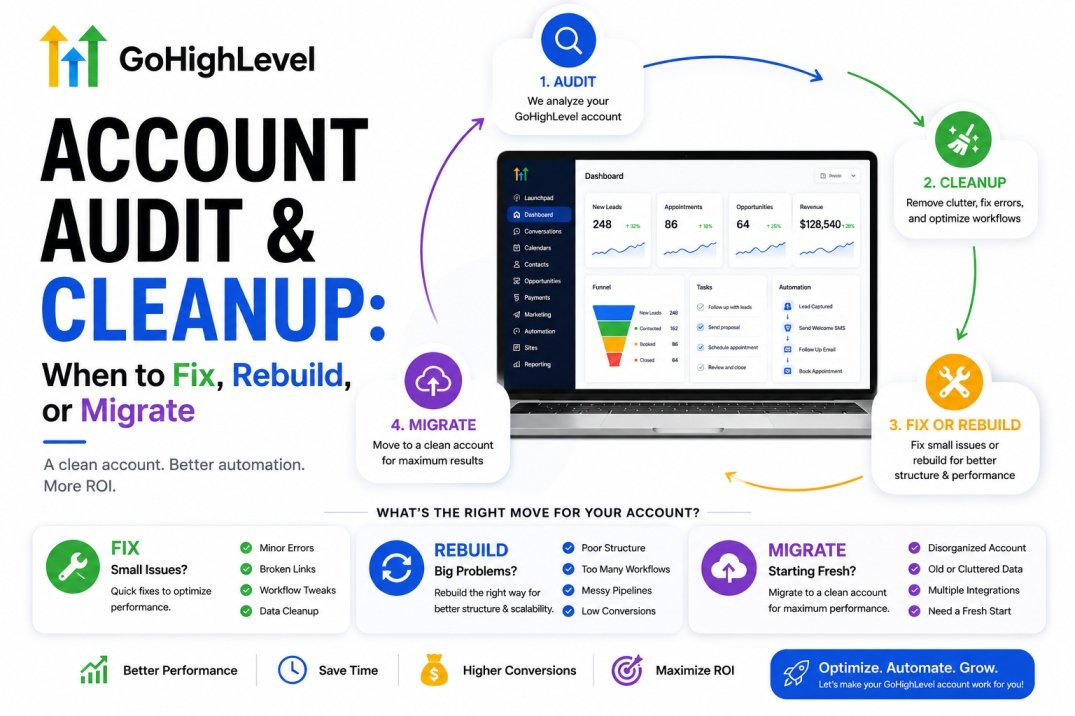
The fix/rebuild/migrate decision comes down to one question: is the structure sound, or is the structure itself the problem? Start with this comparison table.
| Decision | Best when | Typical scope | Typical cost* | Risk |
|---|---|---|---|---|
| Fix (cleanup) | Pipeline structure and core automations work; problems are duplicates, broken links, stale content, bad data | 1-2 weeks | $500 – $2,000 | Low |
| Rebuild | Pipelines are unsalvageable, automations are duplicated beyond repair, or data is too dirty to map | 3-6 weeks | $2,000 – $6,000 | Medium |
| Migrate | You have outgrown GHL, need Salesforce-class enterprise features, or your team will not adopt GHL no matter the setup | 4-8 weeks | $3,000 – $15,000+ | High |
*Illustrative cost ranges at the time of writing; actual quotes vary with sub-account count, integration depth, and data volume.
The three paths, at a glance:
The Three Paths at a Glance
Messy
Duplicate workflows
Dirty data
Broken integrations
→ Fix (cleanup)
Structurally broken
Conflicting pipelines
Contradictory data model
→ Rebuild
Platform mismatch
Enterprise requirements
No adoption
→ Migrate
When to fix. You fix when the foundation is sound. Signs: your pipeline has logical stages, your main booking flow works, and each workflow has a traceable trigger, owner, and job. Accounts with duplicate-automation debt often fall into the cleanup category when the underlying pipeline and data model remain sound — the cost of cleaning 5-10 duplicated workflows is a fraction of rebuilding, and you keep your history, reporting, and contact data.
When to rebuild. You rebuild when structure itself is the problem. Signs: pipeline stages do not match your sales process, revenue is booked in a single catch-all “Leads” stage, automations have been stacked and re-stacked so no one can trace a lead’s journey, and your data model (custom fields, tags, custom values) contradicts itself. A rebuild moves your contacts and open opportunities into a clean, single-purpose structure.
When to migrate. You migrate when the platform is the wrong tool — not when it is misconfigured. Signs: you need enterprise territory management and complex approval hierarchies (Salesforce Health Cloud territory), your team has tried GHL twice and still refuses to log in, or your agency clients need reporting your agency account cannot deliver. Migration is the most expensive and riskiest path, so it should only be chosen when the audit confirms the problem is architectural, not operational.
To score your own account, use the decision scorecard below. It is Autoesta’s internal decision framework, not a universal industry standard — but it is the same one we apply to every audit.
| Finding | Fix | Rebuild | Migrate |
|---|---|---|---|
| Duplicate workflows | Yes | ||
| Broken integrations | Yes | ||
| Conflicting pipelines | Yes | ||
| Contradictory data model | Yes | ||
| Enterprise requirements | Yes | ||
| Team refuses adoption | Yes |
How to read it (Autoesta’s internal decision framework, not a universal industry standard): 0–2 structural failures → investigate cleanup first; 3–4 structural failures → rebuild assessment; 5+ structural failures → architecture review. Platform mismatch or no adoption → migration. The score is a triage aid, not an automatic rebuild trigger.
If your agency manages client accounts and needs an expert second opinion on the fix/rebuild/migrate call, our GoHighLevel expert consultants run this triage for you and hand over a written remediation plan.
Quick-Win Automation Fixes That Pay for the Audit
Three automation fixes consistently deliver the fastest payback in our audits, and they map directly to the cost leaks above.
1. Instant lead response. Configure a workflow that triggers on form submission or new lead, sends an immediate SMS + email, assigns the lead to the fastest-available rep, and retries the call at least once. Combined with the HBR/MIT speed data above, this single fix moves you into the 7% of companies that respond within five minutes.
2. Appointment no-show recovery. Add SMS reminders 24 hours and 2 hours before appointments, and an automatic rebook/recovery sequence for no-shows. The randomized trial evidence shows SMS reminders alone can cut no-show rates from 38.1% to 23.5% (Lin et al., 2016).
SMS Reminders Cut No-Shows
Randomized controlled trial — pediatric clinic (Lin et al., 2016)
(voice reminder)
No-shows fell 14.6 percentage points with SMS (p = 0.04). Source: Lin et al., International Journal of Pediatrics, 2016.
3. Missed-call coverage. Route every inbound call to a live agent or an AI voice agent during business hours and after hours, with voicemail-to-text that opens a new lead and starts the follow-up sequence automatically.
Where an audit reveals that no-shows vary by industry, the fix is the same but the priority changes. The published ranges are 15-20% for dental, 16-21% for med spas, and 18-23% for medical practices — for any practice above the industry midpoint, reminder automation is the first lever to pull. The bars below span each published range; the midpoint is shown only for visual reference, not as an observed average.
Published No-Show Benchmarks by Service Industry
Bars span published ranges; midpoints shown for reference, not observed averages
Sources: Dantas et al., Health Policy (2018) — 23% all-service average; FullSlot (2026) — industry ranges. Midpoints are for reference only.
Our appointment booking automation service and n8n advanced automation builds handle these exact workflows when teams prefer a done-for-you approach.
What We Find by Industry (Original Audit Data)
Autoesta analyzed 320+ GoHighLevel audit projects between 2021 and 2026; the fix/rebuild/migrate split is consistent by industry, and the pattern tracks how much third-party integration weight each niche carries. Source: Autoesta first-party audit history. Home-care accounts show the highest rebuild rate (30%) because they inherit the most duplicated caregiver-booking automations; dental clinics, which run fewer overlapping tools, end up in a fix-only outcome 76% of the time.
Methodology: this analysis covers 320+ GHL audit projects completed by Autoesta between 2021 and 2026. Each account was assigned one primary outcome (Fix, Rebuild, or Migrate) based on the final remediation recommendation. Percentages are rounded, and industry sample sizes vary — the dataset reflects Autoesta’s project history and is not a randomized industry sample.
Audit Outcome by Industry: Fix, Rebuild, or Migrate
Share of 320+ Autoesta GHL audits, 2021-2026 — original data
Rebuild
Migrate
Source: Autoesta first-party audit history, 2021-2026 (n=320+). Each industry sums to 100%; percentages are rounded and industry sample sizes vary.
Two practical takeaways from the industry data. First, if your niche is home care or HVAC, budget for a rebuild discussion before the audit starts — those accounts carry the most third-party integration weight. Second, if your account is in a high-fix niche (dental, legal), a targeted cleanup usually beats starting over. Treat these patterns as a starting assumption, not a verdict — the decision scorecard is what converts them into a recommendation for a specific account.
How the GoHighLevel System Works: SaaS, Sub-Accounts, and Licensing
GoHighLevel (GHL) is a software-as-a-service (SaaS) platform that bundles a CRM, marketing automation, email and SMS, a funnel and landing page builder, appointment scheduling, call tracking, and AI voice agents into one monthly subscription. You do not own or host the software — you pay a recurring license and operate it from a browser.
The agency plan is the model most businesses use: one master account and unlimited sub-accounts. Each sub-account is a client workspace with its own pipelines, automations, phone numbers, and reporting — which is why a single agency can run hundreds of client accounts from one login. When a client “buys GoHighLevel,” they are buying that license. What they are not buying is the setup, the automation logic, the integrations, or the data hygiene — that implementation layer is where agencies and specialists earn their fee.
What the SaaS subscription covers:
- CRM and pipeline management
- Email and SMS sending with deliverability settings
- Funnel and landing page builder
- Appointment scheduling and reminders
- Call tracking and recording
- AI features (voice agents, AI workflow builder) where enabled
What it does not cover: configuration, workflow design, integration management, deduplication, deliverability tuning, and ongoing hygiene. Left to themselves, these are exactly the layers that decay into the messy accounts described earlier in this guide.
How We Implement GoHighLevel Projects
Implementation is where the audit and the decision meet the build. Every Autoesta engagement — fix, rebuild, or migration — runs the same nine-step engineering methodology. Each step has an owner, an output, and a sign-off before the next step starts; that is how a 320+ project history stays consistent.
- Discovery. Business model, sales process, tools in use, and goals. Output: a scope document and a data-access list.
- Audit. The five audit layers ranked by revenue impact. Output: the prioritized issue list and the fix/rebuild/migrate recommendation.
- Requirements and data mapping. Define objects, custom fields, tags, pipeline stages, lifecycle states, source attribution, ownership, and dependencies before build work begins. Output: a data model and field map.
- Solution architecture. Workflow architecture, integration architecture, API/webhook architecture, failure handling, naming conventions, ownership, and logging. Output: a written build plan, reviewed before implementation starts.
- Build. Engineers implement in dependency order: data import, then pipelines, then workflows, then sequences, then integrations and AI features. Output: a staged build you can review.
- Integration and workflow testing. Every trigger, condition, action, integration, API call, and token is tested — including failure and retry behavior. Output: a test report.
- QA and regression testing. Data mapping, duplicate prevention, messaging, calendar behavior, edge cases, and deliverability settings are checked against a fixed checklist before launch. Output: a signed-off test report.
- Launch and handover. Training, documentation, ownership assignments, and the “source of truth” process that stops the account decaying again.
- Monitoring and optimization. Weekly health checks, monthly reporting, and a quarterly full audit on a maintenance retainer.
Four roles carry this methodology: the account manager owns client communication and scope; the GHL engineer owns the build; the automation engineer owns custom integrations (n8n, webhooks, API calls); and a senior engineer owns architecture review and the QA sign-off. On larger engagements, a dedicated QA resource joins between steps 6 and 8.
Inside the build, the technical team follows four rules:
- Data before automation. Contacts are deduped and fields are mapped before a single workflow is built, so sequences never run on dirty data.
- One workflow, one job. Each workflow should have one clearly defined responsibility. Multiple workflows may legitimately use the same trigger when their responsibilities are independent — CRM assignment, notifications, attribution, and nurture can all listen to a new-lead trigger — but overlapping actions must be documented and controlled.
- Every API call is authenticated and failure-tested. n8n, Zapier, Make, and webhook integrations are re-authenticated and given a retry policy before launch.
- Everything is documented. Every workflow has a written trigger, owner, and purpose, so the account can be handed over or audited later.
This methodology holds because it enforces an architecture-review gate before build and a QA gate before launch — the two places where agency builds typically fail. The data-first order matches how the 10-step checklist sequences work, so the audit, the checklist, and the build plan are the same document viewed three ways. Two operational metrics track whether it is working: the share of workflows with a verified trigger and a documented owner, and QA pass rate before launch.
For the custom-automation layer, engineers extend GHL rather than replace it: n8n workflows for logic the visual builder cannot express, custom webhooks and APIs for external systems, and AI calling agents for call coverage. The platform stays the system of record; the custom work sits on top of it. You can see the quick-win fixes section for which automation levers pay first.
How We Serve Clients After Launch
Launch is the midpoint, not the end. The client-servicing model is built around one named account manager plus a dedicated build team, so you are not chasing a different person every week.
- Communication cadence. A weekly status note during build; a monthly performance report after launch covering response speed, no-show recovery, call coverage, and automation health.
- Support. Email and Slack with a documented response SLA; urgent issues (broken triggers, failed integrations) are flagged automatically by monitoring.
- Maintenance retainer. Monthly hygiene, workflow monitoring, integration re-authentication, and deliverability review — the recurring layer that stops decay.
- Quarterly audit. A full re-run of the five audit layers every quarter, because accounts decay fastest right after onboarding or a campaign launch.
This servicing model is why a cleanup holds: the same account that decays within 60 days on its own stays clean when someone is assigned to monitor it. Our setup agency and GoHighLevel expert consultants run both the build and the recurring layer for clients who want a single accountable team — one owner from audit through post-launch.
GoHighLevel SaaS, Implementation, and Whitelabel Delivery
The standard model is that the client buys GoHighLevel as SaaS and pays an agency to configure and run it. That split — buy the license, outsource the implementation — is what the audit, cleanup, and rebuild work in this guide sits on. For agencies, three delivery options matter:
- Resell the license and deliver the implementation. The client buys the license (directly or through the agency’s reseller setup) and pays a separate setup fee for the build.
- Whitelabel the build. Agencies whitelabel Autoesta’s delivery: the implementation runs under the agency’s brand and the client never sees a third party — a common way to sell and deliver GHL work without hiring a delivery team. Our partner HighLevel Automation Team covers this delivery at scale.
- Custom-build on GHL. When off-the-shelf workflows are not enough, the base is still GHL but the logic is custom — n8n automation, custom webhooks, custom APIs, custom AI calling agents, and whitelabel domains.
How the options compare:
| Option | Upfront* | Ongoing* | Time to launch | Best for |
|---|---|---|---|---|
| Buy GHL SaaS + implementation | $500 – $6,000 setup | License + $150-$500/mo maintenance | 1-6 weeks | Teams that want a working, licensed system fast |
| Whitelabel Autoesta delivery | Same setup fee, billed under your brand | Same monthly costs + your margin | 1-6 weeks | Agencies reselling GHL delivery without building a team |
| Custom-build on GHL | $2,000 – $15,000+ | License + custom maintenance | 4-8 weeks | Businesses with unique workflows no plugin covers |
| Build a CRM from scratch | $50,000+ | Engineering team on payroll | 6-12 months | Rarely recommended — the SaaS trade-off is almost always cheaper |
*Illustrative ranges at the time of writing. GHL base plans range from roughly $97/mo to $497/mo depending on tier — verify current plans and sub-account limits on GoHighLevel’s official pricing page — and the setup and rebuild fees shown are the illustrative ranges from the cost section below.
For agencies, whitelabeling is one common way to scale delivery without hiring a team: the client pays for the license and the build, and the agency keeps the margin. For a business with genuinely unique requirements, custom-building on GHL delivers a bespoke result while staying on a maintained platform.
How We Built This Guide: Methodology & Sources
Every externally sourced statistic in this guide is cited inline to its source and was checked against that source before publication. The guide combines two kinds of data: first-party data from Autoesta’s own audit history and process (clearly labeled as such — the industry outcomes above and the implementation sections), and external research. External sources are separated into three tiers so you can weigh them accurately: Tier 1 is original or peer-reviewed research, Tier 2 is research publications and industry research reports, and Tier 3 is secondary compilations that aggregate other sources.
| Tier | Source | What it contributes | Year |
|---|---|---|---|
| Tier 1 | MIT/InsideSales.com Lead Response Management Study | Contact and qualification odds by response speed | 2007 |
| Tier 2 | Harvard Business Review — “The Short Life of Online Sales Leads” | Response-time qualification multipliers (2,241 firms) | 2011 |
| Tier 1 | Dantas et al. — “No-show in appointment scheduling: a systematic literature review,” Health Policy | 23% average no-show rate across 105 studies | 2018 |
| Tier 1 | Lin et al., International Journal of Pediatrics | RCT: SMS reminder cut no-shows 38.1% to 23.5% | 2016 |
| Tier 2 | Insightly / Ascend2 CRM Research Report | 34% CRM adoption (375+ professionals) | 2025 |
| Tier 3 | FullSlot no-show benchmark compilation | Industry no-show ranges (dental, med spa, medical) | 2026 |
| Tier 3 | Ironscale, citing 411 Locals | Missed-call rates (37.8% / 37.8% / 24.3%) | 2024 |
Tier 1 = original or peer-reviewed research. Tier 2 = research publications and industry research reports. Tier 3 = secondary compilations that aggregate other sources. Every external statistic is also cited inline where it appears in the guide. Process descriptions (implementation methodology, engineering rules, client-servicing model) are Autoesta’s first-party practice and are not external claims.
How Much Does a GoHighLevel Audit and Cleanup Cost?
An audit and cleanup typically costs $300-$800 for the read-only report and $500-$2,000 for a fix, with rebuilds running $2,000-$6,000. The ranges below are illustrative, based on what we see across agency projects for a single main account with 1-3 sub-accounts at the time of writing:
| Service | Scope | Typical timeline | Illustrative cost* |
|---|---|---|---|
| Full audit report | All five layers, written findings, prioritized by revenue impact | 3-7 days | $300 – $800 |
| Cleanup (fix) | Dedupe, workflow inventory, trigger/API fixes, sequence review | 1-2 weeks | $500 – $2,000 |
| Rebuild | New pipeline structure, rebuilt automations, data migration | 3-6 weeks | $2,000 – $6,000 |
| Ongoing maintenance | Monthly hygiene, workflow monitoring, integration health | Recurring | $150 – $500/month |
*Illustrative ranges at the time of writing; exact quotes depend on sub-account count, integration depth, and data volume.
Worked Example: Does the Audit Pay for Itself?
- 100 booked appointments × 23% average no-show = 23 missed appointments
- If reminder automation recovers 20% of those = about 4-5 recovered appointments
- At $250 gross value per appointment = roughly $1,000-$1,150 recovered
Illustrative example — not a guaranteed result. This calculates recovered gross appointment value, not profit or guaranteed revenue. Re-run it with your own appointment value and recovery rate.
A budgeting heuristic from our project history: when an audit finds more than roughly 15 overlapping automations or more than 30% duplicate contacts, a fix tends to drift toward a rebuild. Under that threshold, cleanup is usually the lower-cost, faster path — but the scorecard, not the count, should drive the decision. You can see real before/after outcomes on our case studies page, including dental, real-estate, and service-business examples.
Frequently Asked Questions
How long does a GoHighLevel account audit take?
A read-only audit report takes 3-7 days for a single main account with 1-3 sub-accounts. A full cleanup adds 1-2 weeks; a rebuild adds 3-6 weeks. The audit itself is fast because most findings come from workflow inventories and data exports — the time is in the remediation, not the diagnosis.
Can I run a GHL account audit myself?
Yes. Follow the 10-step checklist above in order. You can complete the diagnosis steps (export, inventory, integration checks) without any special access; you only need admin-level access to re-authenticate integrations and edit workflows. Most self-audits miss deliverability and data-quality issues because they focus on visible automations.
What is the difference between fixing and rebuilding a GoHighLevel account?
Fixing keeps your existing structure and repairs problems (duplicates, broken triggers, stale content, dirty data). Rebuilding replaces the structure with a clean pipeline and automation architecture and migrates your contacts and open deals into it. Fix is faster and cheaper; rebuild is appropriate when the structure itself is the problem. Use the decision scorecard to place your account.
Is it better to rebuild a GHL account or migrate to another CRM?
Migrate only when the platform is the wrong tool — enterprise territory management, complex approval hierarchies, or a team that will not adopt GHL. If the account is simply messy, rebuilding inside GHL preserves your investment, keeps your reporting history, and costs a fraction of a migration. Always run the audit before deciding.
How do I fix duplicate contacts in GoHighLevel?
Start with a data export, dedupe by email and phone, merge or suppress duplicates, and then add a workflow that checks for existing contacts before creating new ones. In our implementations, email-based merging is straightforward, while phone-based dedupe usually needs a manual pass. Do the cleanup before reviewing automations so sequence runs use clean data.
What does an audit cost, and is it worth it?
A read-only audit runs roughly $300-$800 at the time of writing, and a fix typically $500-$2,000. It is worth it whenever your follow-up is slow, appointments no-show, or calls go unanswered — each of those leaks is worth more than the audit in recovered revenue, and the audit tells you exactly which fixes pay first.
How often should I audit my GoHighLevel account?
At minimum, run a hygiene pass quarterly and a full audit annually. Accounts that change frequently (new integrations, new team members, new campaigns) should be audited every 60-90 days — decay compounds fastest right after onboarding or a campaign launch.
Can GoHighLevel integrate with external systems?
Yes. GoHighLevel supports native integrations, third-party connectors (Zapier, Make), webhooks, and its own API. In our builds, integrations are re-authenticated and given a retry policy before launch — a common audit finding is an integration that stopped authenticating and has been failing silently.
How do you serve clients after launch?
One named account manager plus a dedicated build team, a weekly status during build, monthly performance reporting after launch, email and Slack support with a documented SLA, a monthly maintenance retainer, and a full audit every quarter. This recurring layer is what keeps a cleaned-up account clean — see the client-servicing section.
Why is my GoHighLevel CRM so messy?
Almost always setup debt, not a platform failure. In Autoesta’s 320+ audits (2021–2026), the messy accounts we review are dominated by configuration issues — duplicate workflows, broken API connections, unmapped custom fields, and stale nurture sequences — not by GHL running out of capacity. The decay compounds fastest right after onboarding or a campaign launch, when new people add assets without documenting the existing structure.
How do I organize GoHighLevel workflows?
Three rules: one workflow per job, a naming convention that encodes owner and purpose (for example Lead Capture — AI Booking — Front Desk), and documented triggers. Then run the inventory step of the checklist: list every workflow with its trigger and identify overlapping responsibilities. Review workflows with no execution history in the last 90 days and confirm whether they are intentionally dormant (seasonal, annual, or long-cycle sequences) before disabling or archiving them. A tidy account is not defined by workflow count — it is defined by clear ownership, non-overlapping responsibilities, and documented triggers.
Should I delete unused tags and custom fields?
Yes, but archive before deleting. Unused tags and custom fields bloat reports, slow the UI, and create dirty data when a form still writes to a field nobody maintains. Delete only after you confirm no live workflow, form, or report references the asset — the checklist’s dependency map step exists precisely to catch those references before deletion.
How many sub-accounts can I have on GoHighLevel?
At the time of writing, the Starter plan includes 3 sub-accounts, Unlimited includes unlimited sub-accounts, and Agency Pro includes unlimited sub-accounts plus SaaS mode for selling GHL under your own brand. Check GHL’s official pricing page before budgeting, because plan structures change.
What is a GoHighLevel snapshot, and can snapshots make my CRM messy?
A snapshot is a packaged export of a sub-account’s configuration — workflows, pipelines, custom fields, templates, and triggers — that installs into another sub-account. In our implementation work, we use snapshots to replicate standardized account configurations instead of rebuilding from scratch. The caveat we see in audits: installing several snapshots on top of each other is a common source of duplicate workflows and orphaned custom fields, because each snapshot brings its own structure and none reconcile with what is already there. If you have imported snapshots, include a workflow and field inventory in your next cleanup — the 10-step checklist covers it.
Can you migrate my data from HubSpot, Salesforce, or Zoho into GoHighLevel?
Yes. Migrations are a core part of the rebuild and migration work we deliver. The move covers contacts, deals, notes, tags, custom fields, and deal-stage history — deduplicated before import, mapped to the new GHL structure, and verified against the source after loading. Migration is the right call only when the audit shows the platform is the problem; if the account is simply messy, rebuilding inside GHL is faster and cheaper.
Conclusion
The audit gives you three outputs: a prioritized list of revenue leaks, a clear fix/rebuild/migrate decision, and a roadmap that typically pays for itself through faster response, recovered appointments, and fewer missed calls. Run the 10-step checklist, score your account against the decision scorecard, then let the data — not the messiness — tell you whether to fix, rebuild, or move on.
And once you know the answer, the delivery matters as much as the diagnosis: a nine-step engineering methodology with an architecture-review gate before build and a QA gate before launch, a servicing model that assigns an owner to keep the account clean, and a business model where clients buy the SaaS license while agencies earn the implementation and the margin — through whitelabeled builds when they want scale. When the audit shows more damage than a weekend can handle, our GoHighLevel experts and setup agency do the heavy lifting, and our partner team at HighLevel Automation Team covers white-label delivery for agencies that need scale. If you manage client accounts and want a written remediation plan you can present to your client, we also publish detailed niche guides like our GoHighLevel setup guide for aesthetic clinics that show the same audit applied industry by industry.
Written by Alpit Patel, founder, Autoesta.
Experience: 320+ GoHighLevel projects delivered, 2021-2026 (home care, med spa, HVAC, legal, dental, and real-estate businesses).
Reviewed: August 2026 · Methodology: see the Methodology & Sources section.
Connect: Alpit Patel on LinkedIn.