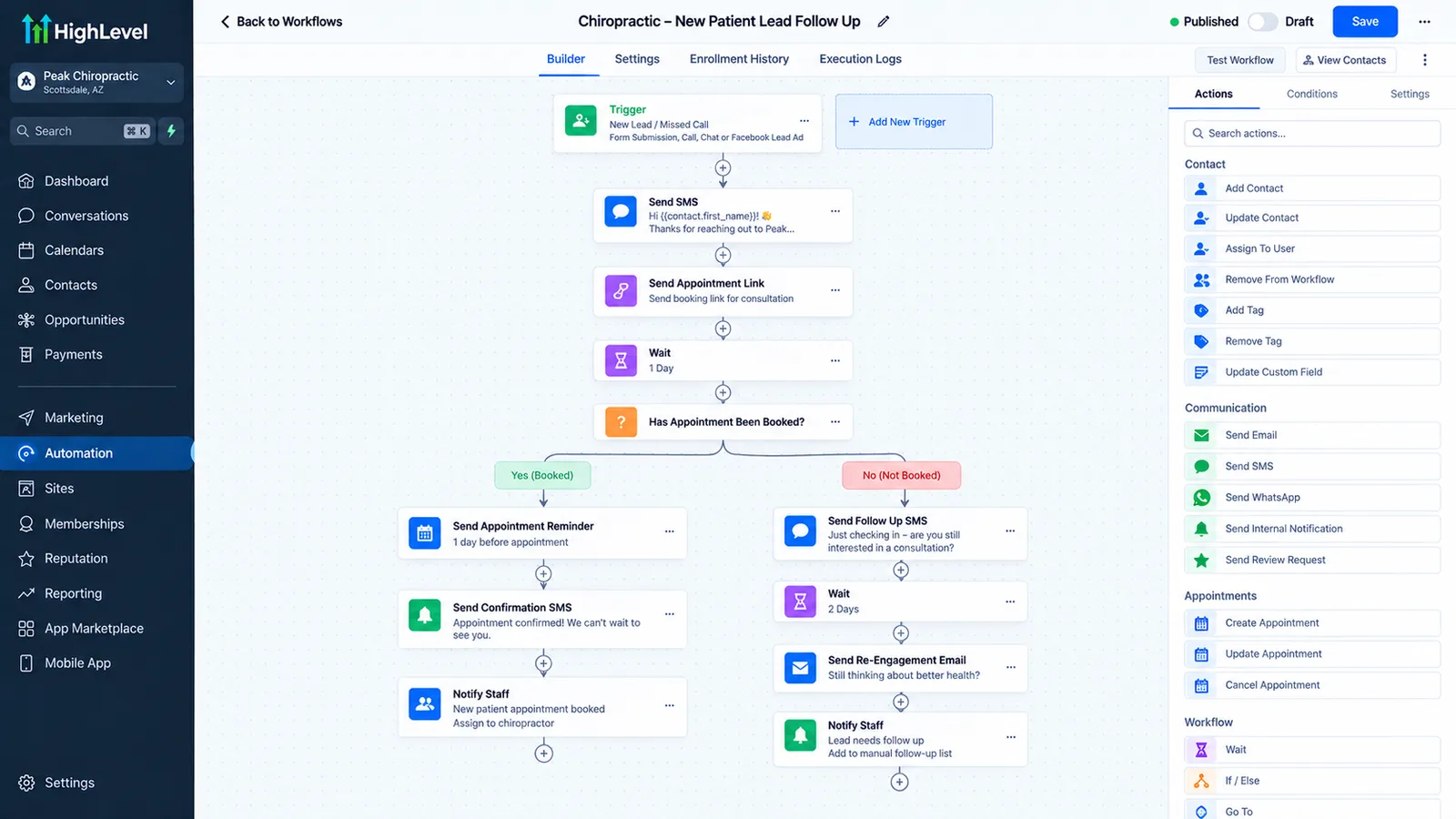
What does a chiropractic or wellness clinic actually need automated?
Two things cost a chiropractic clinic the most: new-patient calls that go to voicemail during adjustment hours, and treatment plans where a patient stops coming back after two or three visits. AI call handling fixes the first; a structured plan follow-up sequence fixes the second.
Five problems and what fixes each
We build the automation layer on a GoHighLevel CRM backend, with n8n where a workflow needs to reach outside it. GoHighLevel is the infrastructure underneath; what a patient actually notices is the call that gets answered, the reminder that arrives on time, and the follow-up that doesn't feel automated.
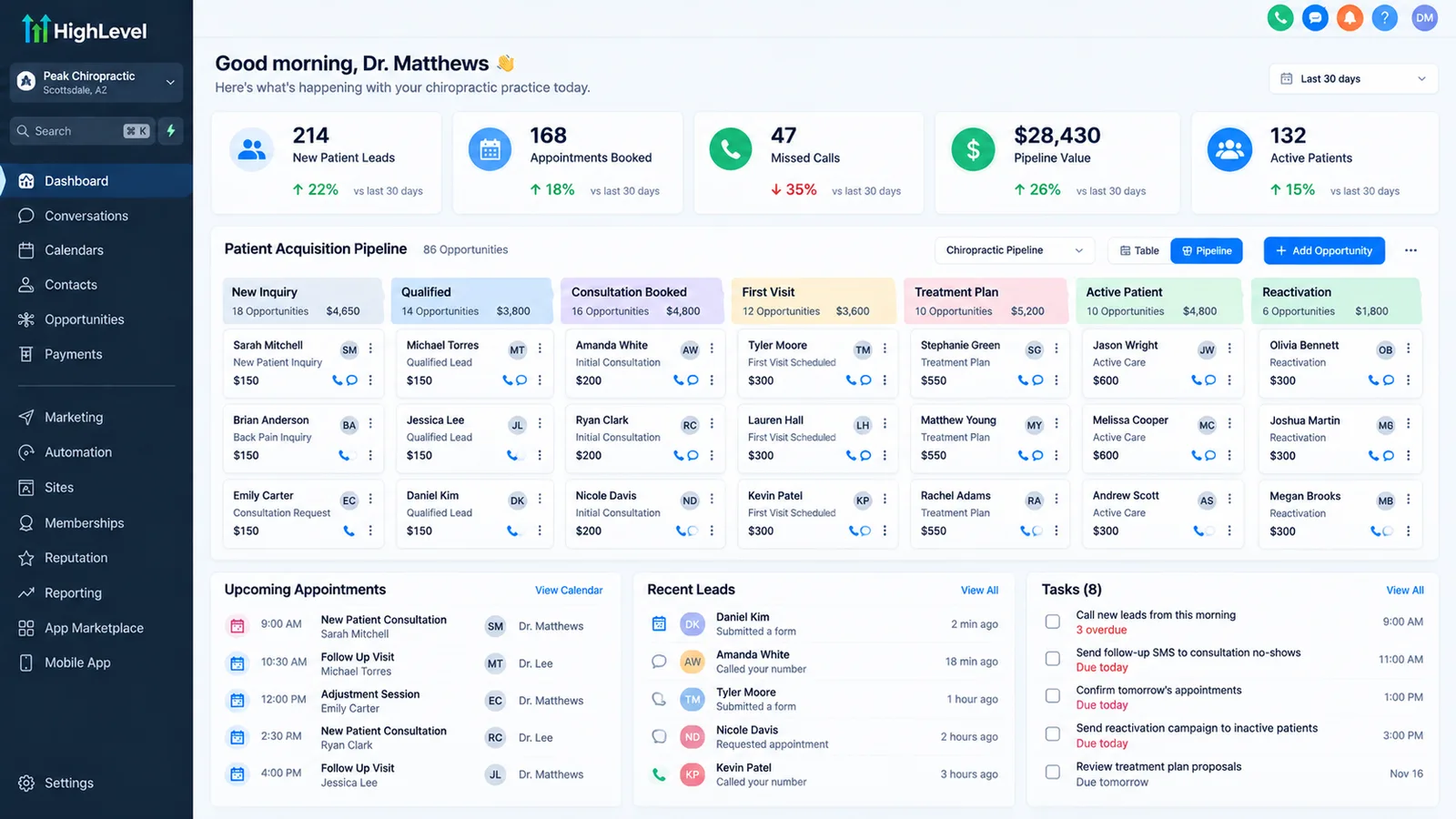
| Problem | What we build | Where it runs |
|---|---|---|
| Calls go unanswered during patient hours | Missed-call text-back, AI receptionist for after-hours and overflow | AI receptionist on a GoHighLevel pipeline |
| New-patient enquiries go cold | Instant reply and booking link in the first message | Speed up lead response |
| Patients miss follow-up visits | Confirmation and reminder sequence with a reschedule link | Reduce no-shows |
| Treatment plans lose patients partway through | A plan-stage sequence that checks in between visits as well as before them | GoHighLevel workflow |
| Patient information in the system | BAA-aware design if any health detail is stored | HIPAA and automation tools |
Has Autoesta built this for a chiropractic clinic?
Not yet published as a named case study. We have built this pattern, missed-call handling, appointment reminders, and follow-up sequences, for other appointment-based businesses. See our real case studies for Ultra Cryo & Recovery (a cryotherapy and recovery clinic, no-shows down about 55%) and Care Star Healthcare (a home care agency), plus our dental and real estate builds. See all of them on our case studies page.
What does a treatment-plan follow-up sequence need?
A check-in between visits as well as a reminder before the next one, plus a clear point where the sequence stops if the patient has already rebooked. Reminders fix forgetting; a check-in message addresses the more common reason people quietly drop off a plan: they stopped seeing the point.
- Confirm at booking. Date, time and what the visit covers.
- Remind before the visit. Per our reduce no-shows guide.
- Check in mid-plan. A short, non-automated-sounding message around visit 3 or 4, tied to what the plan is meant to achieve.
- Stop the sequence the moment the patient rebooks or replies. Nobody should get a check-in after they've already come back.
Does this replace our practice management software?
No. GoHighLevel and the AI agents handle the conversation before and around a visit. Charting, SOAP notes, insurance billing and clinical records stay in whatever practice management system your clinic already uses.
The same split applies as it does for our med spa and home care guides: automation owns the enquiry, the booking, the reminder and the follow-up. Your clinical system of record owns the rest.
Does a chiropractic CRM work with ChiroTouch, Jane or ChiroFusion?
It can run alongside all three, but we found no self-serve link from any of them into GoHighLevel. Jane offers no open API and approves integration partners one by one, ChiroTouch lists named partners, and we could not confirm a published API for ChiroFusion.
We checked each vendor's own pages on 1 October 2026. Two of the three already send reminders, so the first question is not how to connect, but which system should send which message.
| Practice software | Patient messaging it already has | How a CRM connects | What to ask |
|---|---|---|---|
| ChiroTouch | CT Engage: automatic appointment reminders, recall campaigns, two-way texting and email, review invitations | We found no public developer API on ChiroTouch's site. Its listed integrations are its own CT products and named partners, such as the TriZetto-powered CT ProClear clearinghouse (ChiroTouch FAQs) | Whether ChiroTouch has a partner integration for your CRM; if not, a scheduled export of active and inactive patients |
| Jane App | Appointment reminders by email on every plan and by SMS on the Legacy, Practice and Thrive plans, and Return Visit Reminders, Jane's name for recalls, sent by email automatically on the Thrive plan or by email and phone by hand | Jane says it has no open API and does not issue API keys (Jane integrations FAQ). Access runs through its approval-based partner program and Jane Developer Platform | Whether a connector vendor is an approved Jane partner, and which fields it reads |
| ChiroFusion | Not confirmed: ChiroFusion's site did not load when we checked | We could not confirm a published API or integration list | Ask ChiroFusion directly what export or integration options your plan includes |
Several GoHighLevel sellers advertise ChiroTouch or Jane connectors. We have not tested them, and the vendors' own pages above do not list them, so ask each seller two questions: does the connector use the practice software's approved channel, and will its company sign a Business Associate Agreement with you? Zapier says it does not sign BAAs, so it should not carry patient names or visit dates.
When there is no approved connection, the reliable pattern is simple. The CRM handles new-patient enquiries, missed calls and reactivation, the practice software keeps sending reminders for booked visits, and a weekly export tells the CRM who has gone inactive. That way no patient gets two reminders for the same visit.
How does chiropractic patient reactivation work?
Reactivation finds patients with no visit for a set period, sends a short text and email sequence inviting them back with a booking link, creates a call task for anyone who does not reply, and stops the moment they book.
Reactivation is a different job from the mid-plan check-in above. The check-in catches a patient who drops off partway through a care plan. Reactivation reaches patients who finished a plan, or left it, weeks or months ago.
- Define inactive. Pick a window, such as no visit in 90 days and no future appointment, and pull that list from your practice software each week.
- Split by reason. A patient who completed a care plan gets a maintenance or wellness check message. A patient who stopped mid-plan gets a gentler "we'd like to hear how you're doing" message.
- Keep offers separate. A new-patient special or a discounted return visit is a marketing message, so send it only to contacts who gave marketing consent, and keep it out of the reminder workflows.
- Hand off to a person. A call task after two unanswered messages tends to work better than a fourth text.
- Stop on booking or STOP. A patient who books moves to the reminder flow, and a STOP reply removes them from every workflow.
The same logic drives our dental build, covered in our guide to dental recall and patient reactivation.
What does a build like this cost?
Most clinic builds are close to Autoesta's standard system pricing: a small automation build (2-3 automations, such as missed-call text-back and reminders) starts at about $1,000, and a full setup with an AI receptionist and CRM runs $3,000 to $5,000, at the time of writing.
See our pricing guide for the full breakdown, and book a free call for a quote based on your patient volume and current tools.
How do you get started?
Book a free 30-minute call and bring your current missed-call rate and how many treatment plans go unfinished. We will tell you which piece to build first.
The build order for a clinic
- Count missed calls and treatment-plan drop-off for two weeks.
- Decide whether patient health details will enter the CRM, and read the HIPAA guide if so.
- Start with missed-call text-back and the reminder sequence.
- Add the AI receptionist once the basics are stable.
- Add the mid-plan check-in sequence last.
Can patients text the practice directly?
Yes. GoHighLevel runs two-way SMS from a registered business number, so a patient can text back to confirm, reschedule, or ask a quick question, and the reply lands with staff the same way a call would.
That two-way channel is also where opt-outs are handled: a patient who replies STOP is removed from automated texts immediately, which is a requirement under US messaging rules, not an optional nicety. Registering the number correctly the first time (A2P 10DLC for local numbers, or toll-free verification) avoids messages getting filtered as spam later.
Do you handle insurance verification or billing?
No. Insurance verification, claims, and billing stay in your practice management or billing software. What we build sits around that: capturing the enquiry, booking the first visit, and following up, not processing the claim.
If your intake process currently asks for insurance details before a first visit is booked, that step usually stays a manual or practice-management-software task, with the automation picking up once someone is ready to book.
More questions about chiropractic and wellness clinic automation
Can an AI receptionist book directly into our scheduling software?
Yes, when connected to a GoHighLevel calendar. If your scheduling lives in separate practice management software, a connection usually runs through n8n or a vendor API; confirm with your vendor first.
Does this work for multi-location clinics?
Yes. GoHighLevel supports multiple sub-accounts, though each location needs its own phone number registration and calendar rules, so multi-location builds cost more to design and monitor. See our pricing guide.
What happens if the AI receptionist can't answer a patient's question?
It says so and routes the call or message to a person, rather than guessing. The agent only answers from a knowledge base your clinic has reviewed; anything outside that scope gets a "let me have someone confirm that" and a handoff.
How do I talk to someone?
Book a free 30-minute strategy call or use the contact page.
What is the best CRM for chiropractors?
The one that fits what your practice software already does. If ChiroTouch's CT Engage or Jane already sends your reminders well, pick a CRM for new-patient enquiries, missed calls and reactivation. If you want all patient messaging in one place, you need a CRM plus an approved connection to your practice software. Ask any vendor to show it working with your own system before you buy.
Can GoHighLevel be used for chiropractors?
Yes. GoHighLevel, also written HighLevel, GHL or Go High Level, works as the CRM behind a chiropractic clinic: pipelines for new patients, calendars, reminders, two-way texting, AI call handling and reviews. It does not replace charting or billing. If you want it built for you, see our GoHighLevel setup agency page, or our GoHighLevel expert page if you already have an account.
Is GoHighLevel HIPAA compliant for a chiropractic clinic?
Not by default. HighLevel sells a HIPAA add-on at $297 a month that adds a signed Business Associate Agreement, encryption of stored health data, audit logs and enforced multi-factor authentication, and it cannot be cancelled or refunded once bought (HighLevel HIPAA article, updated 11 June 2026). Decide what health details the CRM will hold before you buy it. This is not legal advice.
Can patients pay for a new-patient special when they book?
Yes. HighLevel calendars can collect a payment at booking, either a fixed amount or a percentage, through Stripe or another connected gateway (HighLevel calendar payments). Set the refund and no-show rule first, so the booking page, the confirmation and the reminders all say the same thing. Check with your counsel before running offers to patients covered by government insurance.
How much does texting registration cost for a chiropractic clinic?
HighLevel lists a one-time fee of $22.50 for a low-volume or sole-proprietor brand, or $64 for a high-volume brand, each including the first campaign and Fast Track review, then a campaign fee of $1.50 to $10 a month (HighLevel A2P fees, modified 24 September 2026). Each message is billed on top. Our A2P registration guide covers approval.
Will patients get duplicate reminders from our practice software and the CRM?
Only if both are switched on for the same visits. Pick one sender per message type. A common split leaves booked-visit reminders in ChiroTouch or Jane and gives the CRM new-patient follow-up, missed calls, care plan check-ins and reactivation. We list every message and its sender before the build starts.
What does chiropractic CRM automate?
Chiropractic practice automation covers missed-call text-back, new patient replies, chiropractor patient reminders, care plan follow-up when patients drop off mid-plan, and reactivation of patients who have not been in for a while.
Does it work with our existing practice software?
Yes. Your practice management software keeps charts, billing and schedules. The CRM sends the messages and follow-up around them.
Related: dental practice automation and GoHighLevel for healthcare.
Related guides: recover missed new-patient calls and get more Google reviews.
Chiropractic automation checklist before you start
These five facts decide what to automate first for a chiropractic clinic and make the result measurable. Gathering them takes an afternoon.
- How many calls go unanswered each week, and when.
- How many patients stop mid-plan, and at which visit.
- Whether any health details will be stored in the CRM.
- Who on the front desk owns replies and callbacks.
- Which practice software holds the schedule, and whether it has an API.
Bring this list to the free strategy call and we will turn it into a written plan. The free calculators help put a number on the first two items.
Sources and further reading
- American Chiropractic Association
- HHS: HIPAA Security Rule
- HHS: Business Associate Contracts
- ChiroTouch: CT Engage (checked 1 October 2026)
- Jane: Integrations Hub and FAQ (checked 1 October 2026)
- Jane: Return Visit Reminders (checked 1 October 2026)
- HighLevel: HIPAA compliance with HighLevel (updated 11 June 2026)
- Zapier: Is Zapier HIPAA compliant? (checked 30 September 2026)