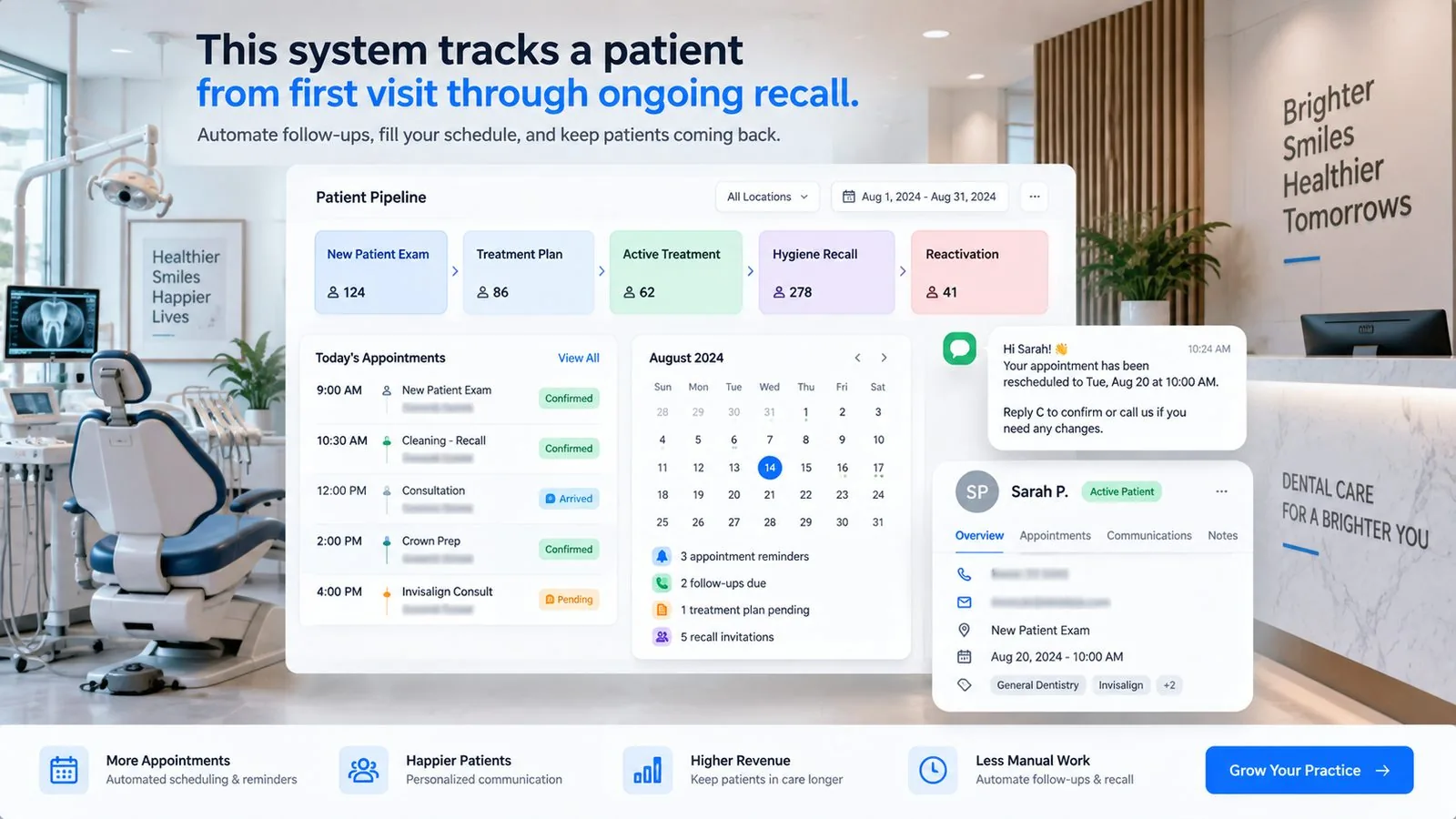
Case study at a glance
| Client | Smile Bright, a general and cosmetic dental practice led by Dr. Collen Chambers (United States) |
|---|---|
| Problem | New-patient enquiries from several channels were answered slowly and inconsistently, and after-hours enquiries were not answered until the next day. |
| What we built | A GoHighLevel CRM with patient pipelines, automated lead intake from every source, n8n routing and sync, an AI calling agent and chatbot, and WhatsApp, SMS, and email automation. |
| Platforms | GoHighLevel, n8n, AI voice and chat, WhatsApp, SMS, email |
| Reported results (first 14 to 21 days) | First response cut from 45 to 90 minutes to under 5 minutes. Missed patient enquiries down 50 to 60%. 24/7 enquiry handling. |
| Typical timeline for this scope | 20 to 30 days |
Figures are reported by Autoesta for the first 14 to 21 days after launch and describe one practice. Results vary by practice, lead volume, and lead sources.
What problem did the practice have?
New-patient enquiries arrived from several places at once, and the practice's first response depended on whether a front-desk person happened to be free.
Smile Bright received enquiries from paid search, local service ads, social ads, its Google Business Profile, its website, and insurance and referral portals. Each source landed in a different place. Before the project, the workflow looked like this:
| Task | How it worked before | Typical time |
|---|---|---|
| Lead capture | Google, website, and ads all separate | Immediate but scattered |
| Data entry | Front desk typed enquiries in by hand | 10 to 20 minutes |
| First response | Depended on staff availability | 45 to 90 minutes |
| After-hours enquiries | No response | Next day |
| Follow-ups | Manual reminders | Often missed |
| Visibility | No central dashboard | None |
| Reporting | Checked by hand | Weekly |
For a dental practice this matters more than for most businesses. People searching for a dentist, especially for an emergency or a same-day appointment, are often contacting several practices at once. The first practice to respond usually gets the booking, and an enquiry that arrives at 9pm and is answered at 10am the next day has often already gone elsewhere.
Where do the practice's new patients come from?
The build started from the sources, because a system is only as good as what feeds it. We grouped them by how much intent each shows:
| Source | Typical enquiry | Intent | Why it matters |
|---|---|---|---|
| Google Search Ads and Local Service Ads | Emergency, same-day, cosmetic | High to very high | Highest-intent patients; speed decides who wins them |
| Facebook, Instagram, and YouTube ads | Awareness and retargeting | Medium | Support demand; need consistent follow-up |
| Google Business Profile | Calls, directions, messages | Very high | Local patients ready to book |
| Website forms and chat | New and returning patients | High | Owned channel with full control over follow-up |
| Insurance and referral portals | Insured and referred patients | High | Pre-qualified, faster decisions |
How a new enquiry moves through the system
What did Autoesta build?
The system is five layers, built in this order. Each depends on the one before it.
1. A central CRM in GoHighLevel
Patient pipelines for New Patient, Emergency, Cosmetic, and Follow-Up/Recall, with tags for service type, lead source, and urgency. This gives every enquiry one home and the front desk one view. The design principle is the same one we describe on our GoHighLevel setup page: define the stages from how the practice actually works, not from a template.
2. Automatic lead intake
Enquiries from Google Ads and Local Service Ads, the Google Business Profile, website forms, and Facebook and Instagram ads flow into the CRM without anyone typing them in, so manual entry falls to zero and nothing is lost between systems.
3. An n8n layer for routing and reliability
Some sources do not connect natively. n8n handles insurance-portal lead sync, data cleaning and formatting, emergency versus non-emergency routing, external system sync, and fallback automation through the API when a connection fails. The point of this layer is that no lead disappears when a connection breaks and that urgent cases are recognised early.
4. AI calling and an AI chatbot
An AI calling agent contacts new leads quickly, confirms their interest, and collects patient details. An AI chatbot handles after-hours enquiries, pricing questions, and availability. This is what closes the after-hours gap, since enquiries that previously waited until the next day now receive an immediate response.
5. WhatsApp, SMS, and email automation
Instant WhatsApp confirmations, SMS reminders, email follow-ups, and missed-call text-back keep patients informed and bring people back who did not answer. Reminders and confirmations are the same mechanism described in our guide to appointment booking automation.
How fast does each source get a response now?
Each source has a defined first action and target response time, chosen to match its intent:
| Lead source | Intent | CRM action | Response time |
|---|---|---|---|
| Google Search Ads | Very high | AI call plus SMS | Under 3 minutes |
| Google Local Service Ads | Very high | Priority pipeline | Immediate |
| Facebook Ads | Medium | SMS plus WhatsApp | Under 5 minutes |
| Website forms | High | Automatic booking flow | Instant |
| Google Business Profile calls | Very high | Missed-call automation | Immediate |
| Insurance leads | High | n8n to CRM sync | Under 5 minutes |
What changed after launch?
| Task | After automation | Time |
|---|---|---|
| Lead capture | All sources flow into the CRM | Instant |
| Data entry | Automated | None |
| First response | AI call, SMS, or WhatsApp | Under 3 to 5 minutes |
| After-hours enquiries | AI chatbot, active around the clock | 24/7 |
| Follow-ups | Automated sequences | Consistent |
| Visibility | Live pipelines | Real time |
| Reporting | Automatic dashboards | Instant |
Reported results, first 14 to 21 days
What were the results?
Within the first 14 to 21 days, first response fell from 45 to 90 minutes to under 5 minutes, and missed patient enquiries fell by 50 to 60%.
- Response time: from 45 to 90 minutes to under 5 minutes.
- Missed patient enquiries: reduced by 50 to 60%.
- Appointment booking rate: increased. We do not publish a percentage because we do not want to quote a number we cannot support here.
- Coverage: enquiries are handled 24 hours a day.
- Front-desk workload: reduced significantly, according to the practice.
"Autoesta completely transformed how our dental practice handles new patient inquiries. Before this system, leads from Google, website, and ads were difficult to manage and often delayed. Now everything flows into one CRM, patients are contacted within minutes, and even after-hours inquiries are handled automatically. The AI calling, chatbot, and WhatsApp automation have reduced front-desk pressure and improved our booking consistency."
Dr. Collen Chambers, Founder, Smile Bright
How to read these numbers
They describe one practice over its first two to three weeks. A practice with a different lead mix, lower volume, or a faster existing response will see different changes, and figures from a short window can move as the system matures. We give you a baseline before we start so you can measure your own change, not rely on ours.
Why does response speed matter so much for dental enquiries?
Three reasons apply to almost every practice. First, many enquiries are urgent (pain, a broken tooth, a same-day slot), so the person is contacting several practices at once. Second, paid channels charge for the click whether or not you answer, so a slow response wastes advertising spend. Third, front-desk staff cannot answer the phone, greet patients, and reply to enquiries at the same moment. Automation does not replace the front desk. It handles the first response so the team can focus on the patients in the building.
What should a dental practice consider before doing this?
- Consent for messages and calls. Texting, WhatsApp, and AI calls to patients and prospects need appropriate consent, and outbound AI calls are regulated in the US. See the compliance section of our AI calling guide.
- Patient data. Health information brings extra obligations. Keep clinical detail out of text messages, decide what the chatbot may collect, and have your own counsel confirm what applies to you. This is operational guidance, not legal advice.
- Emergency handling. Decide in advance how urgent cases are escalated to a person and what the automation says in an emergency.
- Insurance and pricing questions. Approve exactly what the chatbot may say about them.
- Who owns the system afterwards. Documentation and training matter as much as the build.
For a wider guide to what GoHighLevel does for dental practices and how it fits with Dentrix, Eaglesoft or Open Dental, see our GoHighLevel for dentists guide.
The practice's Follow-Up/Recall pipeline is explained step by step in our guide to GoHighLevel dental recall and patient reactivation.
Frequently asked questions
How does CRM automation help dental clinics get more appointments?
It captures enquiries from ads, Google Business Profile, the website, and social media, then follows up within minutes by AI call, SMS, WhatsApp, and email, so fewer enquiries go unanswered.
Can a dental CRM treat emergency and routine patients differently?
Yes. Separate pipelines for emergency, cosmetic, and routine patients let urgent cases be prioritised while routine enquiries follow scheduled sequences.
Does it work with Google Ads and Local Service Ads?
Yes. Enquiries from those sources can be captured instantly and given priority follow-up for same-day or emergency appointments.
How long does a system like this take to build?
For this scope (lead integrations, pipelines, AI calling, chatbot, WhatsApp automation, and reporting), typically 20 to 30 days depending on clinic size and lead sources.
Is it secure and compliant?
Set up correctly, it follows sound practice for data handling, access control, and secure integrations. Compliance decisions remain with you and your counsel; we configure the platform conservatively but do not certify compliance.
Can you build something similar for my practice?
Yes. The first step is a free strategy call, where we look at your lead sources and current response times and tell you what we would build. See also our real estate example, the Realeshome case study, and how an audit works if you already have an account.
See how this build applies to other practices in dental practice automation.
