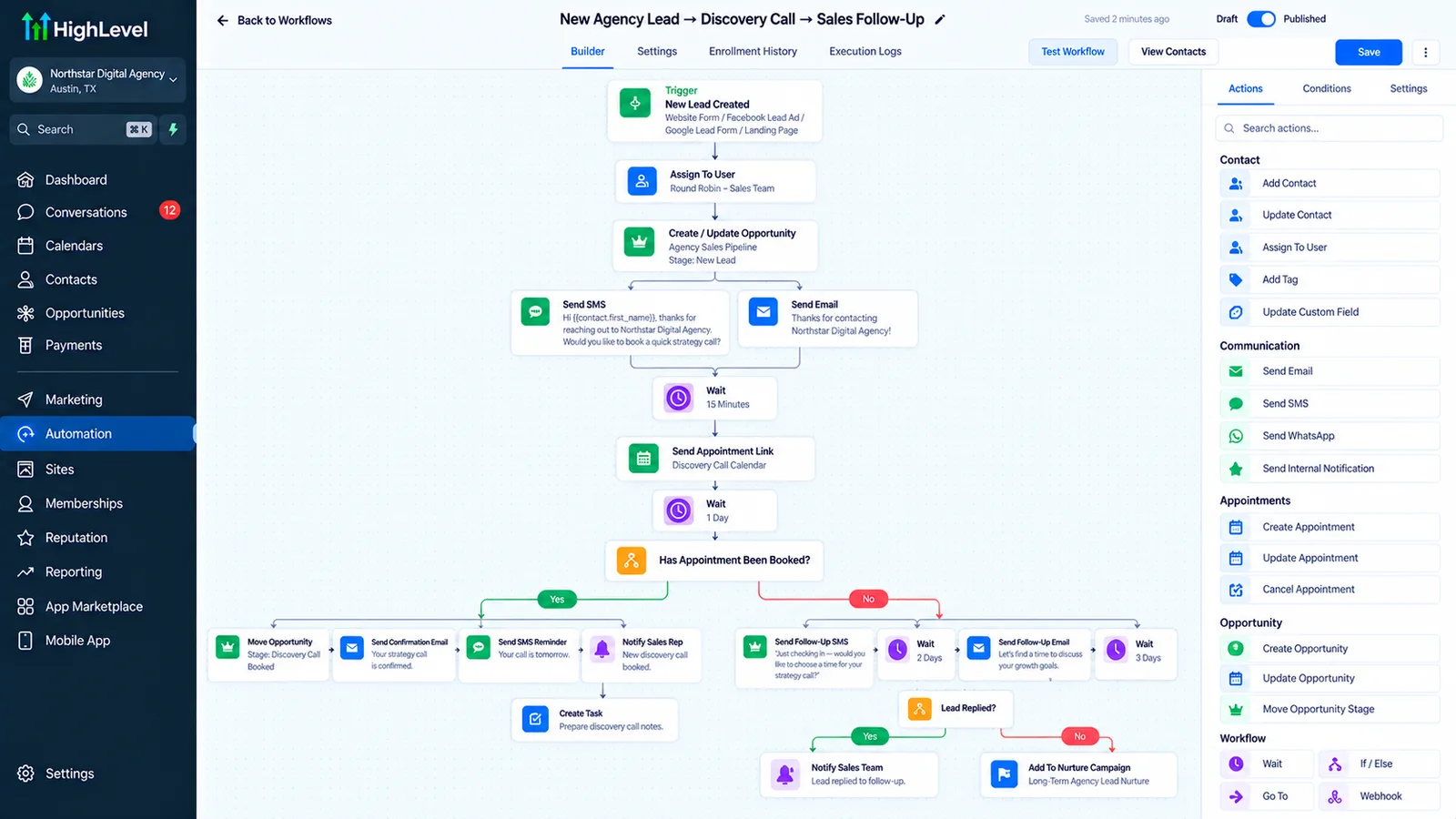
What does a digital marketing agency actually need automated?
Two things cost an agency the most: discovery calls that slip because a lead cools off before a rep follows up, and client onboarding that eats a full day of manual setup per new client. AI-qualified discovery booking fixes the first; standardized onboarding automation fixes the second.
Four agency problems and what fixes each
We build the automation layer on a GoHighLevel CRM backend, with n8n where a workflow needs to reach outside it. This is a different job from GoHighLevel automation for agencies reselling GoHighLevel: this page is about running your own agency's sales and delivery on GoHighLevel, not about white-labeling it for your clients.
| Problem | What we build | Where it runs |
|---|---|---|
| New leads go cold before a rep calls | Instant reply, AI lead qualification, round-robin assignment | AI lead qualification agent on a GoHighLevel pipeline |
| Discovery calls slip | Booking link in the first message, confirmation and reminder sequence | Speed up lead response, reduce no-shows |
| Onboarding a new client takes a full day | A standardized workflow that creates the sub-account, tasks, and welcome sequence from a "Won" pipeline stage | GoHighLevel workflow + n8n |
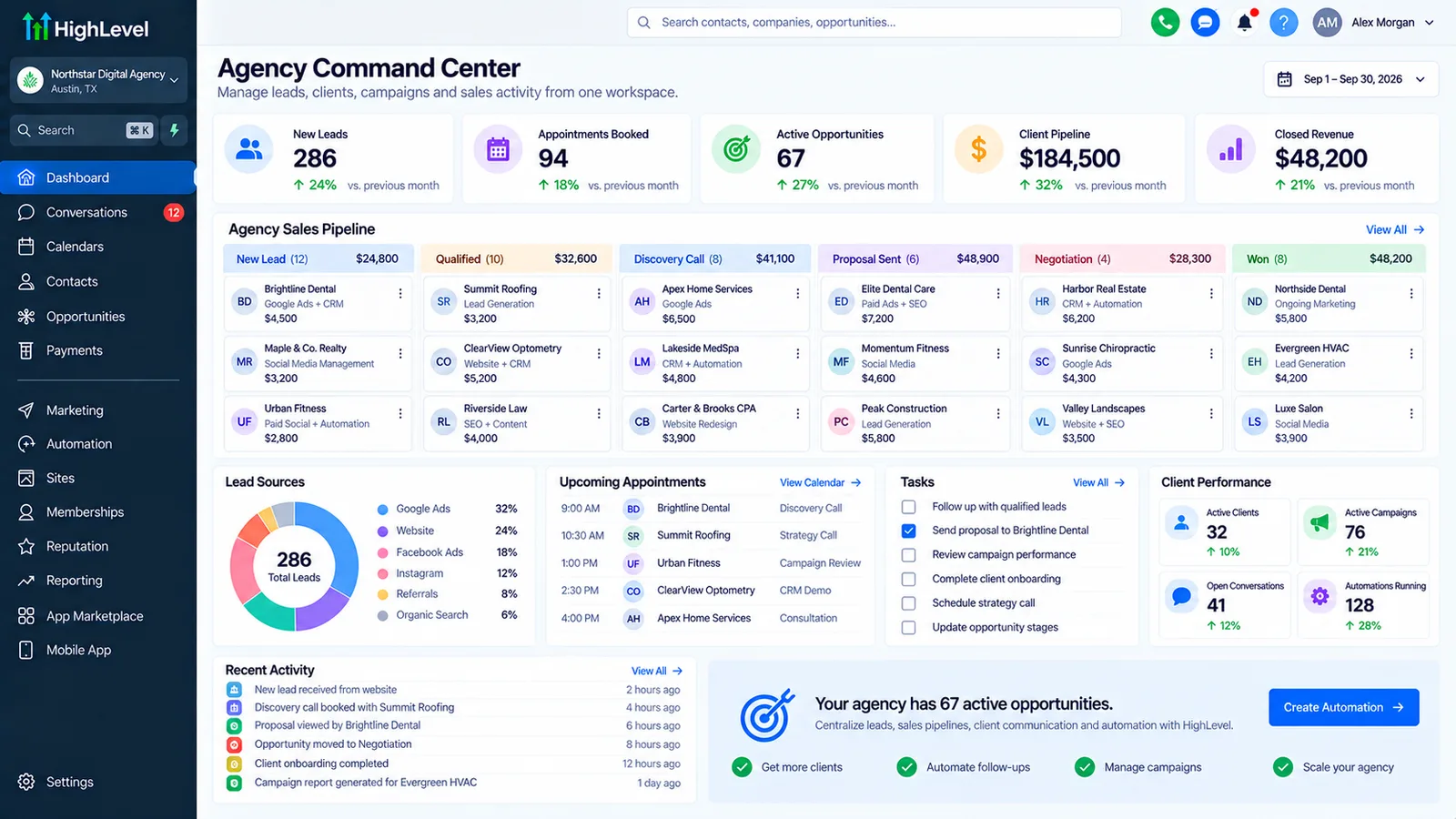
| Reporting takes hours to assemble | Dashboards fed directly from the CRM instead of a manual export | GoHighLevel reporting |
What should a marketing agency CRM do?
A marketing agency CRM should track prospects from first inquiry to signed contract, start onboarding the moment a deal is won, and feed client reporting without exports. If it only stores contacts, the agency still runs sales and delivery from spreadsheets and memory.
| Job | What good looks like | Common gap |
|---|---|---|
| Prospect pipeline | Stages from inquiry to discovery call, proposal, signed and won, with a next step on every deal | Proposals sit in email with no follow-up date |
| Speed to lead | New inquiries get a reply and a booking link within minutes, day or night | Replies wait for whoever checks the inbox |
| Onboarding trigger | "Won" starts the welcome sequence, intake form and internal tasks | Someone remembers to start onboarding, or does not |
| Delivery handoff | Client and scope pass to your project tool automatically | The same details typed into three tools |
| Client reporting | Dashboards fed from live data, sent on a schedule | Hours each month copying numbers into slides |
| Retention signals | Alerts on missed check-ins, overdue invoices or falling lead volume | Churn noticed at cancellation |
The same list applies to creative, advertising and digital marketing agencies. What changes is the delivery tool on the other end of the handoff, not the CRM jobs.
Which CRM is best for a marketing agency?
The best CRM for a marketing agency is usually the one your delivery work already runs on. If you build client funnels and calendars in GoHighLevel, running your agency there avoids a second CRM. Otherwise a sales-focused CRM is often simpler.
| Your agency | Usually fits | Watch out for |
|---|---|---|
| Delivers client work in GoHighLevel | GoHighLevel for your own sales and onboarding too | Keep your agency account separate from client sub-accounts |
| Larger sales team, long proposal cycles, deep sales reporting | A dedicated sales CRM such as HubSpot or Salesforce | Onboarding still needs a connection to your delivery tools |
| Time tracking and project profit matter most | An agency management tool with a CRM module, plus automation around it | The CRM part is often thin on follow-up automation |
HighLevel lists its plans at $97, $297 and $497 a month on its pricing page (checked 1 October 2026); the $97 Starter plan includes three sub-accounts, enough for an agency's own account plus a test account. Whichever CRM you choose, we build the automation layer on it and connect the rest through n8n. If your agency also sells GoHighLevel to clients, the work is different: our GoHighLevel automation agency setup for agencies covers snapshots, SaaS mode and rebilling with an expert build.
What does a good agency client onboarding process look like?
A good agency client onboarding process runs the same seven steps for every client: signed contract, first payment, welcome message, intake form, access requests, kickoff call and an internal checklist. Automation runs the reminders and handoffs; your team runs the kickoff and strategy.
| Step | What happens | Automated? |
|---|---|---|
| 1. Contract signed | Deal moves to "Won" in the CRM | Yes, from your e-signature or proposal tool |
| 2. First invoice paid | Payment confirmed before work starts | Yes, with a reminder if it is late |
| 3. Welcome message | What happens next, who their contact is, when kickoff is | Yes |
| 4. Intake form | Goals, brand assets, competitors, past results | Sent and chased automatically; reviewed by a person |
| 5. Access requests | Ad accounts, analytics, website, social profiles | Requests and reminders yes; the client grants access in each tool |
| 6. Kickoff call | Booked from a link in the welcome sequence | Booking and reminders yes; the call is yours |
| 7. Internal checklist | Tasks assigned to the account manager and delivery team | Yes, created on "Won" |
Treat this as a template. Write your own version down before anything is built, because automating an onboarding process nobody agrees on only makes the disagreement faster. Our client onboarding automation guide covers the build in more detail.
Where does AI fit in agency automation?
AI fits where an agency loses time to first replies and repetitive summaries. An AI agent can qualify new inquiries at any hour, book discovery calls, and draft call notes. A person still writes proposals and signs off anything a client reads.
The useful pieces, in the order we usually add them: an AI lead qualification agent on website chat and SMS, an AI receptionist for calls to the agency's main line, and drafted summaries after discovery calls that a rep edits before they go into the CRM. We do not recommend sending AI-written client reports without review, because a wrong number in a report costs more trust than the time it saved.
Has Autoesta built this for a digital marketing agency?
Not yet as a GoHighLevel build. We have built custom software for an agency: DEMP, a content strategy platform that cut revision rounds from 4.2 to 1.6 per deliverable. For lead handling and onboarding, the patterns this page describes are documented in our GoHighLevel case studies for Ultra Cryo & Recovery and Care Star Healthcare, plus our dental and real estate builds. See all of them on our case studies page.
What does client onboarding automation actually save?
The manual setup work, not the relationship. A workflow triggered by a "Won" pipeline stage can create the client's sub-account or workspace, assign onboarding tasks to the right team member, and send the welcome sequence, so the team's first real touch with a new client is a strategy call, not paperwork.
Onboarding that starts itself
- Trigger on "Won," not on a manual click. The moment a deal closes, the workflow starts.
- Standardize the checklist. Every client gets the same setup steps, in the same order, so nothing depends on who's onboarding them.
- Keep a person in the loop for anything custom. The workflow handles the repeatable 80%; a person still scopes anything unusual.
If you resell or white-label GoHighLevel to your own clients rather than running your agency's own sales on it, see GoHighLevel automation for agencies instead, which covers snapshot management and sub-account provisioning specifically.
What does a build like this cost?
Most agency builds are close to Autoesta's standard system pricing: a small automation build (2-3 automations, such as lead qualification and onboarding) starts at about $1,000, and a full setup with AI lead qualification and CRM runs $3,000 to $5,000, at the time of writing.
See our pricing guide for the full breakdown, and book a free call for a quote based on your lead volume and current tools.
How do you get started?
Book a free 30-minute call and bring your current discovery-call show rate and how long onboarding takes today. We will tell you which piece to build first.
- Count discovery-call no-shows and onboarding time per client for two weeks.
- Start with instant lead reply and the discovery-call booking sequence.
- Add AI lead qualification once volume justifies it.
- Build the onboarding workflow last, once your checklist is genuinely standardized.
How does lead routing work with more than one sales rep?
Round-robin by default, with overrides for named accounts or territory. A qualified lead gets assigned to the next rep in rotation, tagged with the source and qualification answers, and the rep gets an alert instead of finding out by checking the pipeline.
If some leads should always go to a specific person, such as an existing relationship or a particular industry a rep specializes in, that's a routing rule layered on top of round-robin, not a separate system.
What happens to leads that come in after hours?
The same pipeline, with an AI agent covering the gap. A lead that arrives at 11pm gets an instant reply and, if it's qualified, a booking link for the next available slot, rather than waiting until someone opens the CRM the next morning.
See our speed up lead response guide for why that gap matters and what a good first reply looks like.
More questions about agency automation
Is this the same as reselling GoHighLevel to my clients?
No. This page covers running your own agency's sales and delivery on GoHighLevel. If you resell or white-label it, see GoHighLevel automation for agencies and our guide to building a SaaS business on GoHighLevel white label.
Can this connect to our project management tool?
Usually, through n8n or the tool's own API. Confirm the specific integration with that vendor before you plan around it.
Do you migrate our existing GoHighLevel account, or start fresh?
Either, depending on what's already there. If your account is largely working, we build the missing pieces around it. If pipelines, workflows or tags are inconsistent, a GoHighLevel expert audit usually comes first, so new automation isn't built on a broken foundation.
How do I talk to someone?
Book a free 30-minute strategy call or use the contact page.
Is GoHighLevel a good CRM for a marketing agency?
It is a good fit when your agency already uses GoHighLevel for client work, because you run sales, onboarding and client accounts in one platform you know. It is a weaker fit if you need deep project accounting or a large sales team's forecasting; there, a dedicated tool plus automation usually works better.
Can we run our own agency and our clients in the same GoHighLevel account?
Yes, as separate sub-accounts under one agency account. Keep your own agency's pipeline in its own sub-account, so client data and your sales data never mix and a snapshot update for clients never touches your own workflows.
Do we need A2P registration to text our own leads?
Yes, if you text US leads from a local 10DLC number. HighLevel lists a one-time brand fee of $22.50 for low-volume or sole-proprietor brands or $64 for high-volume brands, plus a campaign fee of $1.50 to $10 a month (HighLevel A2P fees, modified 24 September 2026). Our A2P registration guide covers approval.
Can onboarding automation collect ad account and website access?
It can request access, explain exactly what to grant, and chase until it is done. The client still grants access inside Google, Meta or their website host, since those platforms require the account owner to do it. A checklist field per access item shows your team what is still missing.
Does agency automation work for creative and advertising agencies?
Yes. Creative, advertising and digital marketing agencies share the same shape: inquiries, discovery calls, proposals, onboarding and reporting. What changes is the intake form and the delivery tool the client hands off to.
Do you build agency automation outside the US?
Yes. Autoesta has delivered 320+ projects in more than 15 countries, working remotely with a team split between San Francisco, India and Nepal. Texting rules differ by country, so the SMS part of the build follows the rules where your leads are.
What does agency automation automate?
Agency automation covers lead replies and qualification, agency discovery call booking and reminders, proposals follow-up, agency client onboarding, and reporting. A marketing agency CRM such as GoHighLevel runs most of it.
How long does an agency automation setup take?
A small build of two or three automations takes about a week; a full agency system with onboarding and reporting takes longer and is scoped after the first call.
Related: GoHighLevel September 2026 updates.
Related guides: client onboarding automation, sales pipeline automation, reporting automation and, for agencies building their own product, SaaS product development.
Agency automation checklist before you start
Start with five facts. For an agency, they show where time or leads are lost today and give you a baseline to measure against after launch.
- Your onboarding checklist, written down step by step.
- Where leads come from and who replies today.
- How many discovery calls no-show each month.
- Which client reports you build by hand every week.
- Whether you want one GoHighLevel account per client (sub-accounts).
Bring this list to the free strategy call and we will turn it into a written plan. The free calculators help put a number on the first two items.
Sources and further reading
- HighLevel pricing (official)
- HighLevel Help Center
- HighLevel API documentation
- HighLevel: A2P 10DLC messaging fees (modified 24 September 2026)