What is AI workflow automation?
AI workflow automation is a business workflow where one or more steps are handled by an AI model: reading an email and deciding what it is about, pulling details out of a document, drafting a reply, summarizing a call or choosing the next step. The rest of the workflow runs on normal automation rules.
Traditional automation follows fixed rules: if a form is submitted, send this text. It breaks when the input is messy, such as a free-text email, a scanned fax or a voicemail. AI workflow automation fills that gap. The AI step turns messy input into clean data, and the rule-based steps do the rest.
Autoesta builds AI workflow automation on n8n, GoHighLevel and direct model APIs. The aim is always the same: fewer hours of copying, sorting and chasing, with a person checking anything that matters.
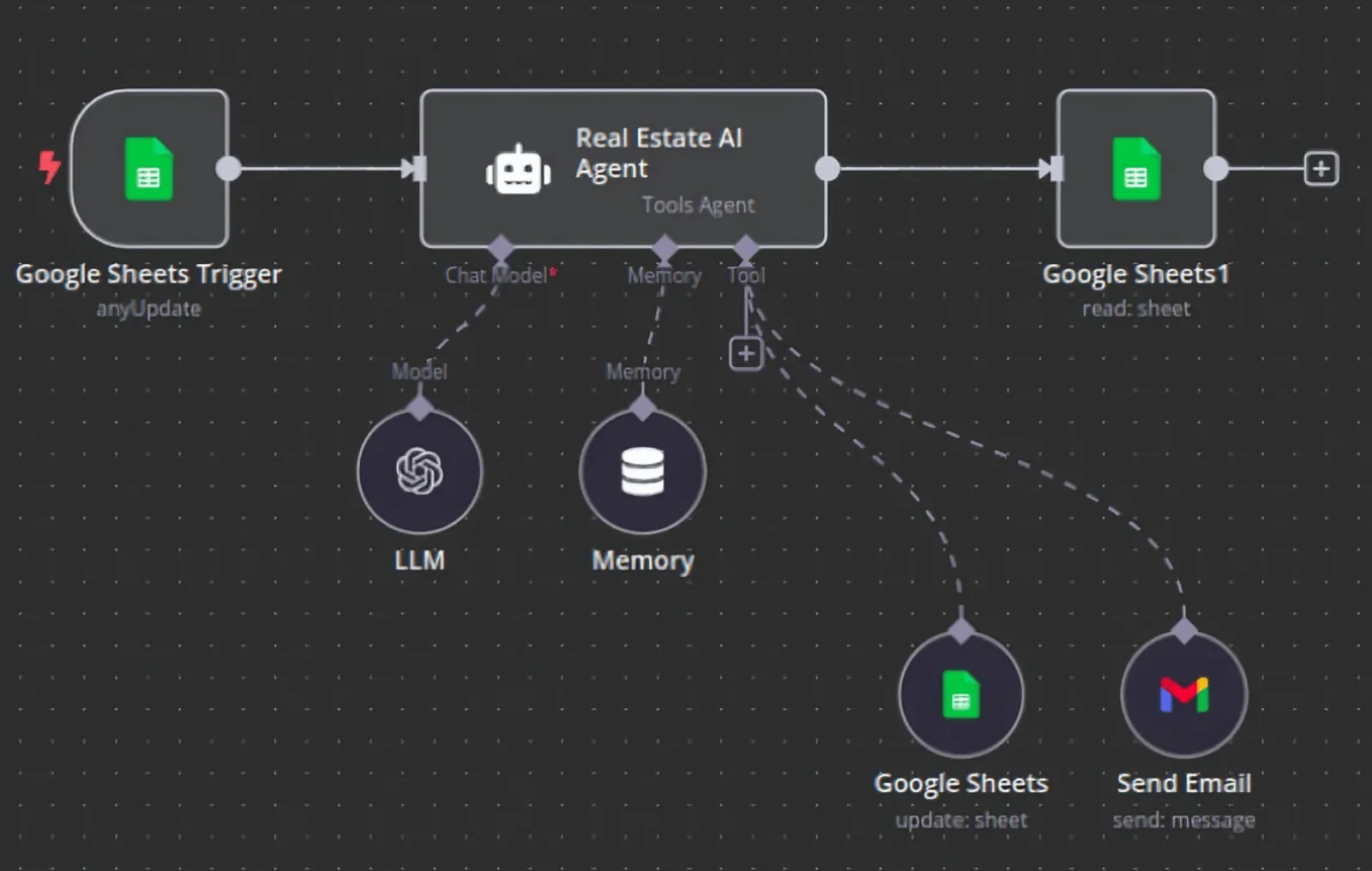
What can AI workflow automation do in a small business?
In a small business, AI workflow automation can sort and answer incoming email, pull data from invoices, forms and faxes, qualify and route new leads, summarize calls into the CRM, draft proposals and follow-ups, and turn raw numbers into a plain-language weekly report.
| Workflow | AI step | Rule-based steps |
|---|---|---|
| Inbox triage | Classify the email and extract the request | Create a task, assign, reply with a template |
| Document intake | Read an invoice, referral or fax | Write fields to the CRM or database, alert staff |
| Lead qualification | Ask questions and score answers | Route, book, start follow-up |
| Call notes | Summarize the transcript | Save to the contact, create next task |
| Reporting | Write a short summary of the week | Pull numbers, send to the owner |
The Care Star Healthcare case study shows a document-intake workflow in practice: recurring paperwork turned into a repeatable process.
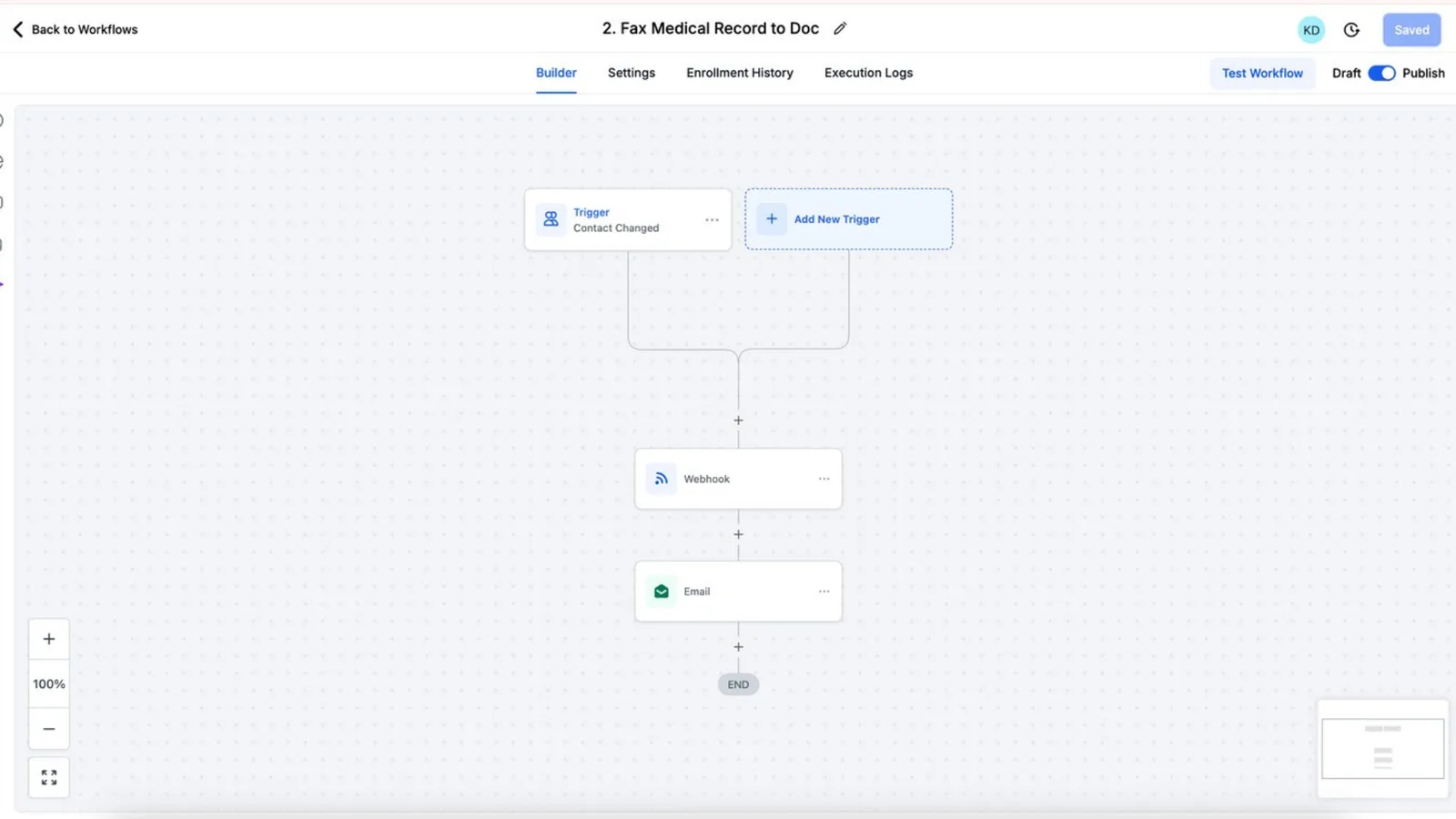
How is AI workflow automation different from an AI agent?
AI workflow automation runs a fixed sequence where AI handles specific steps, while an AI agent decides its own next steps to reach a goal. Workflows are more predictable and easier to test. Agents are more flexible but need tighter limits and more monitoring.
Where AI sits inside a workflow
Most of what we build is workflow automation with AI steps, because businesses need the same result every time. Where a conversation has to adapt, such as a phone call or chat, we use AI agents inside the workflow. Our AI automation services page covers both.
Which tools are used for AI workflow automation?
AI workflow automation is usually built on an automation platform such as n8n, Make or Zapier, or inside a CRM such as GoHighLevel, connected to a language model from OpenAI, Anthropic or Google, with the business's own systems linked through APIs.
- n8n automation: our default for complex or high-volume AI workflows, self-hosted to avoid per-task fees.
- GoHighLevel automation: AI Agent and GPT actions run inside the CRM itself.
- Zapier: fast for simple AI steps between common apps.
- API integrations: for systems with no ready-made connector.
How much does AI workflow automation cost?
AI workflow automation from Autoesta costs about $1,000 at the time of writing for a small build of two or three workflows, with larger systems quoted after the free strategy call. Model usage is billed by the AI provider per token, which for most small-business workflows is a small monthly amount.
Use the automation ROI calculator to compare the build cost with the hours the workflow saves. Every build includes six months of maintenance.
What are the risks of AI workflow automation?
The main risks of AI workflow automation are wrong outputs stated confidently, sensitive data sent to a model provider without the right agreement, and silent failures when an input changes format. Each is controlled with validation rules, human review for high-stakes steps, and logging.
- Validation. Extracted values are checked against rules before they are written anywhere.
- Human review. Anything that sends money, medical or legal information waits for a person.
- Data handling. Health data needs the right agreements; see our HIPAA automation guide. The NIST AI Risk Management Framework is a useful checklist.
- Monitoring. Failed runs alert a person instead of disappearing.
How do you choose the first AI workflow to automate?
Choose the first AI workflow by four tests: it happens often, it follows the same pattern each time, the input is messy text or documents that rules cannot read, and a mistake is cheap to catch. Inbox triage and call summaries usually pass all four.
| Candidate | Frequency | Messy input | Cost of a mistake | Good first pick? |
|---|---|---|---|---|
| Sorting inbound email | High | Yes | Low | Yes |
| Summarizing calls into the CRM | High | Yes | Low | Yes |
| Reading referral documents | Medium | Yes | Medium | Yes, with review |
| Approving refunds | Low | Some | High | No |
What does an AI workflow build look like, week by week?
A focused AI workflow build usually takes two to three weeks: a few days to collect real examples and agree the output, a week to build and test on those examples, and a week of supervised running where a person checks every output before it goes live on its own.
A focused build, week by week
- Collect examples. 30 to 100 real emails, documents or calls, anonymized where needed.
- Define the output. Exactly which fields or decisions the AI must produce.
- Build and test. Run every example, measure accuracy, fix the prompt and rules.
- Supervised run. Live inputs, human approval on each output.
- Go live with monitoring. Spot checks and alerts on failures.
For the conversational side, see the AI sales agent and AI receptionist; for clinics, see healthcare automation.
When should you not use AI in a workflow?
Do not use AI in a workflow when a simple rule does the job, when the output must be exactly right every time with no review, or when the volume is so low that doing it by hand costs less than building and checking the automation.
If a step can be written as "if X then Y", it does not need AI. We will tell you which steps need a model and which do not. Start with a free call via the contact page, or see how AI workflows fit into business process automation.
Frequently asked questions
What is an example of AI workflow automation?
A referral arrives by fax, an AI step reads it and extracts the patient name, reason and referring provider, and the workflow creates a record, alerts staff and books a callback.
Is AI workflow automation the same as RPA?
No. RPA copies clicks on a screen following fixed rules. AI workflow automation uses AI to understand messy inputs such as text and documents, then passes clean data to normal automation.
Which AI model is best for workflow automation?
It depends on the step. Small, fast models suit classification and summaries; larger models suit multi-step reasoning. We test more than one on your real data before choosing.
Is my data safe in AI workflows?
It can be, with the right provider agreements, data minimization and access controls. Health or financial data needs extra care, and some tools must not be used for it at all.
