What is sales automation?
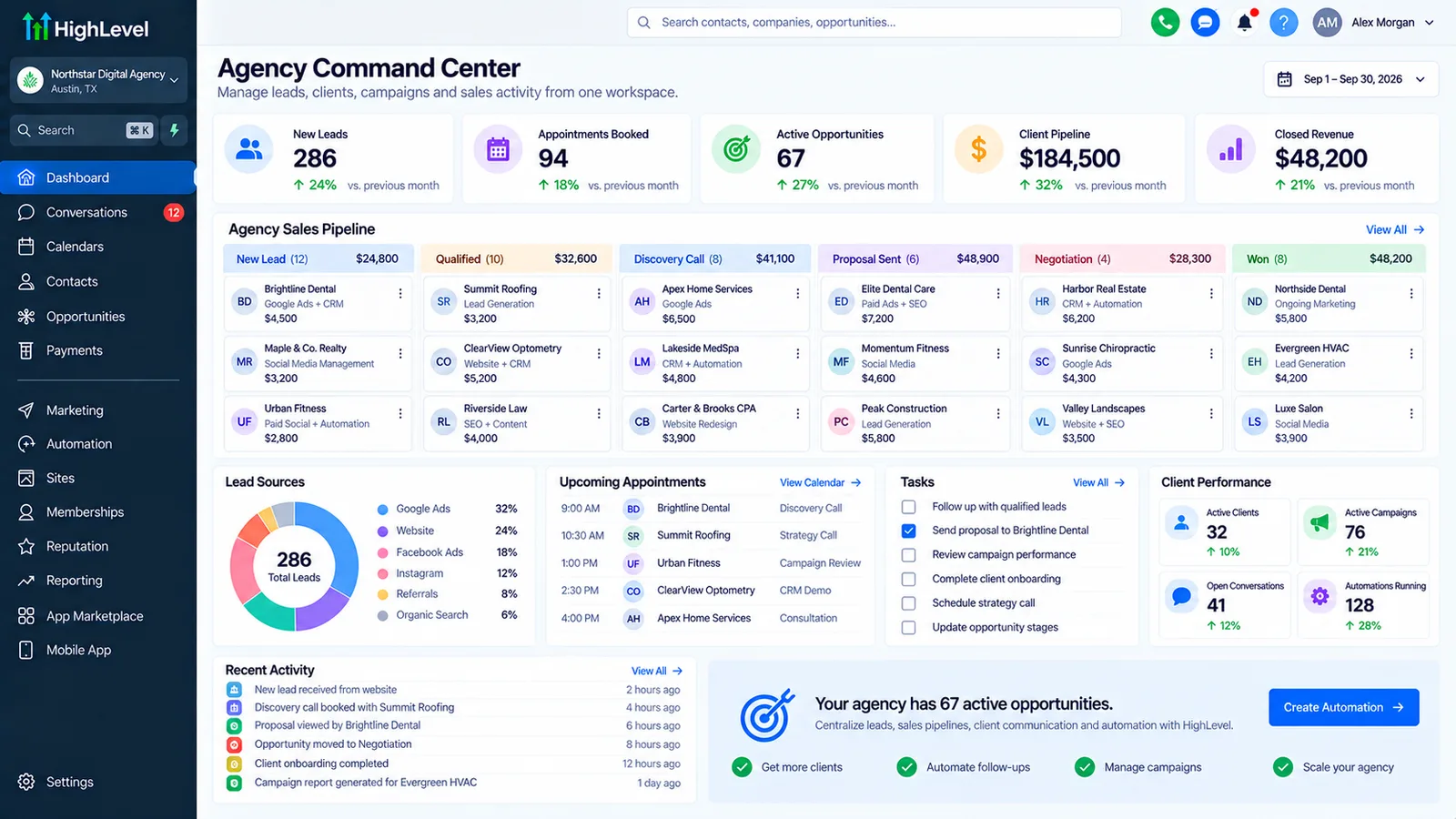
Sales automation is software that handles the repeatable parts of selling: logging activity, creating follow-up tasks, sending proposals and reminders, moving deals between pipeline stages, alerting reps about stalled deals and reporting on the pipeline, so salespeople spend their time talking to buyers.
Lead automation gets a new enquiry answered and qualified. Sales automation takes over once there is a real opportunity: a quote to send, a call to book, a decision to chase. Both run on the same CRM, and the handoff between them is where many businesses lose deals.
Autoesta builds sales automation for service businesses and small B2B teams on GoHighLevel, HubSpot or a custom CRM, depending on what you already use.
What parts of the sales process can be automated?
The parts of the sales process that can be automated are the ones that follow a rule: creating the next task when a deal changes stage, sending proposal and contract reminders, booking follow-up calls, flagging deals with no activity, logging calls and emails, and producing weekly pipeline reports.
What gets automated at each sales step
| Sales step | Automation | What the rep still does |
|---|---|---|
| New opportunity | Assigned by rules, first task created | Discovery call |
| Proposal sent | Reminders on day 2 and day 5, rep alerted if opened but unsigned | Handles objections |
| Stalled deal | Alert after X days with no activity | Decides to push or close |
| Won | Onboarding starts, invoice sent | Kickoff call |
| Lost | Reason logged, nurture sequence starts | Nothing |
| Weekly | Pipeline and forecast report to the owner | Reviews it |
Our sales pipeline automation page goes deeper on stage rules, and client onboarding automation covers what happens after the deal is won.
Which tools does sales automation use?
Sales automation uses a CRM as the core, such as GoHighLevel, HubSpot or Salesforce, plus e-signature, scheduling and invoicing tools, connected by native integrations, n8n or Zapier. AI agents can handle qualification calls and first follow-ups.
- CRM: GoHighLevel CRM for service businesses, HubSpot or Salesforce for larger teams.
- Connections: n8n, Zapier or direct API integrations.
- AI: an AI sales agent for follow-up calls and texts.
How much does sales automation cost?
Sales automation from Autoesta costs about $1,000 at the time of writing for two or three automations such as proposal reminders and stalled-deal alerts, and $3,000 to $5,000 for a full pipeline system with routing, reporting and integrations, plus your CRM subscription.
Six months of maintenance comes with every build. If you want to know whether it pays back, the automation ROI calculator works from hours saved and your team's hourly cost.
How do you set up sales automation without annoying buyers?
Set up sales automation so that every automated message stops the moment a buyer replies, reminders are spaced days apart rather than hours, messages come from a named person, and the rep is alerted to step in rather than letting the system keep sending.
- Map the stages you actually use before automating any of them.
- Automate tasks and alerts for the team first, buyer-facing messages second.
- Add a stop rule to every sequence: a reply, a booking or a stage change.
- Review the first month of messages with the team and cut anything that felt pushy.
Sales automation examples by business type
Sales automation for a service business is mostly about booking and quote follow-up, for an agency it is proposals and onboarding, and for a B2B team it is task discipline and pipeline reporting. The tools are similar; the rules differ.
| Business type | Highest-value sales automation |
|---|---|
| Clinics and med spas | Consultation reminders and treatment-plan follow-up |
| Home services | Estimate follow-up until accepted or declined |
| Real estate | Long-term nurture and showing follow-up |
| Agencies and consultancies | Proposal reminders, contract signature, onboarding kickoff |
| B2B sales teams | Stage tasks, stalled-deal alerts, weekly forecast |
See the related industry pages for med spas, HVAC, real estate and agencies.
What should you measure in sales automation?
Measure how long deals sit in each stage, the share of proposals that get a decision, the win rate by source, and how many deals had no activity for longer than your rule allows. Sales automation should shorten the first two and shrink the last.
Four numbers to watch
- Days in stage, for each stage of the pipeline.
- Decision rate on sent proposals and estimates.
- Win rate by lead source, which tells marketing where to spend.
- Stalled deals flagged each week, and what happened to them.
These numbers come straight from the CRM when the data is clean; see how we set up the GoHighLevel CRM so they do.
When is sales automation the wrong fix?
Sales automation is the wrong fix when deals are lost on price, product fit or trust, when there is no agreed sales process to automate, or when the team does not update the CRM, because automation built on empty data sends the wrong message at the wrong time.
Start with a process everyone agrees on, then automate it. If you are unsure where deals leak, a $250 audit shows you. For proof from real builds, see our case studies, or see how sales automation fits the wider business process automation and CRM automation services.
Frequently asked questions
What is an example of sales automation?
When a proposal is sent, the CRM schedules reminders on day two and day five, alerts the rep if it is opened but not signed, and moves the deal to won and starts onboarding when it is signed.
Is sales automation the same as a CRM?
No. A CRM stores contacts and deals. Sales automation is the set of rules and workflows that act on that data. Most CRMs include automation tools, but they need to be designed and built.
Will sales automation replace my sales team?
No. It removes admin and chasing so salespeople spend more time in real conversations. AI agents can handle early follow-up, but people close.
Which CRM is best for sales automation?
For service businesses, GoHighLevel is usually the most cost-effective. HubSpot and Salesforce suit larger or more complex sales teams.
