What is API integration, and what does Autoesta build?
API integration connects two systems so data moves between them automatically through their APIs and webhooks, without someone copying it by hand. Autoesta builds and maintains these connections between GoHighLevel, n8n, and the other systems a business runs on.
"API" and "integration" together mean one system's software can talk directly to another's, instead of a person exporting a spreadsheet from one tool and typing it into the next. Some connections already exist: GoHighLevel has native marketplace apps and Zapier has thousands of pre-built steps, so if the app you need is already covered, you don't need custom work. This page is about what happens when it isn't. That means a system with no native app, a workflow-tool node that doesn't cover your case, or a client's own internal software nobody has built a connector for yet.
That is different from our n8n automation service, which is about the workflow-builder tool itself: triggers, nodes, and visual logic. This page is about the raw connection work underneath, direct API calls, webhook endpoints, and authentication, whether or not n8n ends up sitting in the middle of it. It sits alongside our other AI automation services as one of the connection layers that makes the rest of the system work.
What is the difference between a REST API and a webhook?
A REST API is a request-response connection: your system asks for data and waits for an answer. A webhook is the reverse: the other system pushes data to you automatically the moment something happens, with no request needed.
| REST API | Webhook | |
|---|---|---|
| Direction | You request, the other system responds | The other system sends, you receive |
| Trigger | Your code decides when to ask | An event on the other system's side |
| Typical use | Look up a contact, pull a report, update a record on demand | Notify you the moment a form is submitted, a payment clears, or an appointment is marked no-show |
| Latency | As fast as your next request | Near-instant, since it fires the moment the event happens |
Most real integrations use both: a webhook tells you something happened, and a REST API call fetches or writes the detail once you know it did.
How does Autoesta connect GoHighLevel to third-party systems?
Three real paths exist: GoHighLevel's native marketplace apps for common connections, GoHighLevel's own REST API and outbound webhooks authenticated through a Private Integration Token for anything custom, and n8n or Zapier sitting between GoHighLevel and a system that has no native connection at all.
GoHighLevel's marketplace covers popular tools without any custom work. When the tool you need isn't there, HighLevel's developer platform issues Private Integration Tokens scoped to a single location rather than one account-wide key, which is what a direct API integration authenticates with. GoHighLevel can also send outbound webhooks from inside its own workflows, so an event in the CRM (a form submission, a stage change, a no-show) reaches your API or a workflow tool immediately. Which of the three paths fits depends on whether a native app already exists and how custom the logic is. It also depends on whether the volume or data sensitivity justifies building it directly rather than inside a workflow tool. Once data is flowing, what actually happens to it inside GoHighLevel is a separate question. See our guide to GoHighLevel workflows vs triggers vs campaigns for that side of it.
What can API and webhook integrations actually automate for my business?
API and webhook integrations automate anything that needs one system to read or write another system's data the moment something happens: a payment landing in your CRM, an order syncing to your books, or a client's own software talking to GoHighLevel. The categories below are the ones that come up most.
- Payment platform to CRM. A payment processor's webhook fires the moment a charge succeeds, and an API call updates the matching opportunity in GoHighLevel to Won.
- E-commerce to CRM. Orders, refunds, and customer records sync between a storefront and the CRM without a person re-entering either side.
- Accounting sync. Invoices and payments move between GoHighLevel and an accounting platform so the books and the CRM agree.
- Internal tool to CRM. A client's own scheduling, billing, or intake software, often with no public documentation, gets a direct connection built against its actual endpoints.
- Agency-scale provisioning. Agencies running many GoHighLevel sub-accounts use API connections to trigger sub-account creation and roll reporting up across clients. See GoHighLevel automation for agencies.
- Custom app data feed. A client's own product exposes an API, and we build the connection that feeds its data into or out of the CRM.
- Compliance document systems. Fax gateways and document-signing services connect through their APIs so a signed form or faxed record updates a record automatically instead of someone checking a fax log by hand.
- Structured data sync. Data a CRM doesn't model well can live in Airtable and stay in sync through the same kind of API connection.
- AI agent connections. AI chat agents and AI calling agents need an API layer to read and write CRM data mid-conversation, not just at the end of a call.
What does a real API integration project look like?
Two of Autoesta's published case studies show this: Care Star Healthcare's compliance paperwork runs on GoHighLevel automations that fire on real events, a form signature, a status change, a fax confirmation, and Ultra Cryo & Recovery's AI calling agent is tied into GoHighLevel through the same API layer that also runs its n8n automation.
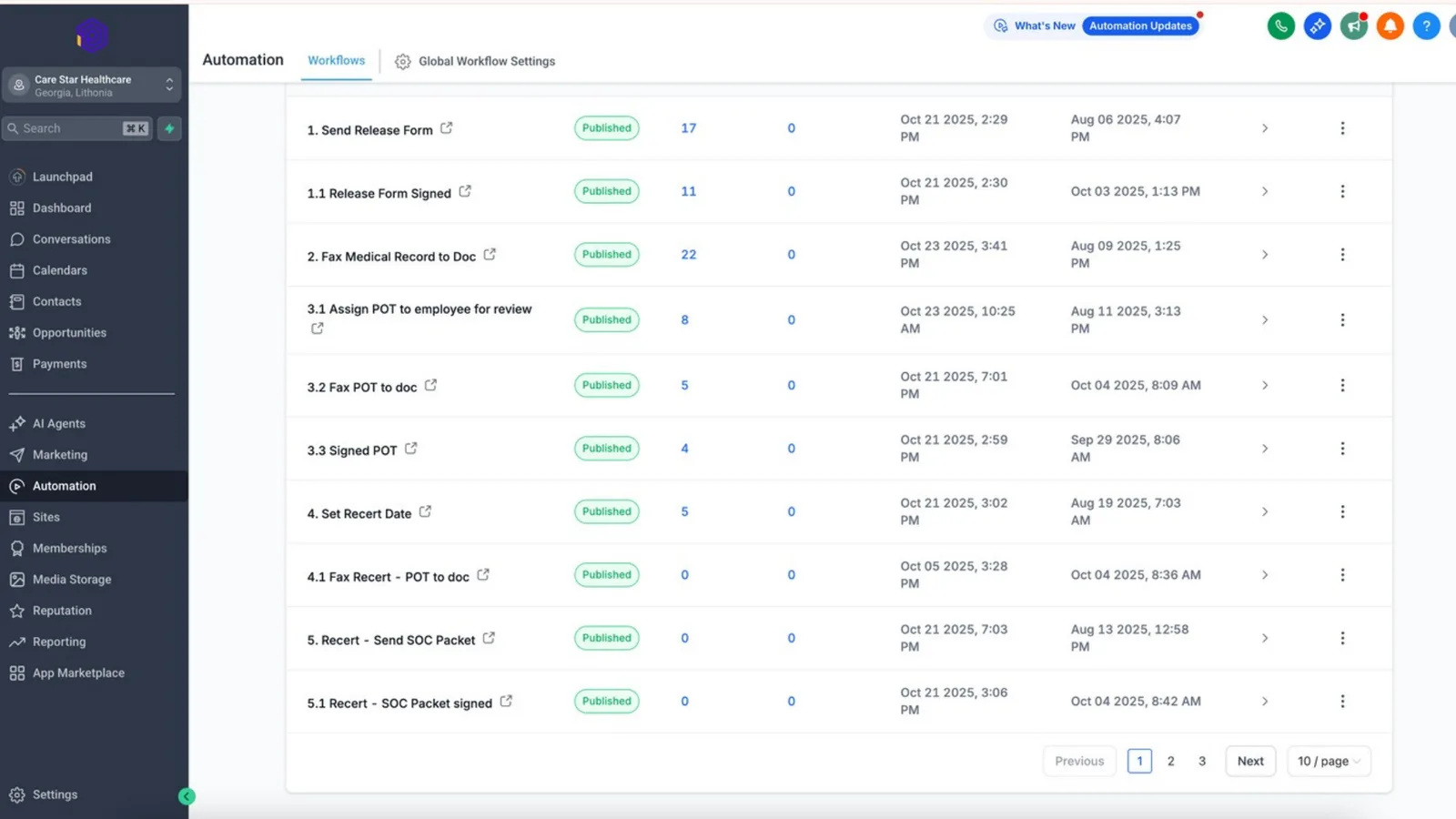
At Care Star Healthcare, a Georgia home care agency, release forms, medical record faxing, plan-of-treatment sign-off, and recertification dates run as connected GoHighLevel workflows instead of one-off manual tasks. Each one triggers on an actual event in the account rather than a calendar reminder. Reported result: no-show rate down about 40%, and 30 to 50 new Google reviews a week.
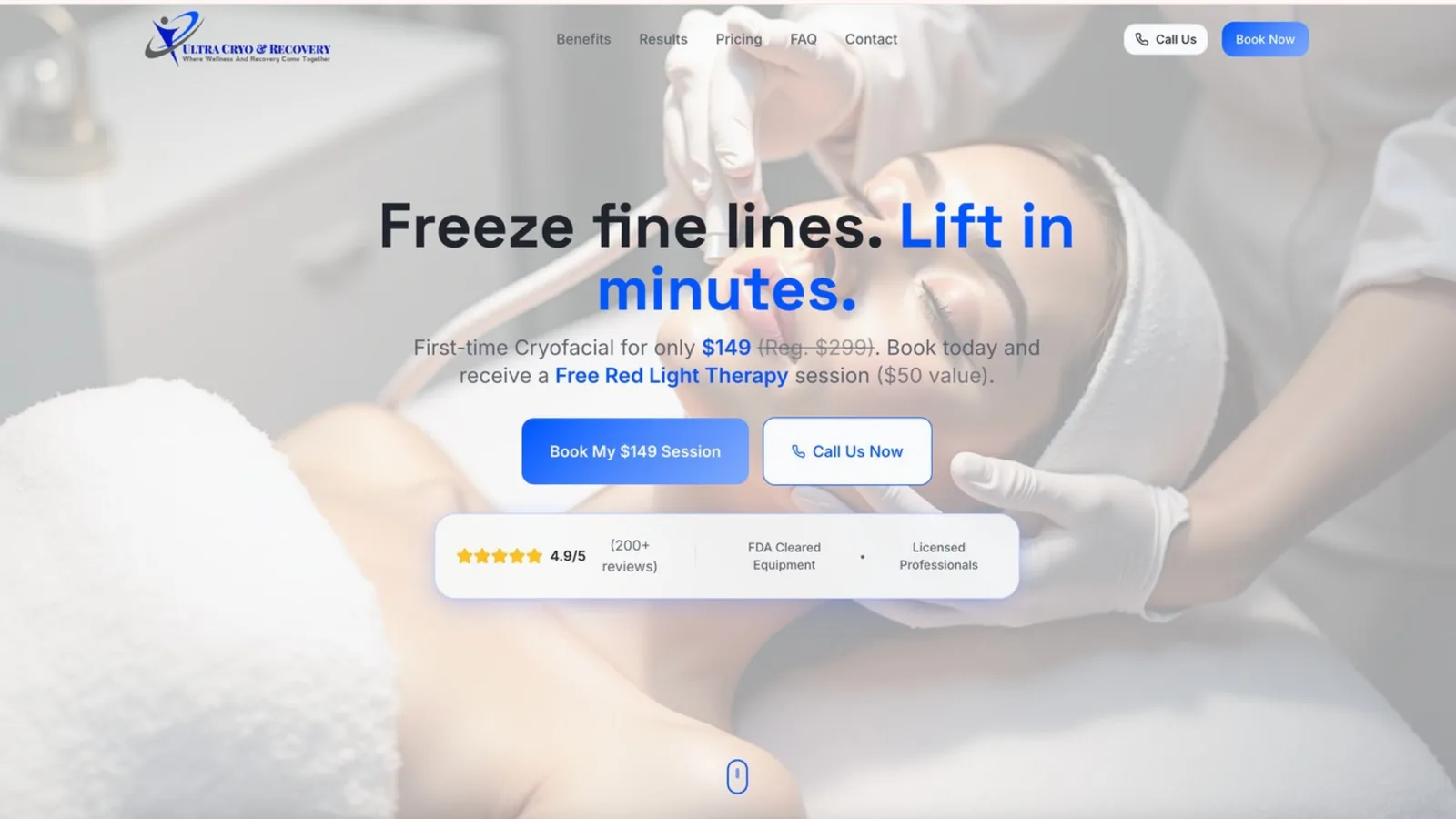
Ultra Cryo & Recovery, a Central Florida cryotherapy and recovery clinic, runs it the other way: its AI calling agent reads and updates GoHighLevel contact and appointment data through the CRM's API as it qualifies and books a lead. n8n handles the automation that reaches outside the CRM. Reported over three months: no-show rate down about 55%, revenue up about 30%.
Neither client's system is a demo. Both run live, and both are cited here with the same figures published on their own case study pages, not recomputed or rounded differently. See all case studies for the rest of Autoesta's published work.
How is a custom API integration different from n8n or Zapier automation?
n8n and Zapier are workflow tools that usually call APIs and receive webhooks for you inside a visual builder. A custom API integration is code that talks to an API or webhook directly, needed when there's no workflow-tool node for that system, the logic is too custom for a visual builder, or the client is integrating with their own internal software rather than a common SaaS app.
| Use n8n or Zapier when... | Use a custom API integration when... |
|---|---|
| The system has a native node or app already | No workflow tool has a node for it |
| The logic fits a visual, step-by-step builder | The logic needs custom code, not a chain of nodes |
| It connects to a common SaaS product | It connects to a client's own internal software or a bespoke endpoint |
| You want the team editing it visually later | The connection needs performance or control a workflow tool can't give it |
In practice, most builds use both: n8n or Zapier for the parts that fit a visual workflow, and a direct API integration for the one connection that doesn't. This page is about that second piece, not a replacement for the first.
How does Autoesta make an API integration reliable?
The same discipline that makes an n8n workflow reliable applies at the API/webhook-code level: validate every input, check for an existing record before creating one, retry transient failures with a limit, respect the third party's rate limits, log what happened, and alert a person when something fails instead of failing silently.
Six safeguards on every integration
- Input validation. Never assume a webhook payload is well-formed. Check required fields exist before acting on them.
- Idempotency. A webhook can arrive more than once for the same event. Check whether the record already exists before creating a duplicate.
- Retry with backoff. A timeout or a temporary error gets retried a limited number of times with an increasing delay, then escalates rather than looping forever.
- Rate-limit awareness. GoHighLevel's own API documentation lists a burst limit of 100 requests per 10 seconds and a daily cap of 200,000 requests, returning rate-limit headers (
X-RateLimit-Remaining,X-RateLimit-Daily-Remaining) you can read before hitting either cap, at the time of writing. A reliable integration checks those headers and slows down instead of hammering the API until it gets blocked. - Logging and monitoring. Every request and webhook receipt is logged with enough detail to diagnose a failure, without keeping more personal data than necessary.
- A documented failure path. When something breaks, a person gets an alert with enough detail to fix it, not a silent gap in the data.
Anatomy of a reliable API integration
How secure is a custom API integration?
HTTPS only, secrets and API keys never stored in code or logs, webhook signature verification so random traffic can't trigger it, and least-privilege access, scoped Private Integration Tokens per GoHighLevel location rather than one account-wide key.
- HTTPS everywhere. No API call or webhook endpoint runs over plain HTTP.
- Secrets stay out of code and logs. API keys and tokens live in a credential store, not committed to a repository or printed in a log line.
- Webhook signature verification. A webhook endpoint checks the sender's signature before acting on the payload, so a request that isn't actually from the expected system gets rejected.
- Least-privilege scopes. A GoHighLevel Private Integration Token is scoped to one location and the specific permissions the integration needs, not the whole account.
- Audit trail. Every write is logged so you can trace what changed and when.
Care Star Healthcare's compliance paperwork touches health-adjacent information, which is why that build runs on a HIPAA-aware account configuration. See our guide to HIPAA and automation tools for which platforms sign a BAA and which don't.
How much does API integration cost?
Cost depends on how many systems are involved, how custom the logic is, and how much error-handling and monitoring the integration needs. A connection to a single well-documented API with one data flow costs far less than a two-way sync across several systems with compliance requirements.
Third-party market data (not an Autoesta quote): Netguru reports simple integrations starting around $2,000, running $6,000 to $24,000 for a simple CRM integration, and more for one with multiple data flows and heavier error handling. Those figures are current at the time of writing; check them against a vendor's own current page. Autoesta quotes after a strategy call rather than publish a number that would be wrong for most projects, the same approach we take on our n8n automation page.
How long does an API integration project take?
Timeline depends on how many endpoints are involved, whether the third-party API is well-documented, and how much testing a compliance-sensitive build needs versus a straightforward one.
A single, well-documented connection with one clear data flow moves faster than an integration against an undocumented internal system. There, the first step is often reverse-engineering what the existing endpoints actually do, before any new code gets written. A build like Care Star Healthcare's, where a signed document has to reach a physician correctly every time, needs more testing than a simple one-way data push, because the cost of a missed step is higher.
When is a custom API integration the wrong choice?
If a native GoHighLevel marketplace app or a Zapier or n8n template already does the job, building custom API code is the wrong choice. It costs more to build and more to maintain than using what already exists.
- A pre-built app or workflow-tool node already covers exactly what you need. Check first; our n8n automation page has its own "when is n8n the wrong choice" section that makes the same case for the parallel tool.
- GoHighLevel's own native workflows already cover the logic. Our GoHighLevel setup service builds those before we recommend anything custom on top.
- The third-party API is undocumented, unstable, or the vendor doesn't support developer access at all. We'll say that plainly rather than promise a connection that isn't realistically buildable.
- Nobody on your side can own the integration once it's built, and you're not planning ongoing support for it either.
- The volume or logic is genuinely simple. A single Zapier step is often the right answer, not a custom build.
- Your account is misconfigured rather than missing a connection. A GoHighLevel expert audit usually finds that faster than building anything new.
Telling you not to build a custom integration is part of the service. A simpler tool is sometimes the right answer.
How does Autoesta build and deliver an API integration?
Autoesta delivers an API integration in six steps: map the systems and data, confirm API and webhook access, design the data flow and failure handling, build and test with real data, document and hand over, then monitor it as an optional ongoing arrangement.
- Map the systems and data. What needs to move, in which direction, and how often.
- Confirm API and webhook access. Get the credentials, scopes, and documentation (or reverse-engineer what exists if there isn't any) before writing code.
- Design the data flow and failure handling. Decide what happens on a duplicate, a timeout, or a rate-limit response before it happens in production.
- Build and test with real data, including the failure cases, not just the happy path.
- Document and hand over, with a plain description of what the integration does and where to look when something changes on the other end.
- Monitor as an optional ongoing arrangement, so a broken connection gets caught and fixed rather than failing silently for weeks.
What should you check before an API integration goes live?
Before an API integration goes live, check that secrets stay out of code and logs, every webhook verifies its sender's signature, a repeated webhook can't create a duplicate record, the third party's rate limits are respected with retries capped, a failure alerts a person, and the build is documented well enough for someone else to maintain.
- Are all secrets and API keys kept out of code and logs?
- Does every webhook endpoint verify the sender's signature before acting?
- Can a repeated webhook create a duplicate record? If so, is there a check before creating one?
- Are the third party's documented rate limits respected, with retries capped rather than looping forever?
- Is there an alert wired to a person when a call or webhook fails?
- Are logs kept without over-retaining personal data?
- Is the integration documented well enough for someone else to maintain it?
More questions about API integrations
Does GoHighLevel have a public API?
Yes. GoHighLevel publishes a REST API and outbound webhooks through its marketplace developer platform, authenticated with Private Integration Tokens or OAuth for marketplace apps.
Do I need my own developer to use an API integration?
No. Building, testing, documenting, and maintaining the integration is what Autoesta delivers as part of this service.
Can Autoesta take over an existing, undocumented integration?
Yes. We review what's actually running, document it, fix the reliability and security gaps, and then extend it, the same pattern we use to take over an existing n8n setup.
What happens if the third-party API changes or goes down?
A well-built integration logs the failure and alerts a person rather than failing silently, and a documented build makes it faster to update the code once the other side's change is known. An undocumented, unmonitored integration can stay broken for weeks before anyone notices.
Is a webhook the same as an API?
No. A webhook is the other system pushing data to you when something happens; a REST API is you requesting data on demand. Most integrations use both.
Integrations are also central to CRM migration, reporting automation and business process automation.
