What is HVAC automation?
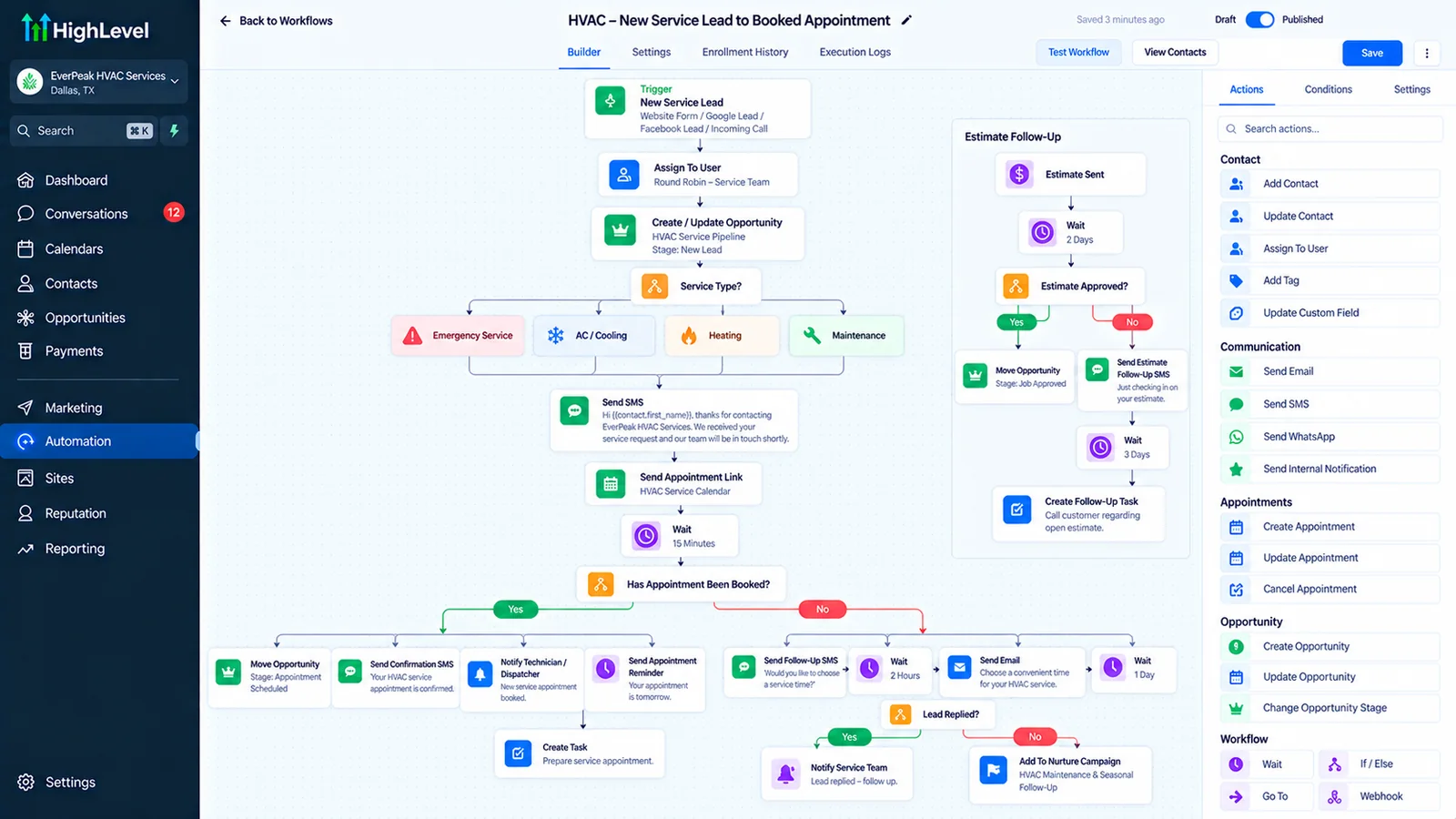
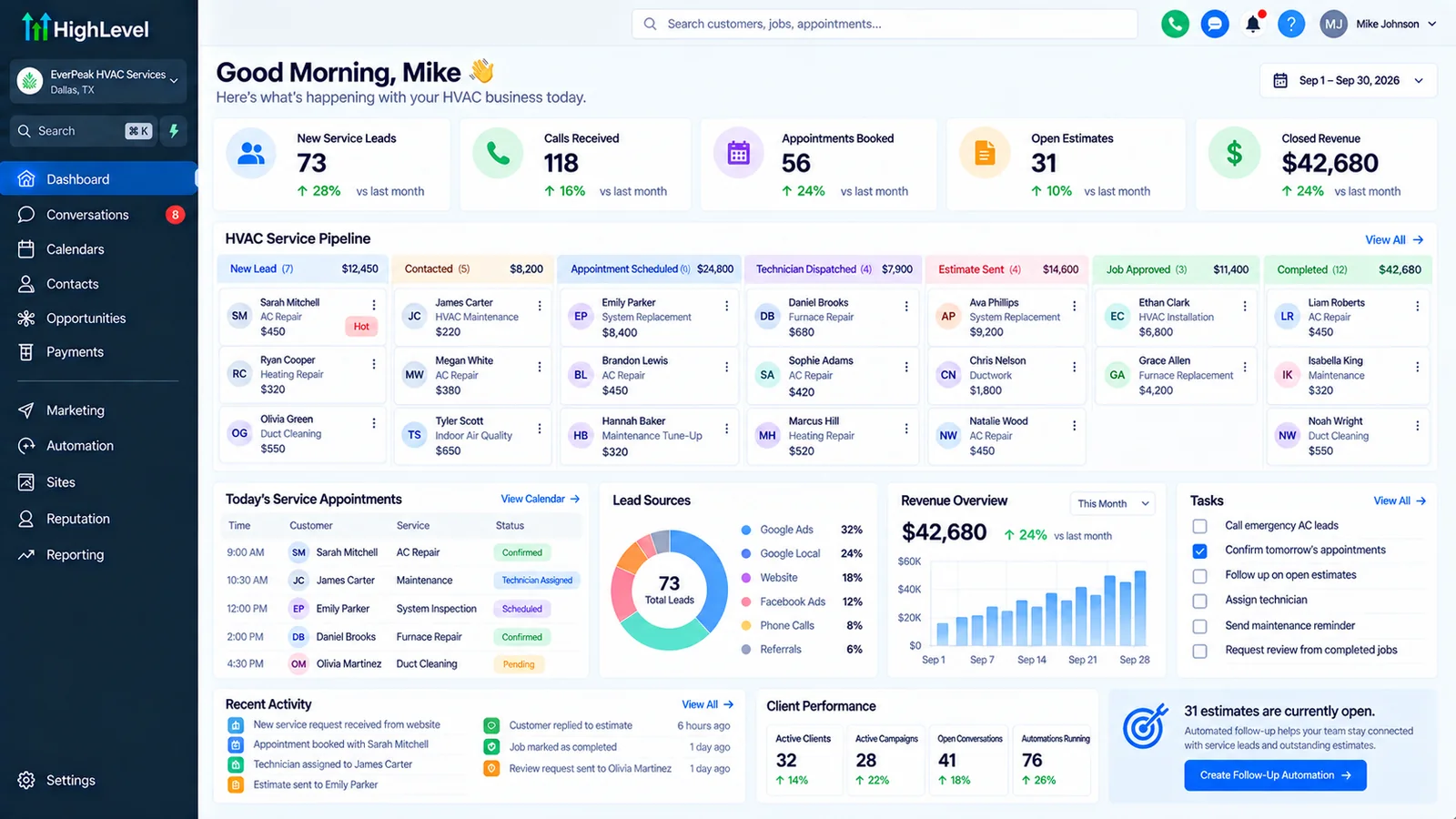
HVAC automation is software that handles the office side of a heating and cooling business: answering calls and missed calls, booking service visits, confirming appointments and technician arrival, following up on estimates, sending maintenance-plan renewals and seasonal tune-up reminders, and requesting reviews after each job.
HVAC demand comes in waves. On the first hot week of summer or the first cold snap, the phones ring faster than the office can answer, and every unanswered call can go to the next company on Google. The rest of the year, the problem flips: estimates go unchased and maintenance customers forget to rebook. HVAC automation is built for both.
Autoesta builds HVAC automation on a CRM and automation backend, usually GoHighLevel, alongside the field-service software you already use for dispatch and invoicing.
What can HVAC automation do?
HVAC automation can text back every missed call, answer after-hours calls with an AI receptionist, book service visits online, send confirmations and "technician on the way" messages, chase open estimates, run maintenance-plan and seasonal tune-up campaigns, and request reviews after completed jobs.
An HVAC job, from call to review
| Moment | What gets automated | Related page |
|---|---|---|
| Busy season call spike | Missed-call text-back, AI receptionist, callback queue | Recover missed calls |
| Service booking | Online booking by service type and area | Appointment booking automation |
| Before the visit | Confirmation and arrival window reminders | Reduce no-shows |
| Estimate sent | Follow-up sequence until accepted or declined | Follow-up that converts |
| Job complete | Review request and maintenance-plan offer | Get more reviews |
| Off season | Tune-up and renewal campaigns to past customers | Lead automation |
Does HVAC automation replace ServiceTitan, Jobber or Housecall Pro?
HVAC automation usually does not replace field-service software such as ServiceTitan, Jobber or Housecall Pro, which handle dispatch, job costing and invoicing. It adds the lead response, follow-up and marketing layer those tools are weaker at, and syncs with them where an integration exists.
Smaller shops sometimes run everything in GoHighLevel. Larger ones keep their field-service tool and add automation beside it. Our HVAC CRM comparison explains which setup fits which size of business, and API integrations keep the two in sync.
How much does HVAC automation cost?
HVAC automation from Autoesta costs about $1,000 at the time of writing for a small build such as missed-call text-back, booking and reminders, $3,000 to $5,000 for a full CRM and automation system, and $5,000 to $10,000 for multi-location companies, plus your software subscriptions and messaging usage.
The AI receptionist ROI calculator shows what missed calls cost you in a busy month, using your own call volume and average job value. Six months of maintenance comes with every build.
What should an HVAC company automate first?
An HVAC company should automate missed-call text-back and after-hours call answering first, because unanswered calls in peak season are the biggest leak, then booking confirmations, then estimate follow-up, then maintenance-plan renewals.
- Missed-call text-back on every business number.
- An AI receptionist for nights, weekends and overflow.
- Confirmations and arrival-window texts.
- Estimate follow-up until a yes or no.
- Seasonal tune-up and renewal campaigns.
HVAC automation by season
HVAC automation should change with the season: answer and triage in the summer and winter peaks, chase estimates and replacements in the shoulder months, and run maintenance-plan and tune-up campaigns in the quiet periods to keep technicians busy.
Automation focus through the year
| Season | Main goal | Automation focus |
|---|---|---|
| Summer and winter peaks | Answer every call | Missed-call text-back, AI answering, emergency transfer |
| Shoulder months | Close open estimates | Estimate follow-up, financing reminders |
| Quiet periods | Fill the schedule | Tune-up campaigns, plan renewals, past-customer offers |
| All year | Build reputation | Review requests after every job |
What should an HVAC company measure?
An HVAC company should measure missed calls in peak weeks, the share of calls that become booked jobs, estimate acceptance rate, maintenance-plan renewals, and new reviews per month.
- Missed calls per week in peak season, before and after automation.
- Call-to-booking rate, by source.
- Estimate acceptance rate and days to decision.
- Plan renewals and tune-ups booked from campaigns.
The follow-up rules are the same as in sales automation; the phone side is covered in GoHighLevel Voice AI. Other trades are covered in the local service businesses guide.
When is HVAC automation not the answer?
HVAC automation is not the answer when the business cannot take more jobs because it lacks technicians, when the field-service software already covers follow-up well and the team uses it, or when texting would go to customers who never gave consent.
Automation fills the schedule; it does not add technicians. The US Bureau of Labor Statistics outlook for HVAC technicians is useful context for planning capacity. For other home-service trades, see GoHighLevel automation for local service businesses, and see finished builds in our case studies.
Frequently asked questions
What is the best CRM for an HVAC company?
It depends on size. Many small shops run on GoHighLevel; larger ones keep ServiceTitan, Jobber or Housecall Pro for dispatch and add automation beside it. Our HVAC CRM comparison covers the trade-offs.
Can an AI receptionist book HVAC service calls?
Yes. It can answer, ask the service type and address, check availability and book, and transfer emergencies to an on-call technician.
How do HVAC companies get more reviews?
By sending a review request by text right after each completed job, to every customer, with a direct link. Automation makes sure none are missed.
What does HVAC automation cost?
At the time of writing, about $1,000 for a small build, $3,000 to $5,000 for a full system and $5,000 to $10,000 for multi-location companies, plus subscriptions.
