What does "set it up once and leads run on autopilot" actually promise?
The promise is that once your workflows are built, new leads get answered, followed up, booked and reminded without anyone touching them. The first half is true. The "without anyone touching them" half is where the marketing stops matching what happens in a live account.
You will see the claim in agency sales pages, YouTube walkthroughs and platform demos: build a few workflows, connect a form, and the CRM does the rest. It is not a lie so much as a photograph of day one. On day one the workflow fires, the text sends, the calendar link works. The claim skips everything that changes afterward: phone carriers review your messages, inbox providers score your sender reputation, staff change a field name, a lead replies with a question the sequence was never built for.
Automation software executes rules you wrote, against data you collected, over channels you do not control. Each of those three parts drifts. This page separates what GoHighLevel reliably does from what still needs a person, with the vendor documentation behind each platform claim so you can check us. We build these systems for a living, so the aim is not to talk you out of the platform. It is to make your first ninety days boring instead of confusing.
Does GoHighLevel automation run itself after setup?
It runs the rules you defined, on schedule, without supervision. It does not maintain itself: registrations, DNS records, data, integrations and the follow-up itself all change over time, and nothing in the platform flags every one of them for you.
The clearest evidence is in HighLevel's own documentation. Its article on workflow errors says that resolving the errors the builder highlights before you publish "does not guarantee that every workflow execution will succeed," and that runtime failures show up in a separate place, the Execution Logs. In other words, a green light in the builder is a check on configuration, not a promise about outcomes. See HighLevel's workflow errors article.
A useful mental model: a GoHighLevel build is closer to a small piece of infrastructure than to an app you install. A well-built one needs a few hours a month. A neglected one keeps "running" while quietly doing less each quarter. In audits, the pattern we meet most often is not a dramatic failure. It is a workflow that is switched on, shows no error, and stopped producing anything useful months ago because something upstream changed.
What does GoHighLevel automation genuinely do well?
It reliably handles fast, repetitive, rules-based work: answering new leads within seconds, routing them, sending confirmations and reminders, and keeping a consistent record of every touch. Those tasks do not need judgment, which is why they automate well.
What automation handles vs what still needs a person
Give credit where it is due. When the foundations are in place, these jobs are dependable:
- Speed to first response. A form submission can trigger a text or email in seconds, at any hour. A human team cannot match that at 2 a.m. on a Sunday.
- Consistency. Every lead gets the same first sequence. Nothing depends on someone remembering.
- Appointment logistics. Booking confirmations, reminders and reschedule links are among the lowest-risk automations to start with. See our appointment reminder example for dental practices.
- Routing and task creation. Assigning a lead to the right person, creating a task, moving a pipeline stage on a trigger.
- A single record. Calls, texts, emails, forms and appointments land on one contact timeline, which makes the human's next conversation better informed.
- Stopping when a person replies. The Stop on Response setting ends the workflow for a contact who answers. Per HighLevel's documentation, it only applies to automated actions sent from within that workflow, so a manual message or another workflow's message does not trigger it. That detail matters, and we come back to it below.
Notice what is missing from the list: persuasion, qualification of unusual situations, handling objections, judgment about a difficult customer. Automation buys you speed and consistency. It does not buy you a salesperson.
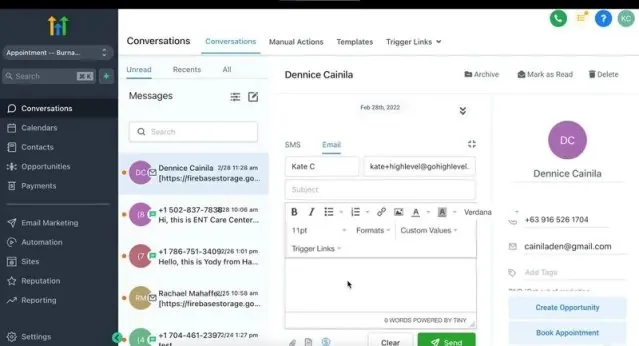
Why do automated texts stop reaching leads? (A2P 10DLC)
In the US, business texts sent from standard 10-digit numbers must go through A2P 10DLC brand and campaign registration. Messages from a number without an approved campaign can be blocked outright, which is a frequent reason a "working" text automation delivers nothing.
HighLevel's guide states that campaign registration "is required after Brand registration approval to send SMS messages from applicable standard 10-digit local phone numbers in the United States," and that a campaign stays Pending until vetting is complete (A2P registration guide). Twilio, one of the providers HighLevel names on its A2P fee page, documents what happens without it: a message from a number not tied to an approved campaign is blocked and returns error 30034 (Twilio error 30034).
The trap is that the workflow itself looks fine. The trigger fires, the action runs, and the lead never gets a text. These parts need regular checks, not a one-time setup:
- Rejections are common and fixable. HighLevel lists misaligned campaign descriptions and consent language, unclear brand-to-website relationships and hidden legal links among frequent rejection reasons (A2P opt-in compliance guide).
- Your website is part of the application. The same guide requires unchecked consent checkboxes, and a privacy policy and terms that contain specific language. If you change forms or pages later, you can drift out of alignment with what you registered.
- Fees exist and are pass-through. At the time of writing, HighLevel's fee page lists one-time registration bundles of $22.50 (sole proprietor, low volume standard) and $64.00 (high volume standard), and monthly campaign fees such as $10.00 for a standard campaign, all described as pass-through charges with no HighLevel markup (A2P fees). Check that page for current figures.
- Opt-outs switch sending off automatically. Per HighLevel's DND article, Do Not Disturb turns on automatically for SMS when a contact replies with an opt-out keyword such as STOP, or when certain provider error codes come back. A sequence that ignores DND status will keep trying to reach someone the system has already flagged.
This section is operational information, not legal advice. Texting rules, including consent requirements under laws such as the TCPA, depend on your business and state, so have qualified counsel review your consent language.
The practical habit: after any change to your phone numbers, forms, brand name or website legal pages, send a test text to a real phone and confirm delivery before you assume the automation is healthy.
Why do automated emails land in spam? (deliverability)
Email deliverability depends on your domain's authentication and reputation, not on the workflow. If you send from a shared or unauthenticated domain, or send to old lists, even a perfectly built automation lands in spam or gets rejected. Our step-by-step guide to why GoHighLevel emails go to spam covers each check in order.
HighLevel is direct about who owns this. Its Google and Yahoo compliance article splits responsibility: the platform adds a one-click unsubscribe link to the header of every email except one-to-one emails, while you are responsible for setting up a dedicated sending domain, creating SPF, DKIM and DMARC records, aligning your From address, watching spam complaints in Google Postmaster Tools, and mailing only people who gave permission (HighLevel email sender requirements).
The thresholds come from the mailbox providers. Google's guidelines define a bulk sender as one sending more than 5,000 messages a day to Gmail accounts, require bulk senders to authenticate with SPF, DKIM and DMARC and support one-click unsubscribe, and say to keep the spam rate below 0.10% in Postmaster Tools and never reach 0.30% (Google email sender guidelines). Most small businesses will never send 5,000 a day, but the same authentication and complaint habits protect any volume.
Two details that catch people out. First, HighLevel's dedicated sending domain feature applies only to accounts on its LC Email system, and its documentation advises warming up a brand-new domain before emailing large lists (dedicated sending domain overview). Second, email can trigger automatic DND too: per HighLevel, that happens when a contact unsubscribes, marks an email as spam, or an address permanently bounces.
What this means in practice: importing an old list and launching a "reactivation" sequence on day one is the fastest way to damage a domain you will need for years. Warm up, clean the list, and watch complaints.
Why do workflows stop working without any error?
Most silent failures come from triggers that never fire, contacts blocked by re-entry rules, overlapping workflows, or an integration that lost its connection. The builder does not warn you about these. The enrollment history and execution logs are where you find them.
HighLevel's execution logs record each action, wait step, decision and error a contact meets, and the enrollment history shows when and how a contact entered a workflow. Statuses include Workflow Completed, Removed by Workflow Action and Removed by External Workflow Action, and errors are highlighted in the status field (execution logs and enrollment history). If nobody ever opens them, you only learn about a failure when a customer complains.
The settings behind the most common surprises are all documented in HighLevel's workflow settings overview:
- Allow Re-entry. When it is off, a contact who already completed the workflow does not enter again. Appointment and invoice triggered workflows are the documented exception. A returning customer who "should" get the sequence silently gets nothing.
- Time Window. Actions scheduled outside the window pause and resume at the next slot. Good for quiet hours, but it also means an "instant" reply can sit until morning if the window was set carelessly.
- Timezone. Timing can follow the account or each contact's timezone. A mismatch sends messages at odd local hours.
- Stop on Response. As noted earlier, it only listens to messages from that workflow. If a second workflow also texts the contact, a reply to one does not stop the other.
The second cluster is structural: two workflows that react to the same trigger and both message the lead, or a disconnected integration. Our guide to workflows, triggers and campaigns explains how the pieces fit together, and why follow-up sequences stop converting covers the sequence design side.
How does data quality quietly break automation?
Automation acts on whatever data it finds. Duplicate contacts, wrong phone formats, missing consent flags and inconsistent tags cause messages to go to the wrong record, the wrong people, or nowhere at all.
This is the part vendors rarely demo. A workflow that says "when tag equals hot lead" does nothing for the contact tagged "Hot-Lead." A lead who filled in two forms with different email addresses becomes two contacts, and each gets its own sequence. In audits, the most repeatable cause of duplicates is an integration configured to create a contact rather than search for an existing one first. Fix the source, then merge what already exists.
Data quality also feeds the earlier problems. Bad phone numbers produce delivery errors, and per HighLevel's DND article certain provider error codes can switch DND on for SMS. Old, unverified email addresses raise bounce and complaint rates. Cleanliness is not cosmetic. If you have inherited a tangled account, start with our GoHighLevel cleanup checklist, and consider a written naming rule for tags and fields so it stays clean.
Do you still need a human to follow up on leads?
Yes. Automation gets the first touch out fast, but conversion usually depends on a person answering questions, handling objections and making judgment calls. Automate the speed and logistics, and design the handoff to a human on purpose.
The strongest pattern we recommend is not "automation instead of people." It is "automation until a person is needed." That means a defined trigger for the handoff: a reply, a booked call, a keyword, a pipeline stage. It also means an owner, a task and a deadline, so a hot lead does not sit in an inbox. The platform can create the task. It cannot make anyone act on it.
HighLevel's Conversation AI is a useful case study in honest expectations. Its documented modes are Off, Suggestive and Autopilot. In Suggestive mode the bot drafts replies but does not send them, and a team member reviews, edits and sends each one. In Autopilot mode it replies automatically based on its configuration, training data, goals and instructions (Conversation AI bot explained). The same article says the bot depends on the training sources and Bot Goals you configure to answer accurately and handle tasks like booking.
Autopilot also has a documented ceiling: bots can send up to a configured limit of 1 to 100 messages per conversation, after which they go dormant, while human agents can step into any Autopilot conversation at any time (Auto-Pilot mode). The platform itself is designed around a human staying available. Read our GoHighLevel AI agents guide before switching any bot to Autopilot, and consider starting in Suggestive mode for anything high-stakes.
What ongoing maintenance does a GoHighLevel account need?
A healthy account needs a small, regular routine: check message delivery and registration status, review workflow logs, audit integrations and data, and read real conversations. Below is the routine we suggest, with cadences that are our recommendation, not a platform requirement.
Maintenance cadence
| Task | Suggested cadence | What you are catching |
|---|---|---|
| Send a test text and test email to real phones and inboxes | Monthly, and after any change to forms, numbers or domains | Blocked SMS, spam placement, broken links |
| Review Execution Logs and enrollment history for key workflows | Weekly for the first month, then monthly | Errors, contacts not entering, overlapping workflows |
| Check A2P status, DNS records and complaint rate | Quarterly, and whenever brand or website details change | Registration drift, authentication breaking, reputation slipping |
| Test each integration with a live record | Monthly for revenue-critical connections | Expired tokens, renamed fields, stopped syncs |
| Dedupe contacts, tidy tags and fields | Quarterly | Duplicates, dead tags, inconsistent naming |
| Read a sample of real conversations and lost leads | Monthly | Sequences that read badly, questions nobody answers |
This is roughly a few hours a month for a single-location business with a modest number of workflows. Larger, multi-location or multi-sub-account setups take more. That is why Autoesta's builds include six months of maintenance, and why we offer monthly support from $200 at the time of writing. If that is more than your team can absorb, it is better to know before you buy than after.
What should you expect from GoHighLevel automation for your type of business?
Expect the biggest, fastest gains in businesses with steady inbound leads and appointment-based sales, and smaller gains where the sale is complex or relationship-led. The table below is our judgment from building these systems, not measured industry data.
| Business type | What automation handles well | What still needs a person |
|---|---|---|
| Local service businesses (HVAC, plumbing, cleaning) | Instant lead response, missed-call follow-up, booking and reminders, review requests | Quoting, on-site judgment, handling a frustrated customer |
| Dental and medical practices | Reminders, recall messaging, intake reminders | Clinical questions, sensitive conversations, compliance review of anything involving patient data |
| Real estate | Speed to lead, drip nurture, showing scheduling | Building trust, negotiation, deciding which leads are worth a call |
| Agencies and SaaS resellers | Client onboarding, reporting, multi-account templates | Client relationships, support, keeping each sub-account healthy |
| Professional services (legal, consulting) | Intake forms, scheduling, follow-up reminders | Nearly all qualification and advice; regulated messaging needs professional review |
For more depth on your situation, see our pages on automation for local service businesses, GoHighLevel for dentists and automations for agencies. For examples of published builds, see our dental case study and real estate case study, both reported by Autoesta.
Regulated industries deserve extra caution. Automated messages that touch health information, legal matters or financial advice can raise compliance questions we cannot answer for you. This is not legal advice; consult qualified counsel.
What does GoHighLevel automation cost in money and time?
The subscription is the smaller part. Budget for setup, registration and pass-through messaging fees, and roughly a few hours of upkeep a month. Our typical fees at the time of writing: free audit, cleanup from $200, a small build from about $1,000, a full setup about $3,000 to $5,000.
For platform pricing, see GoHighLevel pricing in 2026. Beyond the subscription, plan for A2P fees (listed above), usage charges for texts, calls and email, and the labor of building and maintaining. Our other typical ranges at the time of writing, which vary with scope: white-label $5,000 to $7,000, and multi-location setups of five or more locations $5,000 to $10,000. A small build covers two to three automations. See our GoHighLevel setup service for what each covers.
The cheapest mistake to avoid is treating build cost as the whole cost. A $1,000 automation with nobody checking it is often worth less than a smaller one someone reviews monthly.
When is GoHighLevel automation the wrong choice?
It is the wrong choice when you have too few leads to justify it, when your sale depends on nuanced human conversation, when nobody will own the account, or when you need it to fix a broken sales process.
- Very low lead volume. If you get a handful of inquiries a month, a phone and a shared calendar may serve you better than a build you must also maintain.
- A broken offer or process. Automation speeds up what you already do. It does not repair unclear pricing, slow quoting or a weak sales conversation.
- No owner. If no one will check logs, test messages and read replies, the account decays. Either name an owner or pay for support.
- No permission-based list. Sending to purchased or stale lists risks your registration, your domain and your reputation.
- Highly regulated or sensitive conversations. Some messages should be human-written and reviewed. Automate the logistics around them, not the substance.
- You need something the platform does not do well. Complex data syncing or heavy custom logic may fit a tool like n8n alongside GoHighLevel. Our AI automation services page covers those cases.
How can you check whether your automation is actually working?
Run one real test lead through the whole path and read the logs: submit your form with your own phone and email, then check that each text, email, task and stage change happened when and how you intended.
- Submit your own form using a personal phone number and an inbox you can check, including a Gmail address.
- Confirm the first text arrives on the real phone within the time you promised, and that the message says who it is from and how to opt out.
- Check the email's placement (inbox, promotions or spam) and that the unsubscribe link works.
- Open the contact's execution log and enrollment history and look for skipped steps, errors or unexpected removals.
- Reply to the text and confirm the workflow stops and a human task or notification is created.
- Reply STOP from a test number and confirm DND status changes as expected.
- Book a slot and cancel it to test reminders and reschedule paths.
If any step fails, you have found your first maintenance item. If you would rather have someone else run this and tell you what they find, our GoHighLevel expert service starts with an audit. When comparing providers, our guide to hiring a GoHighLevel expert lists what to ask. Review requests are covered in our local SEO automation guide.
More questions about GoHighLevel automation in practice
Is GoHighLevel automation worth it if it needs maintenance?
For businesses with steady leads and appointments, usually yes, because speed, consistency and reminders are hard to match manually. The maintenance is a few hours a month, which is small next to the leads it can keep from slipping. At low volume, it may not be.
Why is my GoHighLevel workflow not sending texts?
Check A2P registration status first, then the contact's DND status, then the workflow's Time Window and execution log. Registration and DND are the most frequent non-obvious causes.
Do I need to register for A2P 10DLC?
If you send SMS or MMS to US recipients from standard 10-digit local numbers, HighLevel says registration is required. Check HighLevel's current guide, since requirements change.
Can AI agents replace my follow-up team?
Not fully. HighLevel's own design keeps human agents able to step in at any time, and it offers a Suggestive mode where a person approves each reply. Treat AI as a first responder and drafting aid, not a replacement.
How often should I review my automations?
Weekly logs for the first month after launch, then monthly checks on delivery and integrations and a quarterly pass on registration, DNS and data.
How do I get started or get a second opinion?
Book a free 30-minute call or use the contact page. We will tell you what is worth automating and what is not, and you can also read the case studies first.
