What does GoHighLevel automation for agencies actually mean?
For an agency, GoHighLevel automation means two related things. It means automating the agency's own lead-to-client operations inside GoHighLevel, and it means building the snapshots, workflows, and AI agents the agency deploys into client sub-accounts. Most agencies need both.
The two are not the same project. Your own agency runs on one GoHighLevel account: leads come in, you qualify and close them, you onboard the client, you report on results. Your clients each run on their own sub-account, built from a template you maintain. An automation plan for an agency has to cover both layers. The broken handoff between them, a client signs but the sub-account provisioning step is manual and gets missed, is where agencies actually lose time. If your agency's own GoHighLevel account was never built with this in mind, our GoHighLevel setup guide covers building the underlying system first.
- Agency-side operations: your own pipeline, proposal-to-signature automation, and internal reporting.
- Client provisioning: sub-account creation, snapshot deployment, and branding.
- Resold automation: the workflows, AI agents, and dashboards built into what you sell.
- Cross-client reporting: one view across sub-accounts that GoHighLevel does not assemble on its own.
- Feature rollouts: switching a feature on or off for every client at once, which HighLevel now supports natively through bulk feature updates for sub-accounts.
You will see the platform written as GoHighLevel, HighLevel, GHL or Go High Level. They are the same product. Whether you searched for a GoHighLevel automation agency, GHL automations for agencies or someone to build and maintain your agency snapshot, the questions below are the ones agencies ask us before a build.
Which HighLevel plan does an agency need: Starter, Unlimited or Agency Pro?
Most agencies with more than three clients need at least the $297 Unlimited plan. Choose the $497 Agency Pro plan when you want SaaS mode, automatic sub-account creation at checkout, or a markup on the phone and email usage you rebill to clients.
| Plan (monthly) | Sub-accounts | API access | Rebilling usage to clients | SaaS mode |
|---|---|---|---|---|
| Starter, $97 | 3 | No | No | No |
| Unlimited, $297 | Unlimited | Basic | Phone and email at cost, no markup | No |
| Agency Pro, $497 | Unlimited | Advanced | Phone and email with your markup | Yes |
Figures are from HighLevel's pricing page (checked 1 October 2026) and its rebilling and wallets article (modified 30 September 2026). The plan decision is mostly about provisioning. On Unlimited, we build sub-account creation and snapshot loading with n8n and the API. On Agency Pro, SaaS mode does it natively, and the automation work moves to what happens around it: onboarding messages, A2P registration, reporting and failed-payment follow-up.
How does rebilling work for LC Phone, email and AI usage?
HighLevel charges the agency wallet for usage first. With rebilling turned on, each sub-account is then charged through the agency's own Stripe account. On the $297 plan you rebill at cost; only the $497 Agency Pro plan lets you add your own markup.
HighLevel's wallets article lists LC Email, Phone and AI among the services charged to wallets, and says services stop when a wallet reaches $0.00. Its LC Phone pricing guide (modified 29 September 2026) lists US and Canada SMS at $0.00747 per segment plus carrier fees, and applies a fixed 5% markup at the sub-account level to pass-through charges such as A2P registration and carrier fees when rebilling is on.
Two things we build into every agency account that rebills. A low-balance alert on the agency wallet, because a wallet at zero stops texting and calling for every client at once. And a monthly usage summary per sub-account, so a client who questions a phone charge gets a clear answer from your team instead of a support ticket to HighLevel. Our GoHighLevel rebilling guide covers markups per service, AI fixed-rate pricing and bulk setup.
Should an agency buy a snapshot or have an expert build and maintain one?
For an agency, the snapshot is the product every client receives. Buy one only as a starting point you will rework, and have it built by someone who designs for custom values, versioning and testing, since you maintain it for years.
HighLevel's snapshots overview (modified 30 September 2026) says a snapshot copies configuration: workflows, calendars, pipelines, custom fields, forms, templates and dashboards. Contacts, appointments, conversations, reputation data, Stripe and other third-party integrations, and assigned phone numbers do not transfer. Everything in that second list is per-client work your onboarding process has to cover, whichever snapshot you start from.
| What an agency snapshot needs | Marketplace snapshot | Built for your agency |
|---|---|---|
| Pipelines, calendars, forms, workflow templates | Included, written for a generic business in the niche | Written for your offer, your onboarding and your reporting |
| Client details in custom values, not hardcoded | Varies by seller, often partly hardcoded | Designed in from the start, so a new client is a values change |
| Phone numbers, payment and third-party connections | Not transferred by any snapshot | Handled in your onboarding automation per client |
| A2P registration per sub-account | Not included | Started by the onboarding workflow for each client |
| Version history and a test sub-account | Rarely | Part of the handover, with a changelog of which client runs which version |
| Updates after clients are live | Depends on the seller | Pushed in stages, as described below |
A bought snapshot is not wasted money. We often start from one, keep what fits, and rebuild the parts that hardcode a client name or skip a failure alert. Our answer on whether snapshots are worth buying covers the trade-off for a single business, and our guide to hiring a GoHighLevel specialist covers what to ask before you pay anyone to build one.
What GoHighLevel automations do agencies build most often?
Nearly every agency build includes speed-to-lead replies, missed call text back, appointment reminders, review requests, onboarding and provisioning, failed-payment follow-up, wallet alerts and a monthly client report. Most ship inside the client snapshot; the rest run in your agency account.
| Automation | Trigger | What it does | Where it lives |
|---|---|---|---|
| Speed-to-lead reply | Form submitted or new lead from an ad | Texts and emails within a minute, tags the source, assigns an owner | Client snapshot and your agency account |
| Missed call text back | Inbound call not answered | Sends a text so the caller can reply or book | Client snapshot |
| Appointment reminders | Appointment booked | Confirmation, reminders before the slot, a rebook link on no-show | Client snapshot |
| Review request | Job or appointment marked complete | Asks for a review, routes unhappy replies to a person | Client snapshot |
| Client onboarding and provisioning | Contract signed or first payment | Creates the sub-account, loads the snapshot, starts A2P, books kickoff | Agency account, plus n8n or SaaS mode |
| Failed-payment follow-up | Subscription payment fails | Notifies the client and your account manager before access is affected | Agency account |
| Wallet and usage alerts | Wallet balance below your threshold | Alerts your team before texting and calling stop | Agency account |
| Monthly client report | Scheduled, first of the month | Sends each client their lead and booking numbers, flags drops to you | Per-client dashboards, n8n roll-up |
The first four are what clients see and pay for. The last four are what keep the agency side from turning into manual checking. See our n8n automation page for the parts that run outside GoHighLevel.
How is automating for an agency different from automating for one business?
A single business needs automation that fits its one process exactly. An agency needs automation designed to be built once and deployed correctly into many sub-accounts, with a plan for what happens when the template changes after clients are already live.
| Single business | Agency | |
|---|---|---|
| Deploy target | One account | A snapshot deployed into many sub-accounts |
| Versioning | Change it once, done | Existing clients don't inherit changes automatically |
| Reporting | One dashboard | Per-client dashboards plus a cross-client roll-up |
| Compliance scope | One A2P 10DLC registration | One per sub-account sending SMS |
| Who owns the outcome | The business itself | The agency, on behalf of every client on the template |
Neither is harder than the other, they're different problems. Building for one business is about getting the process right. Building for an agency is about getting the process right once and making sure it survives being copied.
How do you automate client onboarding in GoHighLevel?
A GoHighLevel client onboarding automation triggers on a signed contract or payment, then creates the sub-account, deploys the correct snapshot, and sets branding and custom values. It provisions the phone number and hands the account to the team, with no manual step in between unless something needs a human decision.
Agency onboarding, from signature to go-live
- Contract signed or payment received (the trigger, usually a webhook from your proposal or payment tool).
- Sub-account created in GoHighLevel, either through Agency Pro's automatic provisioning or an n8n workflow calling the API.
- The right snapshot deployed for that client's niche or plan tier.
- Custom values set with the client's name, logo, phone number, and other details the snapshot references.
- A2P 10DLC registration started for the client's sending number, since this is required per sub-account, not per agency.
- A welcome sequence and internal task created for the account manager to schedule kickoff.
- A failure alert if any step doesn't complete, so a stalled onboarding gets caught the same day, not discovered a week later.
The step agencies skip most often is the last one. A snapshot deploy that silently fails halfway through looks, from the outside, like a finished onboarding. Nobody notices until the client asks why their booking calendar doesn't work. See our appointment booking automation page for how we build that calendar layer so it fails loudly instead of quietly.
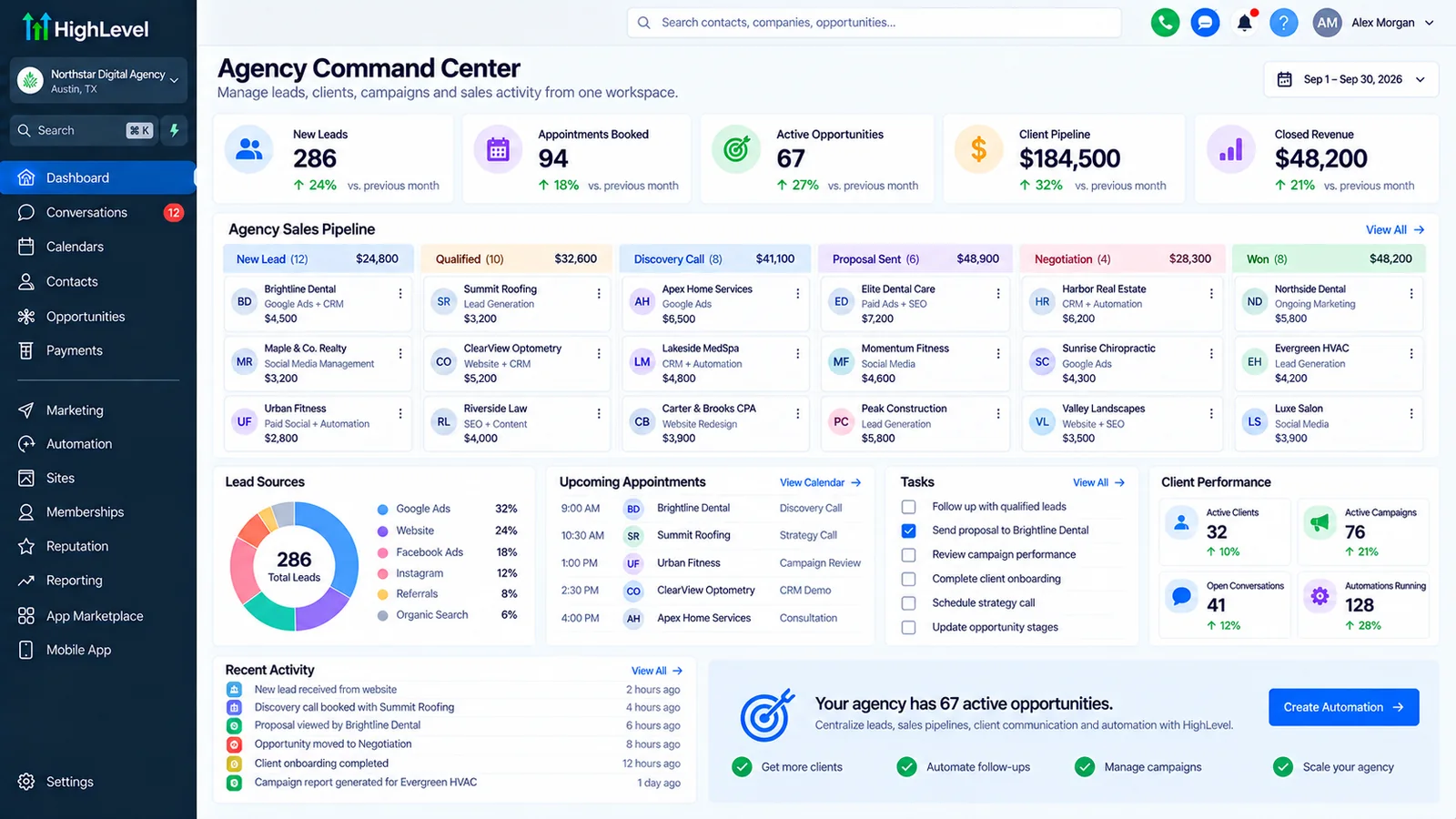
What is a GoHighLevel snapshot, and how does it speed up onboarding?
A snapshot is a reusable template that captures an account's pipelines, workflows, calendars, forms, and funnels, which you deploy into a new sub-account instead of rebuilding each piece from scratch.
We build snapshots with the client-specific details kept in custom values rather than hardcoded into every workflow. Deploying a new client is then a matter of changing a handful of values, not editing dozens of workflow steps individually. That difference is what makes a snapshot actually save time instead of moving the same manual work to a slightly earlier stage. If your account has broken automations from an earlier setup, a GoHighLevel audit is usually the faster fix before you build a snapshot on top of it. Since September 29, 2026, snapshots can also carry Company and Custom Object Smart Lists.
How do you keep snapshots updated across existing client sub-accounts?
Not automatically, because refreshing a snapshot changes the template for future deployments only. Sub-accounts already live keep the earlier version until you push the update to them, choosing which sub-accounts and which assets receive it.
HighLevel's refresh and update article (modified 27 August 2026) describes the order: refresh the snapshot from the source account, then push updates to the sub-accounts that imported it, picking the assets, for example only workflows. Pushes reach sub-accounts inside your own agency only; another agency using your snapshot has to re-import from a new share link. Before pushing a workflow to live clients, check in your test sub-account what happens to a copy someone has edited for one client. We avoid that conflict by keeping client-specific changes in custom values or in separate workflows the snapshot never touches.
Rolling out a snapshot change safely
This is the tradeoff every agency running snapshots eventually hits, and it's worth planning for before it happens rather than after. What we do:
- Version the snapshot. Keep a changelog so you know which clients are on which version.
- Test in a dedicated sub-account first. Never push a snapshot change straight to a live client account.
- Decide what's worth backporting. A cosmetic fix can wait. A broken workflow or a compliance change usually can't.
- Roll out in stages, a handful of accounts at a time, so a mistake in the update touches five clients, not fifty.
Agencies that skip this step usually find out their snapshot has drifted when a client reports a bug that was already fixed for everyone else six months ago.
How do you automate sub-account creation and provisioning?
On GoHighLevel's Agency Pro plan with SaaS mode, a sub-account can be created and a snapshot deployed automatically when a client signs up and pays through your white-label platform. Without SaaS mode, we build the same result with an n8n workflow triggered by your CRM, payment tool, or a form.
Check GoHighLevel's own pricing page for current plan tiers and what SaaS mode requires at the time you're reading this, since plan features and pricing change. Either route gets you to the same place: no one on your team manually clicking through the sub-account setup screens for every new client. For simple, low-volume provisioning needs, Zapier can also trigger a sub-account creation call; we reach for n8n once the logic gets more involved than a single trigger and action.
In SaaS mode, each SaaS plan can carry a snapshot. HighLevel's SaaS Configurator guide (modified 12 September 2026) says that after a successful checkout the sub-account is created or linked and the plan's snapshot is applied. Its SaaS mode FAQs (modified 18 September 2026) note that SaaS V1 takes payment through Stripe only, that SaaS V2 supports other providers such as NMI, Authorize.net and Square, and that test-mode purchases do not create sub-accounts. So test the full checkout with a real low-value payment before you send the link to clients.
Can you automate client reporting across multiple sub-accounts?
Yes, each sub-account has its own GoHighLevel dashboard for that client. We build a separate n8n and Airtable roll-up when the agency also wants one cross-client view that GoHighLevel doesn't assemble natively.
The per-client dashboard is usually enough for the client-facing report. The cross-client view is for the agency itself: which accounts are underperforming, which are due for a check-in, where lead volume dropped. Pulling that from ten or twenty sub-accounts by hand is the kind of repetitive work that automation exists for. We generally hold the roll-up data in Airtable, since it models cross-client records more cleanly than trying to force them into any single sub-account's CRM.
How does white-label and SaaS mode fit into agency automation?
White-label puts your own brand on the platform your clients see. SaaS mode adds automated billing and provisioning on top of that, so a client who signs up and pays is handed a working sub-account without a person in the loop.
At the time of writing, a white-label build from Autoesta runs $4,000 to $7,000, on top of GoHighLevel's own subscription. That covers the branding, the snapshot the white-label instance deploys, and the automation connecting signup to a live sub-account. We don't publish agency resale pricing or margin figures here, since that's a business decision specific to your market, not something we can quote generically. If you're weighing whether to actually resell GoHighLevel as your own product rather than just running your agency on it, see our guide to building a SaaS business on GoHighLevel white label for the real costs and ongoing workload, and our GoHighLevel SaaS setup service for what the build includes.
Where do AI calling and chat agents fit into an agency's own automation, versus what you resell?
Autoesta builds native GoHighLevel AI calling and chat agents alongside n8n, Airtable, and Zapier as a standard part of every build, not a separately quoted add-on. An agency can use that combination for its own lead gen, its resold client offering, or both.
On your own side, an AI calling agent can qualify inbound leads to your agency before a salesperson ever picks up the phone. On the resale side, the same agent, built into your snapshot, becomes something your clients pay for as part of their plan. The two uses share the same underlying setup work. Building them together, instead of quoting AI agents as a bolt-on after the CRM is already built, tends to cost less than doing it twice. See our AI calling agent service and AI chat agent service pages for what each one does on its own. Our AI automation services overview covers how the CRM, workflow, and AI layers fit together.
What's the difference between automating your agency's operations and automating for your clients?
Automating your agency's operations means your sales, onboarding, and reporting run with less manual work. Automating for your clients means building that same discipline into the snapshot you deploy, so every client benefits from it without your team rebuilding it per account.
Agencies sometimes automate one and not the other, usually the client-facing side, because that's what they're selling. The overlooked half is the agency's own pipeline. If your own lead-to-signed-client process still runs on manual follow-up and a spreadsheet, you're asking clients to trust an automation specialist that hasn't automated itself.
What can go wrong with agency-wide automation?
Automating at agency scale multiplies whatever you get wrong, along with whatever you get right. The failure modes we see most often:
- Snapshot drift. Fixes and improvements don't reach clients already live until someone pushes them, covered above.
- A2P 10DLC registration missed per sub-account. Each client's sending number needs its own registration in the US; assuming the agency's own registration covers every client is a common and avoidable mistake.
- Over-automated client messaging. A snapshot with too many triggered messages annoys the end customer, not the agency, so the agency often doesn't hear about it until the client cancels.
- Shared n8n instances without isolation. Running every client's automation through one n8n instance with no separation of credentials or data is a real risk if one client's data should never be visible to another's workflow.
n8n's own license is fair-code, which permits self-hosting for your own business use and for building client workflows, but treats reselling n8n itself as a hosted product differently. If you're offering n8n access directly to clients rather than only the automation it powers, read the current license terms; our n8n automation page covers this in more detail.
How much does agency-focused GoHighLevel automation cost?
At the time of writing, a full GoHighLevel setup runs $2,000 to $5,000, a white-label build $4,000 to $7,000, and a multi-location build (five or more locations or sub-accounts) $5,000 to $10,000. Six months of maintenance is included. Ongoing support starts from $200 a month (optional, after the six free months), and GoHighLevel's own subscription is billed separately.
Agency automation projects vary more than single-business builds, since the scope depends on how many sub-accounts you're deploying to and whether you need SaaS-mode provisioning. We scope and quote after a strategy call rather than publish a number that would be wrong for most agencies.
When is agency automation the wrong move?
Agency automation is the wrong move in the cases below.
- You have one or two clients. Snapshot infrastructure and provisioning automation pay off at volume; below that, doing it manually a few times is faster than building the automation to avoid doing it manually.
- Nobody on your team owns GoHighLevel day to day. Automation that nobody maintains degrades quietly.
- You're still deciding on your niche or offer. Building a snapshot before your service is stable means rebuilding the snapshot when it changes.
- You want a fully managed, compliance-certified platform for a regulated industry, and GoHighLevel plus your own automation doesn't meet that bar.
Telling an agency to wait is sometimes the right advice. A rushed snapshot built for a business model that's still changing costs more to unwind than it saved. Our case studies show what a well-configured GoHighLevel account looks like once the business model is settled, including a dental practice and a real estate team we built for directly.
How does Autoesta build agency automation?
Autoesta builds agency automation in the steps below, starting with your own process.
- Map both sides. Your agency's own sales and onboarding process, and what you want the client-facing snapshot to include.
- Design the snapshot with custom values for anything client-specific, so deployment doesn't mean rebuilding workflows per client.
- Set up provisioning, either through Agency Pro/SaaS mode or an n8n workflow, depending on your plan and volume.
- Build the reporting layer, per-client dashboards plus a cross-client roll-up if you need one.
- Add AI calling or chat agents where they fit, on your own pipeline, the resold offering, or both.
- Test with a real sub-account, including a full onboarding run-through and a snapshot update, before rolling out to existing clients.
- Document and hand over, including the versioning plan for future snapshot changes.
For multi-location clients, see our guide to local SEO automation in GoHighLevel.
Marketing agencies choosing a build or white-label partner can compare 25 GoHighLevel providers, including white-label support services.
More questions about GoHighLevel automation for agencies
Do I need Agency Pro to automate provisioning?
Automatic sub-account creation tied to signup and payment is a SaaS-mode feature on GoHighLevel's Agency Pro plan; check GoHighLevel's current pricing page for what each tier includes. Without it, we build the same provisioning step with an n8n workflow instead.
Can you take over or rebuild an existing snapshot?
Yes, we review what's in it, document what each piece does, fix anything that's drifted across your existing sub-accounts, and version it going forward.
Does this replace our account managers?
No, it removes the repetitive setup and reporting work so account managers spend their time on the parts of a client relationship that need a person, not on provisioning steps.
Can sub-accounts share n8n workflows?
They can share a workflow template, but credentials and client data should stay isolated per sub-account rather than running through one shared instance with no separation. See our n8n automation page for how we handle security on shared infrastructure.
Is this different from automating my own agency's sales?
Yes, this page covers reselling or managing GoHighLevel for your clients' sub-accounts. If you want to automate your own agency's lead qualification and onboarding, see our digital agencies guide instead.
How do I get started?
Book a free strategy call, or read more about Autoesta and the team behind these builds. Tell us how many clients or sub-accounts you're managing today, and we'll scope whether you need a new snapshot, provisioning automation, reporting, or all three. You can also reach us directly through our contact page.
How much does A2P registration cost for each client sub-account?
Each client texting from a US 10DLC number registers its own brand. HighLevel lists $22.50 one-time for a low-volume or sole-proprietor brand, or $64 for a high-volume brand, each including the first campaign and Fast Track review, plus $15 per extra campaign and a campaign fee of $1.50 to $10 a month (HighLevel A2P fees, modified 24 September 2026). With rebilling on, these charges can pass to the client. Our A2P registration guide covers approval and rejections.
Can I mark up LC Phone and email costs to my clients?
Markup is only available on the $497 Agency Pro plan. The $297 plan lets you rebill phone and email at cost, and the $97 plan does not rebill. You set the markup per sub-account or in the SaaS Configurator, and HighLevel still charges your agency wallet first (HighLevel rebilling article, modified 30 September 2026).
What happens if the agency wallet runs out?
HighLevel stops wallet-billed services such as texting and calling when the wallet reaches $0.00, and that affects every sub-account the wallet covers. Turn on auto-reload, and add your own low-balance alert so your team hears about it before a client does.
Does a snapshot copy a client's contacts, phone numbers or Stripe connection?
No, a snapshot copies configuration such as workflows, calendars, pipelines, custom fields, forms, templates and dashboards. Contacts, conversations, appointments, phone numbers, Stripe and other third-party connections stay behind, so your onboarding process sets them up per client.
Can you white-label GoHighLevel for our agency, including the mobile app?
Yes, at the time of writing, a white-label build from Autoesta is $4,000 to $7,000, on top of HighLevel's subscription. The desktop web app can carry your branding on the Unlimited and Agency Pro plans, and HighLevel lists a branded mobile app as a separate add-on at $497 a month on its pricing page (checked 1 October 2026).
How do I choose the best GoHighLevel agency to build our agency system?
Ask a provider three questions before you hire one. How will you version and push snapshot updates to clients already live? How does onboarding handle A2P registration and phone numbers per sub-account? What alerts tell us when provisioning or the wallet fails? A provider with clear answers has run an agency account before. Our scorecard for comparing the best GoHighLevel experts in the US shows how to check those answers in ten minutes.
Do you work with agencies outside the US?
Yes, Autoesta has delivered 320+ projects in more than 15 countries, with the team split between San Francisco, India and Nepal. Builds run remotely over video calls. A2P 10DLC applies to US numbers, so agencies with clients elsewhere follow that country's sender rules instead.
Can you build a snapshot we reuse for every client?
Yes, we build a snapshot with your standard pipelines, workflows, forms and custom fields, test it in a clean sub-account, then load it for each new client. Updates are pushed deliberately so they do not overwrite changes you made for one client.
How do you automate follow-ups in GoHighLevel for agencies?
Build one follow-up workflow in the snapshot with the timing and channels, use custom values for the client's name and offer, and load it into every sub-account. That is the core of GoHighLevel automations for agencies: build once, reuse everywhere.
Related: GoHighLevel pricing calculator, GoHighLevel September 2026 updates and whether pre-built snapshots are worth buying.
Related guides: client onboarding automation, reporting automation and our hub on agency automation and marketing agency CRM.
Sources and further reading
- HighLevel pricing (official)
- HighLevel Help Center
- HighLevel API documentation
- HighLevel: Rebilling, reselling and wallets explained (modified 30 September 2026)
- HighLevel: LC Phone pricing and billing guide (modified 29 September 2026)
- HighLevel: Getting started with the SaaS Configurator (modified 12 September 2026)
- HighLevel: SaaS mode FAQs (modified 18 September 2026)
- HighLevel: Snapshots overview (modified 30 September 2026)
- HighLevel: Refresh or update snapshots (modified 27 August 2026)
- HighLevel: A2P 10DLC messaging fees (modified 24 September 2026)
