How do you know your GoHighLevel account has become a mess?
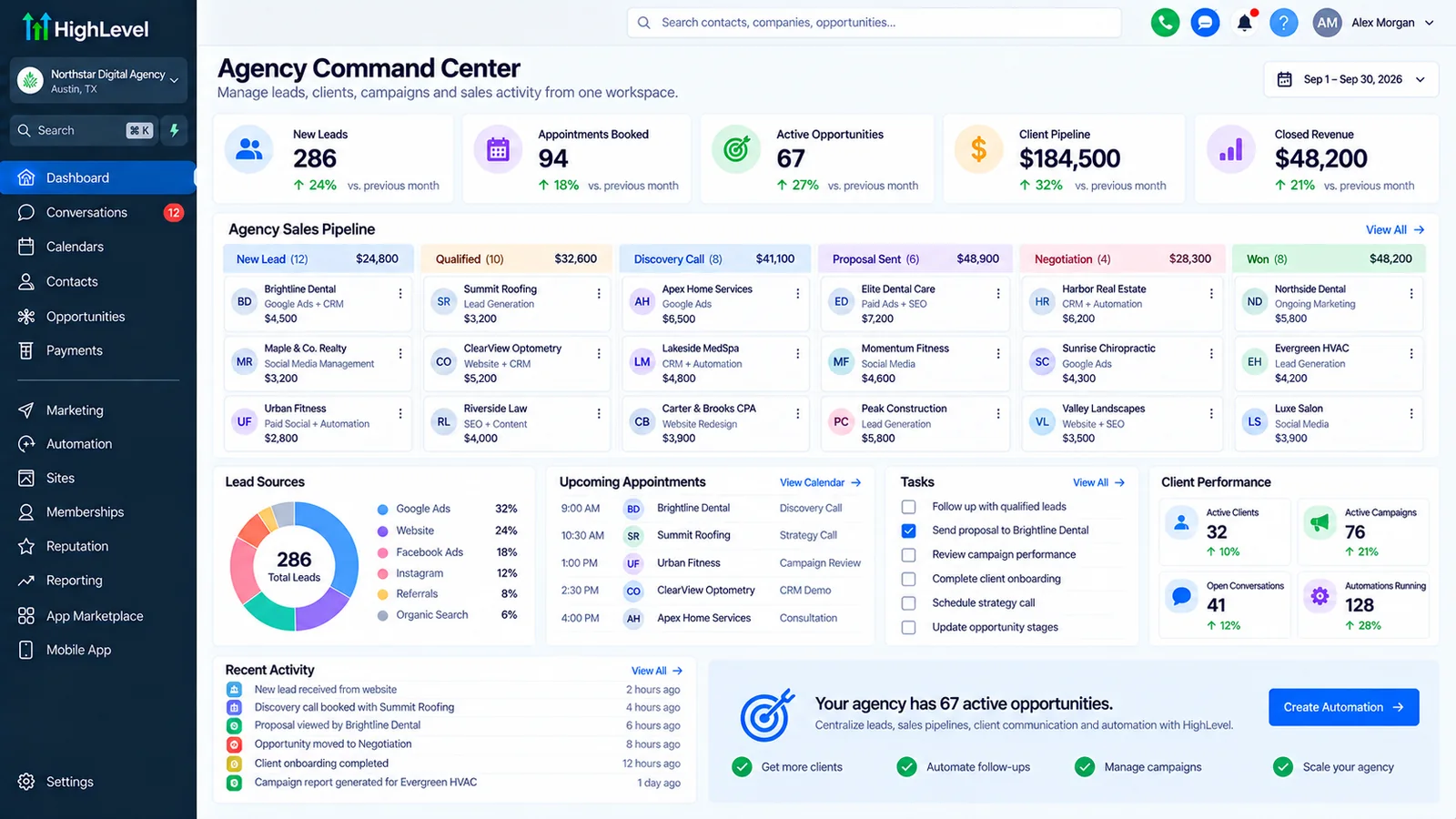
Your GoHighLevel account has become a mess when you can no longer predict what happens to a lead after it comes in. Staff start working around the CRM instead of through it.
That description fits accounts built five years ago by three different freelancers just as well as ones a founder put together over a single busy weekend. The specific tells are usually the same:
- Duplicate contacts show up every time someone searches a name or phone number.
- Pipeline stages don't match how the team actually talks about a deal ("where is this lead really at?" gets answered from memory, not the pipeline).
- Nobody wants to touch a workflow because nobody is sure what else it's connected to.
- Tags and custom fields have grown past a hundred, most with no clear owner or definition.
- An integration that used to sync data quietly stopped, and it took a missed lead to notice.
- Staff keep a spreadsheet or a notebook on the side because they don't trust the CRM's version of events.
One or two of these is normal wear. Four or more usually means the account needs a structured cleanup, not another quick patch.
Can a messy GoHighLevel account be fixed without starting over?
Yes, in most cases, if the underlying pipeline logic still matches how the business actually sells. A cleanup only fails to work when the structure itself, not the data inside it, no longer fits the business.
Contacts, message history, and past appointments are almost always worth keeping. What breaks that assumption is a pipeline built for a sales process the business abandoned years ago. It also breaks when an account has so many overlapping workflows, built by different people, that nobody can trace a single lead's path through it. In that case the honest move is to rebuild the structure while keeping the contact data, not to keep patching a design that no longer answers the question the business asks. We cover that fork in more detail further down.
What's the right order to clean up a messy GoHighLevel account?
Export and dedupe your contacts before you touch anything else. Then work outward from data to pipeline to automation to integrations, in that order, so an early mistake doesn't erase something you can't get back.
The clean-up order that avoids breaking things
Order matters more than most guides admit. Delete an automation before you've confirmed nothing downstream depends on it, and you can break a live booking flow without knowing why. Work through these steps in sequence:
- Export everything first. Pull a full contact export and a screenshot or note of every pipeline's stages before you change a single setting. If a later step goes wrong, this is your way back.
- Dedupe contacts before touching pipelines. Merging duplicates changes which record holds the real history, so do it before you reorganize anything that references contacts by stage or tag.
- Rebuild pipeline stages to match how you actually sell today. Compare each stage against a real deal's path through the business right now, not how it moved when the account was first built.
- Disable suspect automations one at a time, don't mass-delete. Turn one off, watch for a day or two, confirm nothing downstream breaks, then decide whether to fix it or remove it for good.
- Audit the workflows still running for wrong triggers and dead ends. Check each one's enrollment history, not just whether it looks correct in the builder.
- Cut tags and custom fields down to a documented, consistent set. Anything unused in the last 90 days with no clear owner is a candidate to remove.
- Check every integration's last-synced timestamp. A stopped sync in GoHighLevel usually fails silently, so check the timestamp directly rather than trusting that "it's connected" means it's working.
- Run one test contact through the whole funnel end to end. Submit a real form, book a real slot, and confirm every message and stage change actually fires as expected.
- Write down the clean structure. A short document naming what each pipeline stage, tag, and workflow is for is what stops the account drifting back into a mess in six months.
Skipping the export step is the single most common reason a DIY cleanup makes things worse instead of better. Once a merge or a deletion happens, there's often no undo inside GoHighLevel itself.
How do you find and remove duplicate contacts in GoHighLevel?
For a few hundred duplicates, GoHighLevel's own Smart Lists filtered by matching email or phone, combined with its built-in contact merge, is usually enough. For thousands of duplicates, an export, dedupe, and controlled reimport is faster and safer.
Build a Smart List that groups contacts by identical email or phone, then review each group and merge the ones that are genuinely the same person, keeping the record with the fuller history. Do this in small batches rather than all at once. A bad merge that combines two different people's history is hard to reverse.
The pattern we see repeatedly in audits: duplicates almost always trace back to one specific mechanical cause, not bad luck. Either an integration is set to create a new contact instead of searching for an existing one first, or a form vendor sends phone numbers in a format GoHighLevel doesn't match against what it already has. Merging the duplicates you have without fixing that upstream cause means the same duplicates come back within weeks, usually from the same source. Fix the setting first, then clean up what's already there.
How do you clean up pipelines that no longer match how you sell?
Map each pipeline stage against how a deal actually moves through the business today. Then merge or cut any stage nobody uses, and rename vague stages into ones tied to a real next action.
A pipeline imported from a template usually has generic stages such as "Contacted, Qualified, Proposal, Won." Real sales processes often have a step the template can't represent: a site visit, an insurance check, a second decision-maker. Staff end up tracking that step in notes or in their heads, and the pipeline stops meaning anything. Rebuild it around the real steps, and define in plain language what specifically moves a lead from one stage to the next. Two different staff members should then place the same lead in the same stage.
How do you find workflows and automations that are broken or firing wrong?
Open each workflow's enrollment history rather than trusting how it looks in the builder. Disable one automation at a time instead of deleting in bulk, and watch for two workflows that both trigger on the same event.
Overlapping triggers are the most common cause of "broken" automation in accounts built by more than one person over time. Each builder assumed theirs was the only workflow reacting to a given event. The result is a contact getting the same text twice, or a follow-up that never stops because two workflows are quietly fighting over re-entry settings. Look for:
- A workflow still sitting in Draft, which means it has never actually run.
- A trigger filter narrow enough that almost nothing qualifies.
- Two or more workflows sharing the same trigger event with no clear owner.
- Missing stop conditions, so a contact who already replied or booked keeps getting messaged.
Disable one workflow at a time and check the account for a few days before removing it for good. Disabling in bulk makes it impossible to tell which change fixed, or broke, what.
How do you clean up tags, custom fields, and custom values?
Pull the full list of tags and custom fields. Cut anything unused in the last 90 days or with no clear owner, and write down what's left so new team members stop inventing duplicates.
Accounts open a year or more routinely accumulate 100 or more tags, many created for a single campaign that ended long ago. Go through the list and remove what nothing currently references. Consolidate near-duplicates, such as "Hot Lead," "Hot-Lead," and "hot lead," into one. A one-page reference of what each remaining tag or field means, and who owns it, is what keeps this from happening again.
How do you check integrations that may have silently stopped syncing?
Check each integration's last-synced timestamp directly and run one live test record through it, since a failed sync in GoHighLevel usually does not throw a visible error.
Connections built through Zapier, webhooks, or the API fail quietly. A token expires, a field gets renamed on one side, a plan limit is reached, or the receiving app changes its data format without warning, and GoHighLevel has no way to tell you the other system stopped listening. Check, at minimum, the connections that matter to revenue: Zapier or n8n automations, Stripe, Meta and Google Ads lead forms, and any booking or calendar tool. For high-volume or business-critical syncs, n8n gives you real error logs and retry handling that a basic Zap doesn't.
How long does a GoHighLevel account cleanup take?
It depends on whether the mess is on the surface or in the structure. A single-location account with a handful of workflows is a different job from a multi-location account with dozens of automations built by several people over time, and pretending otherwise gives you a number nobody can stand behind.
| Type of mess | What it looks like | Effort |
|---|---|---|
| Surface mess | Duplicate contacts, unused tags, a handful of stale workflows, one broken integration | A focused cleanup pass, usually completed in a single sitting per area |
| Structural rot | Pipeline doesn't match the sales process, dozens of overlapping workflows, nobody understands the original design | Closer to a rebuild than a cleanup, since the design itself needs to change, not just the data |
Most accounts are a mix of both. The checklist above will tell you which category each part of your account falls into as you work through it.
Should you clean it up yourself or hire someone?
DIY suits a small, single-user account with a few dozen contacts and no client-facing consequences from downtime. Hiring suits an account other people depend on daily, or one where a self-cleanup attempt already made things worse.
If you're the only person using the account and a mistake costs you an afternoon, work through the checklist above yourself. Bring in an outside audit instead when staff or clients depend on the account running correctly every day, or when you've already tried to clean it up and ended up with new problems on top of the old ones. That's the point to stop experimenting on a live system. Autoesta's GoHighLevel audit and fix service starts by diagnosing exactly what's broken before quoting anything, the same way this checklist asks you to diagnose before you delete.
How often should a GoHighLevel account be reviewed after cleanup?
A quarterly review of pipelines, tags, workflows, and integrations catches drift while it's still small, before it grows back into the same mess you just fixed.
Set a recurring calendar reminder, not a mental note. Check the same areas covered in the checklist above: new duplicate contacts, new tags nobody documented, any workflow added since the last review, and each integration's sync status. Fifteen minutes a quarter is far cheaper than another full cleanup a year from now.
When is a messy account bad enough that it needs a rebuild instead of a cleanup?
A rebuild beats a cleanup when the business model has changed since the account was set up, or when repeated self-cleanup attempts haven't held. It also beats a cleanup when nobody on the team understands the original structure well enough to trust fixing it in place.
Clean up or rebuild?
Being honest about this matters more than it sounds. A cleanup can't fix a pipeline built for a business that no longer sells the way it used to. No amount of deduping or tag consolidation repairs a design that answers a question the business stopped asking. In that situation, keep the contact data and message history, since that's usually still valuable, and rebuild the pipeline and workflow structure around how the business actually operates now. See GoHighLevel setup for what a rebuild involves and what it costs.
Running a trade business? See how the lead-to-review pipeline should be built.
Once the account is clean, use this follow-up sequence diagnostic.
Once contacts and pipelines are clean, see how to build review requests without breaking Google's policy.
Not sure which of your automations are legacy campaigns? Start with workflows vs campaigns.
If you would rather bring someone in, here is how to vet and hire a GoHighLevel expert.
Not sure whether you need a full cleanup? Run through the common GoHighLevel mistakes checklist to see which apply.
More questions about cleaning up a messy GoHighLevel account
Will cleaning up my account break anything that currently works?
It can, if you delete instead of disable, or if you merge duplicate contacts without checking which record holds the correct history first. That's why the order in the checklist above starts with an export and treats deletion as a last step, not a first one.
Do I need to pause my automations while I clean up?
Not entirely, but disable one workflow at a time rather than turning several off at once, so you can tell which change fixed or broke a given behavior.
What if I inherited this account from someone else and don't know how it was built?
Start with the export step regardless, then treat every workflow as unknown until you've checked its trigger and enrollment history yourself. Assume nothing about intent from naming alone; workflow names are often wrong or outdated.
Is it cheaper to clean up myself or pay for an audit?
Cash cost is lower doing it yourself, but the time and risk cost is real on an account other people depend on. See our GoHighLevel pricing breakdown for what a professional audit or fix typically costs against the platform's own subscription cost.
Can automation outside GoHighLevel help keep it clean going forward?
Yes. Tools like n8n or Zapier can enforce a search-before-create rule on incoming contacts, so duplicates stop forming at the source. AI calling and chat agents also help, since they reduce the number of manual entry points that tend to introduce mess in the first place.
How do I get started if I'd rather not do this myself?
Book a free 30-minute call or use the form on the contact page. Tell us which symptom worries you most from the list at the top of this page and we'll start there. You can also see what a clean, well-structured account looks like in our dental case study.
Why are my GoHighLevel workflows not working?
The usual causes are a workflow left in Draft, trigger filters the contact never meets, broken triggers after a field or tag was renamed, and duplicate workflows firing on the same event. A GoHighLevel CRM audit and cleanup checks each one and removes the duplicates.
What does a GHL account audit cost?
The audit is free and produces written findings and a fix plan. If you then want us to fix the GoHighLevel account, cleanup and verification work starts from $200 at the time of writing, quoted from what the audit found.
Does pipeline cleanup affect email deliverability?
Indirectly. Cleaning up old contacts and tags stops workflows emailing people who never engage, which protects deliverability. The sending domain settings (SPF, DKIM, DMARC) are checked separately in the audit.
Related: GoHighLevel pricing calculator, HVAC CRM, GoHighLevel September 2026 updates, how to register A2P 10DLC in GoHighLevel, why GoHighLevel emails go to spam and why a workflow sends a message twice.
If the account is beyond repair or on the wrong platform, see CRM migration.
