What is a GoHighLevel migration?
A GoHighLevel migration moves your contacts, deals, pipelines, tags, notes and phone numbers from another CRM or marketing tool into HighLevel, then rebuilds the automation, calendars and forms there, so your team can switch without losing history or leads during the change.
The data move is the easy part. The hard part is everything that was running in the old system: follow-up sequences, reminders, form integrations, phone numbers and texting registration. Those do not move with an export file. They have to be rebuilt in GoHighLevel and tested before the old system is switched off, or leads fall into the gap between the two.
Autoesta runs GoHighLevel migrations from other CRMs such as HubSpot and Salesforce, from spreadsheets, and from older GoHighLevel accounts that need a clean rebuild. If you are moving to a CRM other than GoHighLevel, see our general CRM migration service.
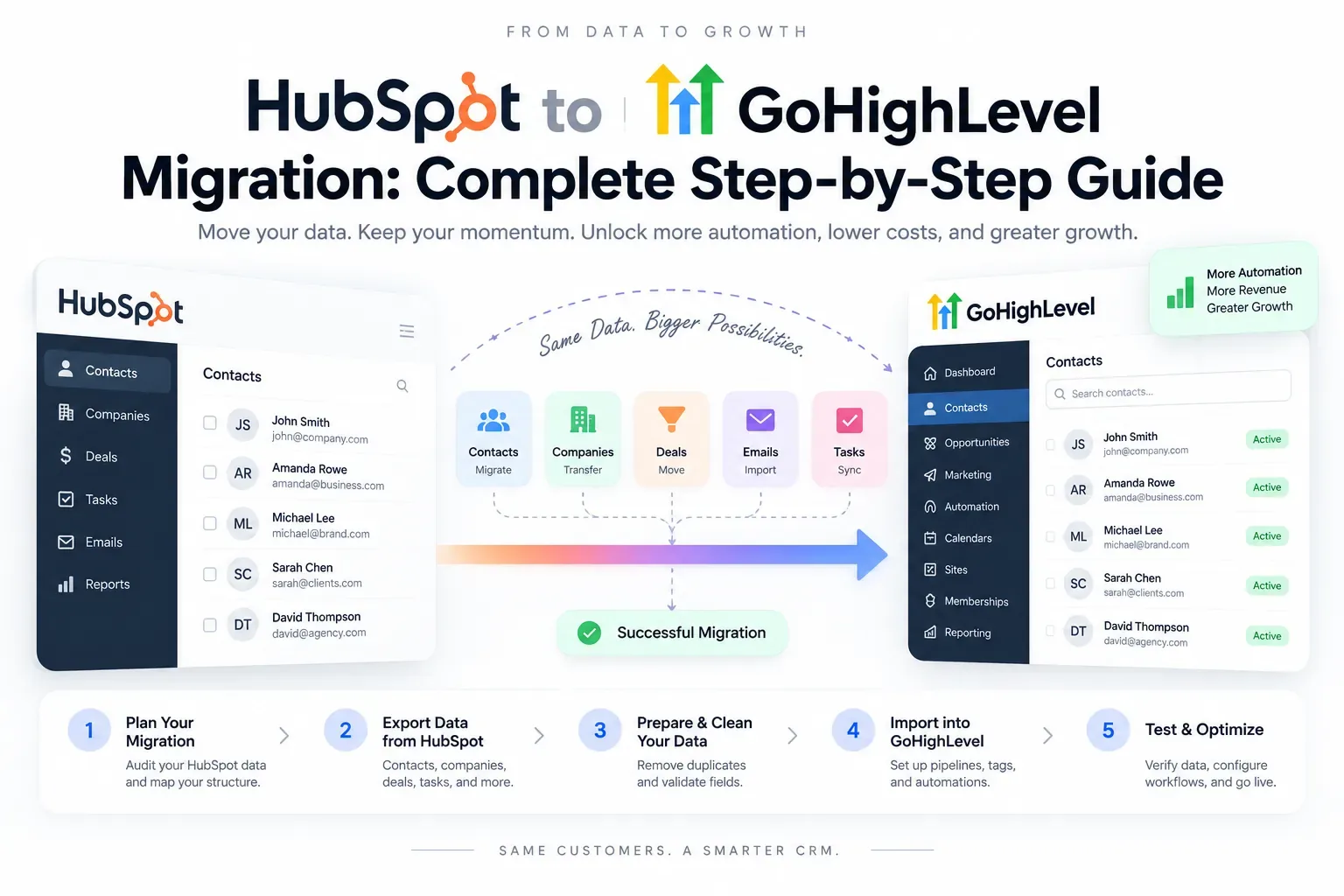
What moves in a GoHighLevel migration, and what gets rebuilt?
In a GoHighLevel migration, contacts, companies, custom-field values, tags, opportunities and notes are imported from export files. Workflows, email templates, forms, calendars, pipelines and integrations are rebuilt by hand, because no CRM exports its automation in a format another CRM can run.
Imported vs rebuilt
| Item | How it moves | Watch out for |
|---|---|---|
| Contacts and custom fields | CSV import with field mapping | Duplicates, phone formats, opt-out status |
| Opportunities (deals) | CSV import into matching pipeline stages | Stages must exist before the import |
| Notes and history | Imported as notes or attached files | Old email threads rarely come across as live conversations |
| Tags and lists | Mapped during import | Clean up years of unused tags first |
| Workflows and sequences | Rebuilt in GoHighLevel | Rebuild the logic, not the clutter |
| Forms, calendars, pages | Rebuilt and re-embedded on your site | Old form embeds must be swapped on launch day |
| Phone numbers | Ported to HighLevel's phone system | Texting needs A2P 10DLC registration in the new account |
How long does a GoHighLevel migration take?
A GoHighLevel migration usually takes two to four weeks: about a week to audit and map data, one to two weeks to rebuild pipelines and automation, and a few days of parallel running before the switch. Number porting and texting registration can add time and should start on day one.
A two-to-four-week plan
- Audit and map (week 1). List every field, pipeline, sequence and integration in the old system. Decide what to keep.
- Build (weeks 1 to 3). Create pipelines, custom fields and calendars in GoHighLevel, then rebuild the automation. See GoHighLevel automation.
- Clean and import. Remove duplicates, fix phone formats, keep opt-out status, then import contacts and deals.
- Parallel run. New leads go to GoHighLevel while the team checks that every path works.
- Switch. Swap form embeds and numbers, turn off old sequences, and keep the old account read-only for a month.
How much does a GoHighLevel migration cost?
A GoHighLevel migration from Autoesta is usually priced as a full GoHighLevel setup, $3,000 to $5,000 at the time of writing, because the automation has to be rebuilt as well as the data moved. A data-only import with a simple pipeline can cost less, and multi-location migrations cost more.
Six months of maintenance is included on what we build. Your HighLevel subscription is separate; see GoHighLevel pricing to compare it with what you pay today, and GoHighLevel vs HubSpot if you are moving from HubSpot.
What goes wrong in a GoHighLevel migration?
The most common GoHighLevel migration problems are texts failing because A2P 10DLC registration was not finished before launch, duplicate contacts from a second import, lost opt-outs that cause complaints, and old form embeds still sending leads to the old CRM after the switch.
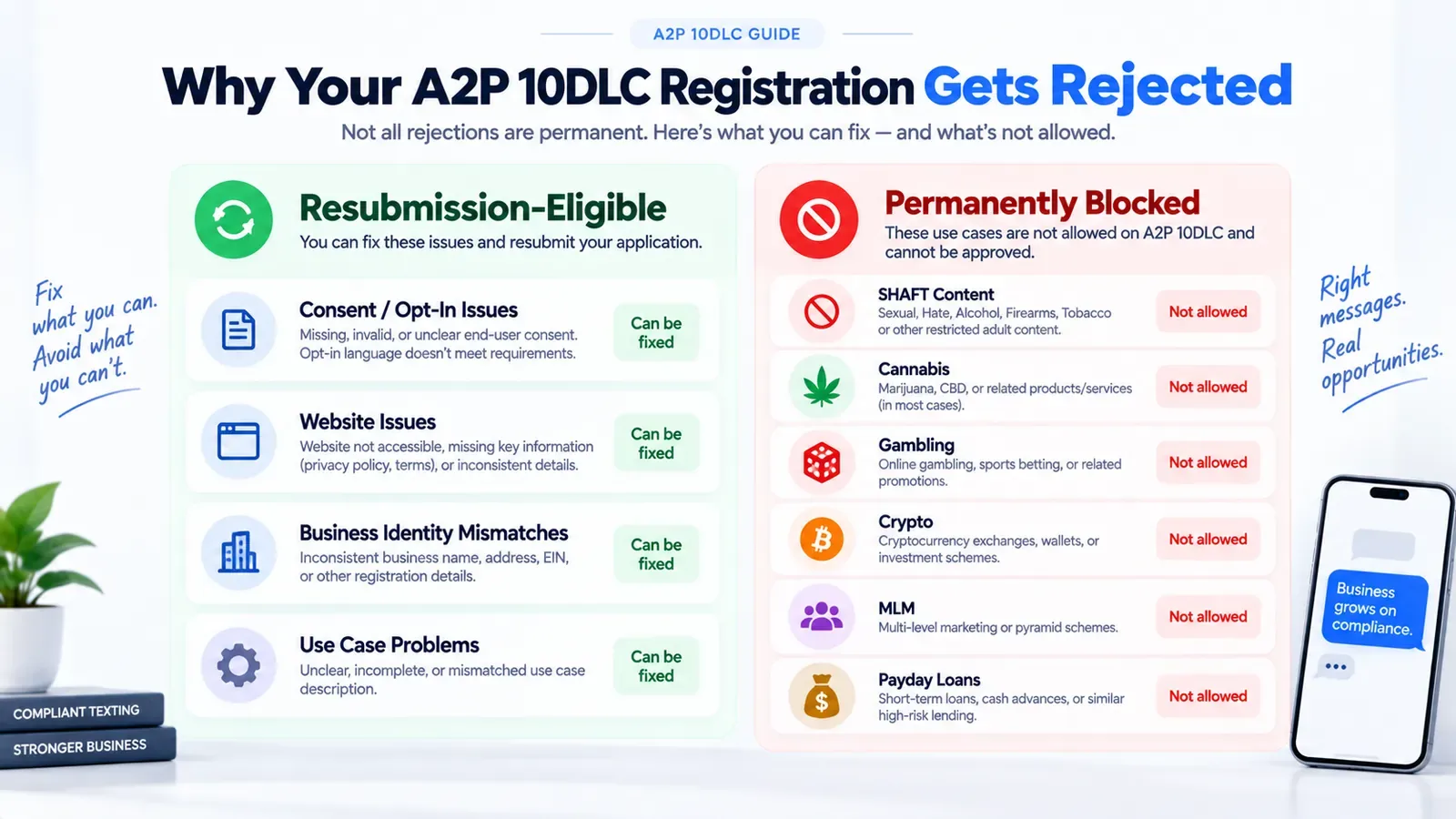
Each of these is avoidable with a checklist and a parallel run. If an earlier migration left your account in a mess, start with a GoHighLevel account audit.
GoHighLevel migration checklist
A GoHighLevel migration checklist covers four areas: what exists in the old system, what the new account needs before import, the import itself, and the switch-over day. Missing any one of them is how leads get lost.
- Inventory: fields, tags, pipelines, sequences, forms, calendars, phone numbers, integrations and users in the old system.
- Before import: pipelines, custom fields and users created in GoHighLevel; A2P 10DLC registration and number porting started.
- Import: duplicates removed, phone numbers in one format, opt-out status kept, a test import of 50 records checked first.
- Rebuild: workflows, funnels and forms, calendars, and Voice AI if you use it.
- Switch day: form embeds and numbers moved, old sequences turned off, test leads run through every path.
- After: old account read-only for a month, team trained, first-week report reviewed.
Migrating to GoHighLevel from HubSpot, Salesforce or spreadsheets
Each starting point needs a different amount of work: HubSpot and Salesforce exports are structured but carry years of automation to rebuild, while spreadsheets need the most cleaning but have little automation to replace.
| Moving from | Easy part | Hard part |
|---|---|---|
| HubSpot | Clean exports of contacts, companies and deals | Rebuilding sequences and workflows |
| Salesforce | Structured data with clear objects | Custom objects and fields that GoHighLevel cannot model directly |
| Spreadsheets and email | Little automation to rebuild | Cleaning duplicates and inconsistent data |
| Another GoHighLevel account | Snapshots can copy assets | Contacts and history need a planned transfer |
If Salesforce custom objects are central to how you work, a custom CRM or an API integration alongside GoHighLevel may be the better answer.
When should you not migrate to GoHighLevel?
Do not migrate to GoHighLevel if your sales process depends on enterprise features it lacks, such as complex territory management, deep quoting or strict audit trails, or if your team is happy and the only reason to switch is the monthly price.
A migration costs time and a short dip in team speed. It pays off when GoHighLevel removes tools you pay for separately, such as texting, booking and review software, or when it fixes follow-up that the old system never ran. Our GoHighLevel CRM page explains the fit, and the case studies show migrations and new builds side by side. Ready to plan yours? Talk to a GoHighLevel expert on a free call.
Frequently asked questions
Can I migrate from HubSpot to GoHighLevel?
Yes. Contacts, companies, deals and notes are exported from HubSpot and imported into GoHighLevel; sequences, forms and workflows are rebuilt in GoHighLevel.
Will I lose my phone number when I move to GoHighLevel?
No, if it is ported. Business numbers can be ported into HighLevel's phone system; texting from them then needs A2P 10DLC registration in the new account.
Do my email and text histories move to GoHighLevel?
Old conversation threads rarely come across as live conversations. We import key history as notes or attached files so your team keeps the context.
Can we keep using the old CRM during the migration?
Yes. We run both side by side for a few days so nothing is lost, then switch forms and numbers over on a planned day.
