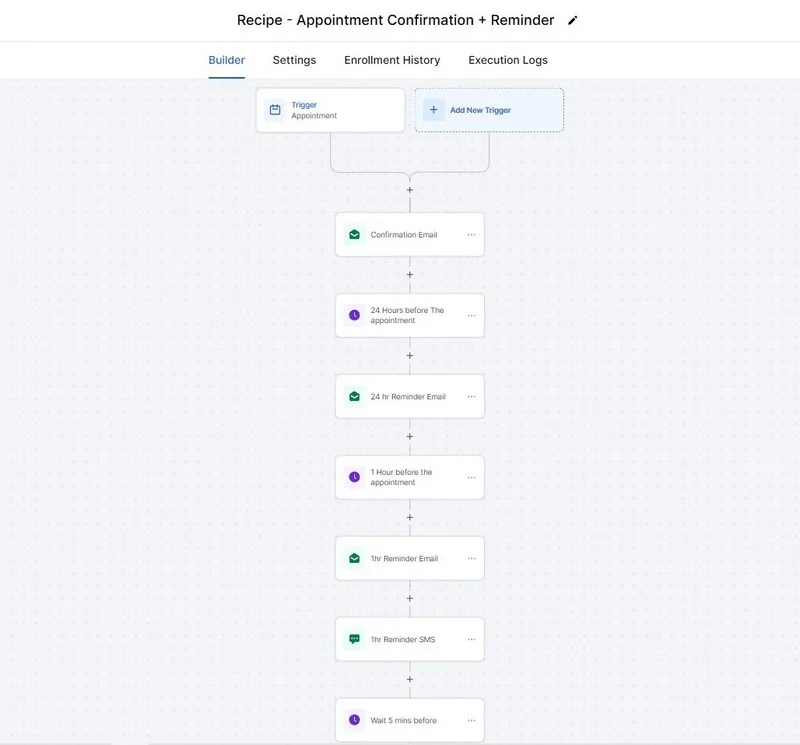
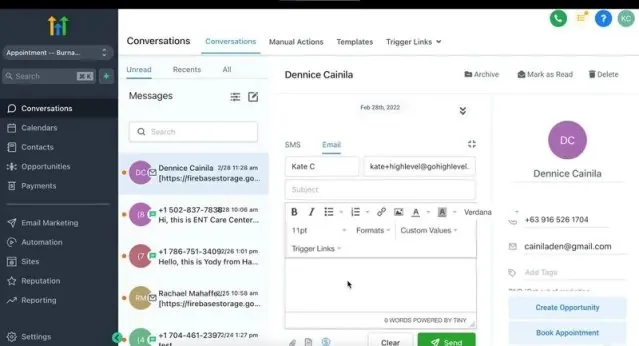
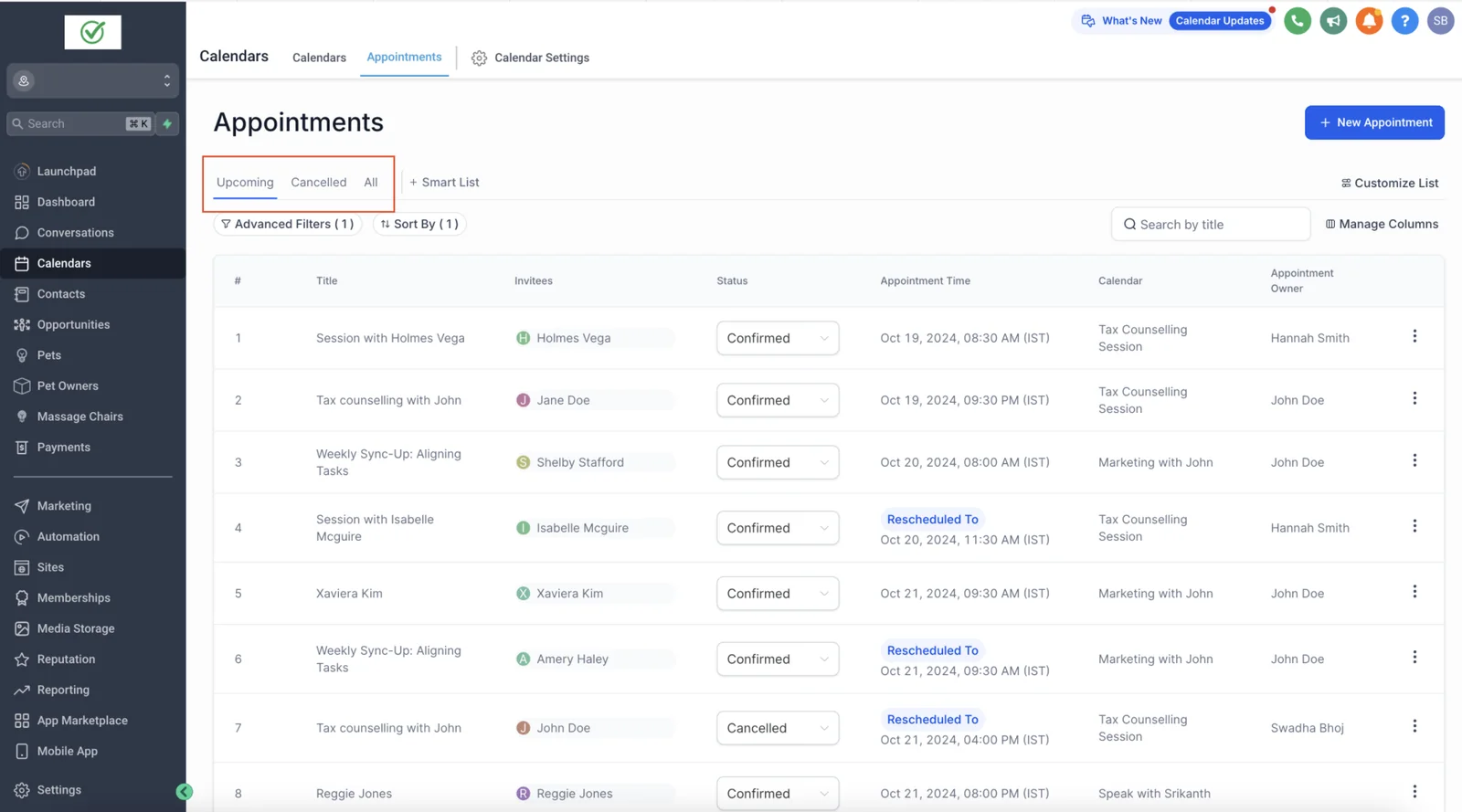
Dental appointment reminder software dashboard showing automated SMS, email and call reminders, appointment confirmations, no-show recovery and follow-up workflows

Dental Appointment Reminder Software: Reduce No-Shows, Confirm Appointments & Automate Follow-Up

As of August 2026 · Last reviewed August 17, 2026 · Verified statistics · Author: Alpit Patel, Founder of Autoesta

Quick Verdict: Yes, dental appointment reminder software works — and it is one of the highest-ROI investments a dental practice can make. A five-year study of 1.6 million appointments across 64 dental practices found automated reminders cut no-shows by 22.95% and recovered $31,456 in production per practice per year (Sesame Communications, via Dental Tribune). That study was published in 2013 — we cite it as historical evidence, not a current-year benchmark. It remains one of the largest published dental-specific studies we found, but its results should be treated as historical evidence rather than a current benchmark. The $31,456 figure is a study-specific historical result, not an expected outcome for any individual practice. In that study, first-year system costs were typically recovered within six months of activation — again, a study-reported result, not a promise. For many practices, the recovered production can exceed the software cost within the first year, and GoHighLevel bundles reminder automation with recall automation, review generation, and missed-call recovery in one platform.

If you are a dentist, practice owner, or dental marketing manager searching for “dental appointment reminder software,” this guide covers exactly what the software does, how the automation works, what it costs, and how it compares to the top options — including how GoHighLevel automates the entire reminder workflow without replacing your existing practice management software. Autoesta is a dental-marketing-focused GoHighLevel agency: we don’t just install the software, we configure the full reminder-to-recall loop for your practice and manage it — which is exactly where most practices fail with DIY setups. Get your free no-show recovery estimate before you commit to a tool.

Quick Answer: Dental appointment reminder software automatically sends SMS, email, or voice reminders, confirms appointments, handles rescheduling, and helps reduce no-shows. For practices that need more than reminders, GoHighLevel can act as the communication and automation layer alongside the dental PMS — connecting reminders with confirmation, cancellation recovery, recall, reviews, missed-call follow-up, and reactivation. GoHighLevel is not a dental PMS and does not replace Dentrix, Eaglesoft, or Open Dental.

Key Takeaways

  • Automated reminders reduced dental no-shows by 22.95% in a five-year study tracking 1.6M appointments across 64 practices (Sesame Communications / Dental Tribune — published 2013; historical evidence).
  • No-shows and cancellations cost practices 20.6% of empty chair time; at $200–$400 in lost production per missed appointment, a single no-show per business day can cost ~$50,000–$100,000 a year (illustrative range, 250 business days).
  • A BMJ Open meta-analysis found automated text/email reminders make patients 25% less likely to miss an appointment — and multiple reminders outperform a single reminder.
  • GoHighLevel can consolidate several patient-communication and marketing workflows — reminders, confirmations, recall, reviews, missed-call recovery, and booking — under one platform from $97/month (plus usage and optional HIPAA add-on).
  • Reminder software automates the communication layer on top of your existing PMS — it does not replace Dentrix, Eaglesoft, or Open Dental.

What Is Dental Appointment Reminder Software?

Dental appointment reminder software automates patient communication around scheduled visits. It sends appointment reminders by text (SMS), email, or voice, requests two-way confirmation (patient replies “Y” to confirm), auto-fills cancelled slots from a waitlist, runs recall campaigns for overdue hygiene visits, and collects post-visit reviews. Unlike practice management software (Dentrix, Eaglesoft, Open Dental), which manages clinical records and charting, reminder software handles the patient communication layer on top of your existing PMS.

Key statistics at a glance

StatisticValueSource
Dental no-show reduction with automated reminders22.95%Sesame / Dental Tribune (2013 study)
Incremental production recovered per practice per year$31,456Sesame / Dental Tribune (2013 study)
Reported dental no-show rate range (varies by practice)12–18%DentRecall, 2026
Missed-appointment risk reduction from text/email reminders25% lower riskBMJ Open meta-analysis
New-patient calls to dental practices left unanswered32%Peerlogic, 2025
Patients who prefer SMS/email reminders over phone calls79.5%Sesame Communications (2013)
Patients who prefer text appointment reminders48%Phreesia patient survey (~14,000 patients)
Consumers who prefer appointment reminders via text message73%Zipwhip / Twilio Consumer Texting Report

Statistics used throughout this guide. Figures reflect published sources at the time of writing; research dates are labeled in the text (e.g., the Sesame study is from 2013). Use your own practice data for budgeting and forecasting.

What the software actually does

  • Sends automated appointment reminders by SMS, email, and voice
  • Requests two-way confirmation (patient replies “Y” to confirm)
  • Auto-fills cancelled slots via waitlist automation
  • Runs recall campaigns for patients overdue for hygiene visits
  • Collects Google reviews after completed appointments
  • Handles missed-call recovery and after-hours booking

A note on voice and waitlist features: automated voice-call reminders and true clinical waitlist auto-fill are not always bundled in every platform’s base plan. In GoHighLevel, outbound SMS/email reminders, two-way text confirmation, recall campaigns, and review requests work out of the box. Automated voice calling and slot auto-fill against your practice calendar are typically built as add-on workflows (Twilio Voice) or via an API/Zapier bridge to your PMS — an experienced agency configures these for you.

Dedicated dental reminder tools like Solutionreach, Demandforce, and Lighthouse360 do these well, but pricing is typically per-practice and varies with features — most require a quote rather than a published flat rate. GoHighLevel becomes compelling when a practice needs reminders plus recall, reviews, missed-call recovery, booking funnels, and custom workflows in one automation layer. For a deeper comparison, see our GoHighLevel for Dentists guide.

How Dental Appointment Reminder Automation Works

The system works on a simple loop: book → remind → confirm → show → review → recall. Once configured, the sequence runs on autopilot and only surfaces a human touch when a patient cancels, reschedules, or fails to confirm.

It is event-based, not calendar-based. A well-built workflow does not send the same “7-day / 3-day / 1-day” messages to every patient. It triggers on the booking event, waits relative to the appointment time, and branches on patient replies: a confirmed patient stops receiving reminders, an unconfirmed patient gets escalated, a patient who asks to reschedule gets a booking link, and a cancellation starts slot recovery. GoHighLevel can be configured to run this branch logic — appointment-status triggers, customer-booked-appointment triggers, waits relative to an upcoming appointment, reply-based waits, booking actions, and appointment notifications are all supported in the platform (see the HighLevel support documentation linked in the compliance section below).

Appointment booked

Confirmation request sent "Reply C to confirm, R to reschedule, CANCEL"

Confirms → attendReschedule → new slot, enters reminder sequenceNo reply → staff task at T-24
The appointment confirmation state machine. Timing is event-based and scenario-based (see below) — not a fixed 7/3/1-day countdown for every patient.

Reminder timing: scenario-based, not a fixed countdown

Configure the cadence to how far out the appointment is. The confirmation request always goes out immediately after booking; follow-ups compress as the appointment gets closer.

  1. Booked 48+ hours out — immediate confirmation request → reminder at 48 hours → reminder at 24 hours → day-of nudge (optionally 2–4 hours before).
  2. Booked 24–48 hours out — immediate confirmation request → reminder at 24 hours → day-of nudge.
  3. Booked tomorrow — immediate confirmation request → day-of nudge.
  4. Booked today — immediate confirmation request → optional reminder 1 hour before.

Message timing within GoHighLevel is configured with waits relative to the appointment (for example, “before appointment time”) or to the booking event, and is set per workflow. The exact cadence you see in a demo depends on how that practice’s workflows were configured — there is no single built-in default that fits every appointment type.

Practices that run a genuine multi-touch sequence with two-way confirmation typically recover a meaningful share of the production at risk from no-shows — the exact uplift depends on your volume, patient mix, and how consistently the workflow runs. Use the transparent ROI model below with your own numbers rather than a generic estimate.

No-show recovery automation: what happens when a patient doesn’t confirm

This is where “appointment reminder software” becomes dental revenue recovery automation. A basic reminder system sends messages and stops. A recovery workflow handles every branch automatically:

  1. Confirmation request sent immediately after booking, then scenario-based reminders.
  2. Patient does not respond to confirmation.
  3. System waits, then sends an escalation reminder (for example at the configured T-24 window).
  4. Patient still does not respond — a staff notification and task are created automatically.
  5. Staff calls the patient (or an automated voice follow-up is triggered).
  6. If the patient confirms — the reminder sequence stops, appointment proceeds.
  7. If the patient replies “reschedule” — a booking link is sent to pick a new slot.
  8. If the patient cancels — the freed slot enters a recovery workflow.
  9. The system searches recall and waitlist patients eligible for that appointment time, provider, and procedure, and notifies them.
  10. The freed slot is rebooked — often within hours instead of sitting empty.
  11. If the patient no-shows — a recovery workflow flags them, sends a rebooking invitation, and adds them to the recall list.

Each branch is a GoHighLevel workflow with conditional logic — this is the difference between sending texts and actually recovering lost production.

Dental Patient Lifecycle Automation: From Booking to Revenue Recovery

This is the bigger picture that reminder software is only a part of. The most valuable way to think about dental automation is the patient lifecycle: every patient flows from booking → reminder → confirmation → appointment → follow-up → recall → reactivation, and revenue leaks at specific points along that path. Automation’s job is to recover each leak, not just send a text.

Here is where patients drop out, and what automated dental patient communication does about each one:

  1. New lead — instant response with a booking link; if the call goes unanswered, a missed-call text-back catches it.
  2. Booking — the appointment enters the reminder sequence automatically.
  3. No response — escalation reminders at the configured T-24 window plus a staff task if the patient still hasn’t confirmed.
  4. Cancellation — reschedule link, front-desk alert, and a search of recall/waitlist patients to refill the slot.
  5. No-show — rebooking invitation plus a higher-priority reminder profile for the future.
  6. Completed appointment — review request and post-visit follow-up.
  7. Unscheduled treatment — treatment-plan nurture that offers a booking link for the first step.
  8. Overdue recall — hygiene rebooking campaign before the patient lapses.
  9. Inactive patient — reactivation campaign at 9/12/18/24 months without a visit.

Each of those nine stages maps to a specific workflow. The system below shows how the whole loop connects.

New leadBookedReminderConfirmAttendReviewRecallReactivationRetained → loop
The patient lifecycle loop. Reminder software covers the middle; the revenue-recovery workflows around it are where the biggest gains live.

Three automation layers: where reminder software fits, and what surrounds it

Appointment reminder software is one layer of the system. To frame the whole picture, think in three layers:

  1. Layer 1 — Appointment automation (fill today’s chair). The reminder and confirmation state machine above: book → confirm → remind → attend. This layer protects production that is already on the schedule.
  2. Layer 2 — Revenue recovery. No-show recovery, cancellation and empty-chair recovery, missed-call recovery, treatment-plan follow-up. This layer recovers production that was lost or never booked.
  3. Layer 3 — Patient lifecycle. Post-visit review requests, hygiene recall, reactivation, and long-term nurture. This layer fills next month’s schedule and prevents patients from leaking out of the practice.

Most practices start at Layer 1, add one or two Layer 2 workflows after 30 days, and expand into Layer 3 once the core runs reliably. The trees below show how each workflow branches in GoHighLevel.

Dental recall automation vs appointment reminder automation

These two get confused constantly, and they are different jobs:

Reminder vs recall
Appointment reminderDental recall
Does the patient have an appointment?Yes — appointment already existsNo — the patient has no appointment yet
Time horizonShort-term (booking event → appointment time)Long-term (months after the last visit)
GoalPrevent a no-show on a booked slotGet the patient to rebook a hygiene visit
Typical cadenceConfirmation request immediately, then scenario-based waits before the appointmentDue-date reminders + overdue follow-ups
Revenue impactProtects today’s scheduleFills next month’s schedule and prevents patient leakage

Reminder automation and recall automation are complementary — most practices need both, and GoHighLevel runs either.

How many reminders should a dental practice send? There is no universal magic number. A common starting configuration is an immediate confirmation request plus 2–4 scenario-based pre-appointment touches (see the timing list above), with extra messages triggered only when a patient has not confirmed. The right cadence depends on appointment type, lead time, patient preferences, and your own no-show data — measure it and tune.

Why Do Dental Patients Miss Appointments?

Forgetting is the single most common reason patients miss dental appointments, and it is also the most fixable one. Most no-shows are not intentional — they are a failure of the confirmation process, not of patient intent.

Top reasons patients miss dental appointments

  1. Forgetting — especially for hygiene visits booked 3–6 months out
  2. Unclear confirmation process — the front desk relies on one manual call
  3. Scheduling friction — patients cannot easily reschedule, so they simply do not show
  4. Long lead time — the longer between booking and the appointment, the higher the miss rate
  5. Fear or anxiety — some patients avoid without canceling

A Sesame Communications study found 97% of dental patients would rather click than call their practice, and 79.5% prefer SMS and email reminders over phone calls (Sesame Communications, 2013). More recent surveys confirm text-first preferences hold up: 48% of ~14,000 patients surveyed by Phreesia said they prefer text-message appointment reminders (Phreesia patient survey), and 73% of consumers prefer appointment reminders by text (Zipwhip / Twilio Consumer Texting Report). The confirmation itself creates commitment — which is why asking patients to reply and confirm (two-way confirmation) generally drives better attendance than one-way broadcasts. Confirmation-response timing varies by practice; track your own confirmation rate monthly to establish your baseline.

How Much Do No-Shows Actually Cost a Dental Practice?

Most US dental practices see no-show rates in the 12–18% range, according to 2026 dental benchmarking data (DentRecall) — but that is a reported industry range, not a universal average. Your practice’s true number depends on your patient mix, booking lead times, and confirmation process, so use your own trailing 90-day no-show rate to size the opportunity accurately. For a 400-patient practice running at the midpoint, that is roughly $2,000–$3,000 in lost chair revenue per month — before overhead. When you add cancellations, combined empty-chair time often reaches the 20.6% (14.4% cancellations + 6.2% no-shows) reported in the CertifyHealth 2025 Dental Market Study.

Practice SizeNo-Show RateMissed Appointments / MonthEstimated Monthly Loss
200 active patients12–18%~4–6$1,000–$1,500
400 active patients12–18%~8–12$2,000–$3,000
800 active patients12–18%~16–24$4,000–$6,000
Illustrative model based on 2 appointments per patient per year and a blended $250 per missed appointment. Source: DentRecall 2026 no-show benchmarks; substitute your own volume and no-show rate to personalize the figures.

A single daily no-show compounds fast: at $200–$400 in lost production per missed appointment, one no-show per business day (250 business days/year) equals roughly $50,000–$100,000 in lost production annually. (This upper range assumes a busier practice losing one slot every business day; the 400-patient model below, at ~$24,000 a year at risk, is the more conservative mid-size scenario — both are illustrative, so size the number to your own volume.) And the damage is not only the empty chair — staff still get paid, the operatory sits idle, and the downstream treatment revenue from that visit disappears (Dental Economics).

What the published evidence actually shows about reminders and no-shows

Study / EvidenceSettingFindingYearLevel
Sesame Communications study (via Dental Tribune)1.6M appointments, 64 dental practicesAutomated reminders cut no-shows 22.95% and recovered $31,456 in production/practice/yr2013Large multi-practice study (historical)
BMJ Open meta-analysis38 studies, ~96,000 patientsAutomated text/email reminders reduced missed-appointment risk 25%; multiple reminders beat a single reminder2021Peer-reviewed meta-analysis
DentRecall dental benchmarksUS dental practicesTypical no-show range 12–18% (practice-dependent)2026Industry benchmarking
Peerlogic call analyticsUS dental practices32% of new-patient calls go unanswered2025Industry call data
Evidence tier note: the Sesame figure (2013) is the strongest published dental-specific data and is cited as historical; the BMJ Open meta-analysis (2021) is peer-reviewed and generalizes across medical settings. We deliberately do not publish unverifiable “no-show rate by method” ranges.

What we’ve seen in practice: Across the 25+ dental practice automation systems Autoesta has implemented, hygiene appointments and new-patient slots consistently carry the highest no-show risk (18–30%), while emergency appointments drop to 5–10% because patients are in active discomfort. Prioritizing reminder automation on hygiene and new-patient bookings captures the biggest recoverable revenue first.

GoHighLevel vs Traditional Dental Reminder Software

GoHighLevel is not a practice management system — it is a marketing and communication automation platform that replaces the reminder, recall, review, and missed-call tools most practices pay for separately. Here is how it stacks up against the dedicated dental options.

GoHighLevel vs dedicated dental reminder software vs a dental PMS (Dentrix)
FeatureGoHighLevelSolutionreachDemandforceLighthouse360Dental PMS (Dentrix)
Appointment reminders (SMS/email/voice)Yes (voice = add-on via Twilio)YesYesYesBasic (built-in recall/reminders vary)
Two-way text confirmationYesYesYesYesLimited / varies by module
Waitlist auto-fillVia custom build/APINoNoNoYes (native scheduling)
Google review automationNativeAdd-onLimitedAdd-onNo
Recall / reactivation campaignsAdvancedYesBasicYesBasic recall lists
Missed-call recoveryYesNoNoLimited (Lighthouse360+)No
Booking funnels & landing pagesYesNoYes (online scheduling)NoDepends on edition
Clinical records & chartingNoNoNoNoCore function
Insurance & claims processingNoNoNoNoCore function
Integrates with Dentrix / Open Dental / EaglesoftVia Zapier/Make or API bridgeYesYesYes— (it IS the PMS)
Pricing (typical)$97–$497/mo + usage (all-in-one)Request quote (varies)Request quote (varies)Request quote (varies)Per-provider licensing (varies)
Best role in the stackCommunication & marketing automation layerReminders + recall + reputationReminders + recall + online schedulingReminders + recall + reviewsClinical & scheduling system of record

Who should use dedicated dental reminder software vs GoHighLevel:

Dedicated dental reminder software is the easier choice when you only need appointment reminders, want minimal setup, your PMS already handles everything else, and you don’t need marketing automation. Tools like Solutionreach and Demandforce shine at that narrow job.

GoHighLevel becomes the more compelling choice when you want reminders plus recall campaigns, review automation, missed-call recovery, lead follow-up, booking funnels, and custom workflows in one system — one automation layer across marketing and patient communication instead of several point tools.

Not sure which stack fits your practice? Book a free 30-minute GoHighLevel for dentists consultation — we’ll map your no-show data, confirm your PMS integration, and recommend the exact stack before you commit.

What GoHighLevel does NOT replace: GoHighLevel is not a replacement for Dentrix, Eaglesoft, Open Dental, or any dental practice management system (PMS). It does not do clinical charting, treatment plans, insurance, claims, or patient records. Your PMS stays the system of record for all clinical data; GoHighLevel operates as the patient communication and marketing automation layer on top. That separation is exactly how the two coexist — and anyone selling you “GoHighLevel replaces your PMS” is overstating the tool. Use the GoHighLevel for Dentists guide to see how the stack fits together.

GoHighLevel pricing for dental practices (at the time of writing): Separate three different costs before comparing. Plan tiers and usage rates come from the GoHighLevel official pricing page:

  1. Platform subscriptionStarter $97/month, Unlimited $297/month, or Agency Pro $497/month. These are plan tiers, not interchangeable options (see GoHighLevel pricing). A single dental practice typically runs on Starter or Unlimited.
  2. Variable usage — SMS runs roughly $0.0075 per message segment before carrier fees (billing depends on message length, segments, and destination); a 400-patient practice running reminder sequences plus recall and reactivation campaigns typically sends roughly 500–1,500 messages a month (about 3–4 reminder touches per appointment, plus campaign sends), so budget roughly $10–$40/month for SMS, plus phone, email, and AI usage that scale with volume. HIPAA compliance is a separate $297/month add-on (see below).
  3. Implementation — configuration, PMS integration, workflow builds, and staff training are a separate one-time cost. Agencies like Autoesta handle this end-to-end; see GoHighLevel setup & implementation.
Total cost of ownership — single-practice scenario (at the time of writing)
Cost lineStarter scenarioUnlimited scenario
Platform subscription$97/mo$297/mo
SMS usage (est. 500–1,500 msgs/mo)$10–$40/mo$10–$40/mo
HIPAA add-on (optional, if handling PHI)+$297/mo+$297/mo
Typical monthly software budget (without HIPAA)~$110–$140/mo~$310–$340/mo
One-time implementation (agency setup)Separate project fee — quoted per practice

Costs reflect published GoHighLevel pricing at the time of writing. SMS billing varies by message segment and carrier; request an itemized estimate before committing.

How GoHighLevel Integrates With Your Dental PMS

The architecture is simple, and it is the same pattern a well-configured practice follows: PMS (system of record) → integration layer → GoHighLevel (communication + automation layer). The PMS keeps every clinical fact — appointment times, providers, treatment codes, patient records. GoHighLevel reads the events it needs from the PMS, triggers reminders and follow-ups, and writes back only what the PMS needs (e.g., a “confirmed” note).

How data flows: PMS → integration layer → GoHighLevel
LayerRoleExample in a dental practice
Dental PMS (Dentrix, Eaglesoft, Open Dental)System of record — clinical charting, scheduling, insurance, recordsPatient books a hygiene appointment; PMS holds the slot and record
Integration layer (Zapier, Make, middleware, or custom API bridge)Detects events in the PMS and pushes/receives data to/from GoHighLevelNew appointment event → sent to GoHighLevel; confirmation reply → written back
GoHighLevelCommunication & marketing automation layer — reminders, confirmations, recall, reviews, missed-call recoveryRuns the confirmation state machine and branch workflows, books the callback, fires the recall campaign

Note on integration depth: there is no universal “native GoHighLevel → Dentrix” connector. Integration capability varies by PMS, by connector, and by whether the PMS exposes an API. Capabilities range from basic event-triggered messaging (via Zapier/Make) to deeper two-way sync (via middleware or a custom API bridge). Always confirm the exact connector for your PMS and your plan tier before committing.

What that means practically: If your PMS pushes a “new appointment” event, GoHighLevel automatically enters the patient into the reminder sequence, tracks confirmation replies, and triggers the escalation path when a patient doesn’t respond. If a slot is cancelled, GoHighLevel can notify your front desk and offer an open slot to an eligible recall patient. None of this touches clinical data — the PMS stays authoritative, and GoHighLevel only handles the communication workflow. The same patient-lifecycle automation pattern is built for chiropractic practices in our sister guide, GoHighLevel for Chiropractors on the HighLevel Automation Team site.

Beyond Reminders: The Complete Dental Automation System

Reminders are the entry point. The practices that actually close the empty-chair gap run the full revenue loop. Each tree below is a standard GoHighLevel workflow (or a small family of workflows) with conditional logic — every box is a trigger, wait, branch, or action, and every branch routes to a different workflow. (The same revenue loop, adapted for a different recurring-visit patient journey, is documented in the sister guide GoHighLevel for Chiropractors on the HighLevel Automation Team site.)

New-patient lead follow-up tree

New patient lead

Instant reply + booking link

Books online → reminder sequenceDidn't book → Day-3 nudge → Day-5 staff call
New-patient lead follow-up tree. The fastest wins for most practices: reply instantly, give a booking link, and follow up until the patient books or declines.

Cancellation & empty-chair recovery tree

Patient cancels

Instant reschedule offer

Reschedules → slot released → restartSlot freed → front-desk alert

Search waitlist / recall / call list

Match → "same-week" text → rebookNo match → human fallback, slot stays open
Cancellation and empty-chair recovery tree. The goal is refilling within hours, not days — a freed slot entered into waitlist/recall search instead of sitting empty.

Recall automation (hygiene rebooking) tree

Hygiene visit completed

Due window opens (30–45 days before)

Books the visit → reminder sequenceNo response → Day-3 SMS · Day-7 email · Day-10 staff
Visit done → pre-book next cycleNon-responder → reactivation list
Recall data comes from your PMS or a GoHighLevel custom field synced from it.
Recall automation tree. Hygiene recall is where compounding revenue recovery happens — it fills next month's schedule, not just tomorrow's chair.

No-show recovery & post-visit tree

No-show detected

Immediate rebooking invite + apology

Rebooks → reminder sequenceNo response → Day-3 SMS · Day-7 call · Day-14 email
Repeated no-show → earlier confirmation + deposit
No-show recovery tree. A no-show is not lost revenue yet — a fast, human rebooking invitation recovers a meaningful share of the slot.

Post-visit, treatment follow-up & reactivation

After a completed visit, four workflows keep the patient in the loop:

  1. Review request — post-visit review text/email with a Google review link.
  2. Post-visit follow-up — a check-in message (non-clinical) and a link to book the next step.
  3. Treatment plan follow-up — large accepted plans (crowns, implants, aligners) often stall because the patient never schedules the first procedure. A treatment-plan workflow sends the plan summary, answers the most common financing questions, and offers a booking link for the first step. This recovers production that reminder software alone never touches.
  4. Reactivation — separate win-back workflows per segment: overdue hygiene, inactive patients, cancelled-and-never-rebooked, past no-shows, treatment accepted but never scheduled, and 12+ months since the last visit. Each segment gets a different message and cadence.

Missed-call & after-hours recovery

Peerlogic’s 2025 call analytics found 32% of new-patient calls to dental practices go unanswered, and its 2026 case-study data (4,280 calls across 26 practices) puts the figure at roughly 38% of all inbound calls. Missed-call recovery detects an unanswered incoming call, immediately sends the caller a text with a booking link, and routes the lead into the lead follow-up tree above. The step most practices miss: connecting the text-back to an actual booking flow. A text that only says “we missed your call” is half a solution; one that says “book your visit here” captures the new patient.

After-hours: when the practice is closed, the same automation answers the lead instantly and books them into tomorrow’s slots. An AI receptionist (an add-on to GoHighLevel via AI agents, not a base feature) can answer routine questions and route after-hours booking — with guardrails: hand off to a human for anything clinical, insurance, or emergency-related; never collect or repeat PHI beyond what the practice allows; and log every AI interaction for review. It is an overflow handler, never a replacement for your front desk.

Channel mix, human escalation, and the automation dashboard

Channel mix. GoHighLevel can route every branch above across channels — pick per message, not per workflow:

  • SMS — confirmation requests, urgent/time-sensitive messages, booking links, reschedule offers. Highest open rate for reminders.
  • Email — appointment details, prep instructions, recall and nurture campaigns, post-visit review requests.
  • Phone / staff — high-risk confirmations, repeated cancellations, no-shows that SMS didn’t win back. People, not the automation, call these.
  • AI voice — optional AI voice agent for confirmation calls and after-hours booking (add-on; guardrails as above).

Human escalation layer. Every tree above routes exceptions to a human: unconfirmed high-value patients, repeated cancellations, no-show recovery that stalled, AI hand-offs. The automation does the repetitive work; staff get a task and decide. Configure an escalation budget so staff act on the 10% that matters, not 100% of events.

Automation dashboard. Track what the system is actually recovering each month: confirmation rate, no-show rate, cancellation rate, slots refilled via cancellation recovery, production recovered from no-show and missed-call workflows, recall due vs rebooked, patients reactivated, and reviews requested vs posted. Whatever you can’t measure, you can’t tune — pull these monthly from GoHighLevel’s reporting and your PMS.

Dental Practice Problems GoHighLevel Can Help Automate

A dentist doesn’t think in workflows — they think in problems: missed calls, empty chairs, patients who never come back, treatment that sits unscheduled. Here is how each common dental practice problem maps to an automation solution in GoHighLevel:

Dental practice problems → automation solutions
Dental practice problemAutomation
Missed callsInstant text-back with a booking link + follow-up sequence
No-showsMulti-touch confirmation + escalation to staff
CancellationsReschedule link + front-desk alert
Empty chairsWaitlist / recall slot recovery for cancelled times
Overdue hygieneRecall campaigns for patients past their recall date
Inactive patientsReactivation campaigns at 9/12/18/24 months
Unscheduled treatmentTreatment-plan nurture with a booking link
New leadsInstant response + booking opportunity
Front-desk overloadAutomated routine communication; staff handle exceptions only
Poor review volumePost-visit review request workflow
After-hours inquiriesAutomated response / AI receptionist overflow
Incomplete intake formsForm reminders before the appointment
Repeat cancellationsException workflow: flag + earlier confirmation + staff attention
Poor patient retentionLifecycle nurture: follow-up, recall, reactivation

Each row is a standard GoHighLevel build. Most practices start with 3–5 of these and expand once the first workflows are running consistently.

12 Automation Recipes That Run on Autopilot

Here are the standard GoHighLevel workflows Autoesta builds for dental practices, with the trigger, the action, and the goal of each. You do not need all 12 on day one — start with 1–5 and expand.

Dental automation recipes — trigger → action → goal
#RecipeTriggerAutomated actionGoal
1Initial reminderAppointment bookedEmail + SMS with appointment details and prep instructionsReduce forgetfulness on hygiene bookings
2Two-way confirmationBooking event (immediate)SMS: “Reply Y to confirm”Create commitment and confirm intent
3EscalationNo confirmation by T-24 windowAdditional SMS + staff task/notificationReach unconfirmed patients before the slot
4Day-of nudgeMorning of appointmentSMS with time + locationFill the chair
5Cancel recoveryPatient replies “cancel”Rebooking link + front-desk alert + waitlist searchRefill the freed slot quickly
6Reschedule flowPatient replies “reschedule”Booking link + old slot releasedKeep the patient, not the slot
7No-show recoveryMissed appointment detectedReengagement text + recall-list addWin the patient back
8Review requestAppointment completedGoogle review requestBuild reputation and new-patient flow
9Hygiene recallPatient past recommended recall intervalPersonalized rebooking SMS/email + follow-upFill next month’s schedule
10Missed-call text-backUnanswered incoming callImmediate SMS with booking link + follow-upCapture the 32% of missed new-patient calls
11Treatment plan follow-upAccepted treatment plan, no bookingPlan summary + financing FAQ + booking linkConvert accepted plans into scheduled procedures
12Reactivation / lapsed patientNo visit in 12–18 monthsWin-back campaign (value message + booking link)Reclaim lapsed patients

Recipes 1–4 are the reminder core; 5–12 are the revenue-recovery expansion. Each runs as a GoHighLevel workflow with conditional logic — configure, test, and monitor monthly.

Want these 12 workflows built for your practice? Autoesta’s GoHighLevel setup & implementation service configures the reminder core and the revenue-recovery expansion with your PMS, your templates, and your compliance settings. Start with a free consultation.

How Much Revenue Can Automation Recover? (ROI Model)

Here is the practical math for a mid-size practice, with every assumption stated so you can audit it. This is an illustrative scenario built on published benchmarks and published pricing data — not a guaranteed result for your practice. Replace the assumptions with your own numbers to personalize it.

No-show recovery model — transparent assumptions
AssumptionValue
Active patients400
Appointments per patient per year2 (hygiene + recall/hygiene cycle)
Total appointments per year800
No-show rate12% (industry midpoint of 12–18%)
Missed appointments per year96 (800 × 12%)
Average production per missed appointment$250 (blended hygiene/restorative)
Annual production at risk$24,000 (96 × $250)
Reduction from automated reminders22.95% (Sesame / Dental Tribune — 2013 study, historical evidence)
Recovered production (year one)≈ $5,500 (22.95% × $24,000)

Illustrative model using published no-show benchmarks and the 22.95% reminder-driven reduction (2013 study). Your practice will differ based on volume, procedure mix, and configuration — substitute your own numbers.

No-Show Production at Risk vs Recovered
$24,000
At risk per year — 96 missed appointments × $250

~$5,500
Recovered per year — 22.95% reduction

~$3,600 / yr software*
Illustrative upper bound — net ≈ $1,900 in year one*

*Unlimited-tier scenario (~$297/mo + SMS usage) as an upper bound — a Starter-tier practice pays less.
Illustrative ROI model. Source for the 22.95% reduction: Sesame Communications / Dental Tribune (2013 study, historical evidence). Results vary by practice.

In this illustrative scenario, the practice has $24,000 of production at risk each year from no-shows. A 22.95% reduction recovers roughly $5,500 a year against an illustrative upper-bound software cost of about $3,600 a year (Unlimited plan + SMS usage; a Starter-tier practice would pay less, and implementation/setup is a separate one-time cost not shown here) — a modest net gain in year one that improves as volume and SMS efficiency scale. The larger, longer-term win is in the recall, cancellation-recovery, and reactivation workflows, which recover production beyond missed appointments. The 2013 Sesame study reported $31,456 in incremental production per practice from schedule compliance, with benefits continuing across the 36-month post-activation period — cited as historical evidence, not a current guarantee.

Case study (anonymized, documented): A single-location US dental practice running an 18% hygiene no-show rate came to us after missing 22–30 hygiene appointments a month. Autoesta configured a GoHighLevel workflow that sent an immediate confirmation request on booking plus scenario-based reminders, required text confirmation, auto-escalated unconfirmed patients at the configured pre-appointment window, and re-booked overdue hygiene on recall. Within two months their hygiene no-show rate dropped below 9% and they recovered roughly $4,100/month in previously lost hygiene production — covering the entire GoHighLevel subscription many times over. Individual results vary; your outcome depends on appointment volume, staffing, and configuration. Figures come from the practice’s internal reporting and are shared with consent.

Want the same model for your practice? Get a free no-show recovery estimate — we’ll map your appointment data and show the projected revenue recovery before you spend a dollar.

How to Choose the Right Dental Appointment Reminder Software

How do you choose the right dental appointment reminder software? Start with what your practice actually needs, not the cheapest price. The best fit is one that does two-way confirmation, integrates with your existing practice management software, re-fills cancelled slots, runs hygiene recalls, and collects reviews — because that full loop, not a single reminder text, is what drives the no-show reduction. If you also want review automation, funnels, and missed-call recovery in one bill, an all-in-one like GoHighLevel usually wins on cost and consolidation.

Before buying, run any candidate through this checklist. The cheapest tool is rarely the most profitable one — the goal is recovered chair time, not a lower software bill.

Which dental reminder software is right for you?
If you need…Best fitWhy
Only appointment reminders and confirmationsDedicated reminder platform (Solutionreach, Demandforce, Lighthouse360)Fastest to set up for the narrow job; no extra marketing features to manage
Reminders + recallDental communication platformRecall and hygiene rebooking built around dental workflows
Reminders + recall + reviews + missed-call recovery + funnelsGoHighLevelOne automation layer across patient communication and marketing
Clinical scheduling, records, charting, insuranceYour dental PMS (Dentrix, Eaglesoft, Open Dental)The PMS stays the system of record — reminder software runs on top
Advanced waitlist, calendar, or custom logicGoHighLevel + PMS integration (Zapier/Make/API bridge)Custom builds handle logic your PMS and off-the-shelf tools can’t

Decision guide at the time of writing. Match your actual workflow needs first — the tool that wins on the checklist below is the one to trial.

Buying checklist

  • Two-way confirmation built in — not just one-way broadcasts (asking patients to reply to confirm creates commitment)
  • Practice management integration — works with Dentrix, Eaglesoft, Open Dental, or your existing PMS
  • Waitlist and cancellation re-fill — so freed slots get filled automatically
  • Recall automation — re-books overdue hygiene patients without staff chasing lists
  • Review generation — collects Google reviews after completed visits
  • Missed-call recovery — catches the 32% of new-patient calls that go unanswered (Peerlogic, 2025)
  • Compliance-ready — HIPAA-eligible vendor with a signed BAA at the agency level, per-sub-account HIPAA enablement, and TCPA-compliant messaging with opt-out
  • No long contracts — test on a monthly or trial basis first

What we learned from 25+ dental practice implementations

Autoesta has implemented CRM and automation systems for 25+ US dental and healthcare practices. Across those rollouts, five patterns consistently determine whether reminder automation actually recovers revenue:

  1. Hygiene appointments carry the highest reminder risk. Hygiene and new-patient slots no-show at 18–30%, while emergency visits run 5–10%. Automate hygiene first.
  2. Confirmation workflows beat one-way reminders. Asking the patient to reply and confirm creates commitment and, in our implementations, consistently outperforms one-way broadcasts.
  3. Staff intervention should be the exception, not the default. Systems that route every unconfirmed patient to staff recreate the manual bottleneck automation is meant to remove. Escalate to staff only after automated touches fail.
  4. Recall is where long-term revenue recovery happens. Reminder automation fills tomorrow’s chair; recall automation fills next month’s schedule. Practices that run both recover meaningfully more production.
  5. Missed-call automation must connect to booking. A missed call that only generates a text-back is half a solution; routing it into an automated booking flow captures the new patient instead of just acknowledging the call.

The practices that fail are the ones that stop at “send a text.” The practices that recover $30K+ run the full loop — remind, confirm, re-fill, review, recall. These patterns are the difference between software that sends reminders and a system that recovers revenue.

Common mistakes when implementing dental reminder automation

We’ve also seen what goes wrong. These are the mistakes we fix most often in existing setups:

  • Sending reminders without confirmation tracking — a reminder with no reply-tracking is a broadcast, not a confirmation workflow, and it does not create commitment
  • Sending the same sequence to every patient — scenario-based waits by lead time and appointment type outperform one fixed cadence
  • Treating cancellation as a dead lead — without a recovery branch, a freed slot sits empty instead of being re-filled
  • No waitlist/recovery workflow — slot re-fill is where the revenue is, and it is the step most practices skip
  • Over-messaging patients — too many touches erode trust and increase opt-outs
  • Sending sensitive information through inappropriate channels — procedure names and PHI belong in the patient portal or HIPAA-enabled setup, not a plain reminder blast
  • Not syncing appointment status correctly — a patient who confirmed on your calendar but never confirmed in the automation gets spammed, or vice versa
  • Building automation around fixed dates instead of appointment events — event-relative waits (before appointment time) stay correct when schedules shift
  • Forgetting failed SMS/email delivery — undelivered messages silently break the sequence; log delivery and escalate failures to staff
  • Not creating a human handoff for unusual responses — an angry reply, a clinical question, or a repeated no-show should reach a person, not keep looping through automation

How Autoesta builds dental reminder automation

If you’re evaluating us or any agency, here is the implementation methodology we use. The same done-for-you build is available directly from Autoesta’s GoHighLevel setup service (our sister team, HighLevel Automation Team, runs the identical methodology for chiropractic, med spa, and other recurring-care practices):

  1. Audit — pull your current no-show rate, appointment volume, and revenue per slot
  2. PMS integration — connect GoHighLevel to Dentrix/Eaglesoft/Open Dental via the connector available for your PMS (Zapier, Make, middleware, or custom API bridge); confirm data flow direction and limits
  3. Appointment mapping — map appointment types, providers, and locations to the right workflows
  4. Workflow design — build the multi-touch reminder, confirmation, escalation, cancellation-recovery, and recall sequences
  5. Compliance setup — enable HIPAA mode on applicable sub-accounts (if handling PHI), sign the BAA at agency level, configure TCPA-compliant consent and opt-out (STOP) handling, and set appropriate hours for texting
  6. Messaging — write compliant, on-brand SMS/email copy with proper opt-out (TCPA)
  7. Testing — test every branch (confirm, reschedule, cancel, no-show) before going live
  8. Staff training — train the front desk on exception handling and dashboards
  9. Monitoring & optimization — track confirmation rates and no-show trends monthly, then tune

HIPAA, TCPA & ADA: Compliance for Dental Automation

Reminder automation touches patient data, phone numbers, and messaging — so three compliance areas matter. This is not legal advice; confirm requirements with your compliance counsel and state authorities.

HIPAA (health data)

  • HIPAA-eligible ≠ HIPAA-compliant. GoHighLevel is eligible for HIPAA use, not compliant by default. No software is “HIPAA certified” — compliance is a function of configuration, policies, and how you handle PHI.
  • BAA first. The Business Associate Agreement is signed at the agency level, then HIPAA mode must be enabled on each applicable sub-account. Adding the $297/month HIPAA add-on to your agency account does not auto-enable every sub-account.
  • Use it only where PHI flows. If you send appointment reminders containing PHI (e.g., procedure names), they should run through the HIPAA-enabled setup. Marketing broadcasts that don’t reference a patient’s health information may not require the same treatment — confirm with counsel.
  • Minimum necessary. Only include the information needed for the reminder (time, location, provider) and avoid clinical detail in messages; HIPAA’s minimum-necessary standard is your guide for what goes into an SMS or email.
  • Audit, logging, and staff access. Keep records of who accesses patient data in the platform, restrict staff accounts to the information they need for their role, and review access when staff leave. Enable any available logging/audit features for the sub-accounts handling PHI.
  • Third-party integrations. Zapier/Make/custom API bridges that move appointment data between your PMS and GoHighLevel can also touch PHI — every vendor in the chain that handles PHI needs its own BAA, and the integration must be included in your HIPAA configuration, not treated as a side channel.
  • Consent and communication preferences. Confirm the patient consents to the communication channel you use (see TCPA below), honor preferences (text vs email vs phone), and record that consent — it is part of defensible compliance, not just deliverability.
  • Primary reference: the HIPAA Privacy and Security Rules (HHS Office for Civil Rights).
  • Capability references (GoHighLevel official docs): Appointment-status workflow triggers, workflow wait actions (including relative to appointment time), book-appointment actions in workflows, and calendar/email/in-app appointment notifications. These document what is native in the platform; anything else relies on the integration method described in the integration section above.

TCPA & consent (messaging)

  • Automated text reminders to a patient’s mobile phone require the patient’s consent under the Telephone Consumer Protection Act; when you collect a number, document consent to text appointment reminders.
  • Every message must include a working opt-out (e.g., reply “STOP”) and your practice should honor it immediately.
  • Respect quiet hours and the National Do Not Call Registry rules for any marketing calls; appointment reminders and marketing messages are treated differently under TCPA, so keep workflows separate.
  • State-level telemarketing and privacy laws can impose additional requirements — verify for your state.

ADA & accessibility (patient access)

  • Provide non-text alternatives (phone or email) for patients who can’t or don’t want to receive text messages — reminders must not exclude patients with disabilities or limited digital access.
  • Use plain, understandable language; avoid jargon-heavy clinical wording in patient-facing messages.
  • Booking links and landing pages should meet basic web accessibility standards (readable contrast, keyboard-navigable forms, descriptive link text).

In practice: a compliant setup is not slower — it’s the same automation with consent captured at intake, STOP handling built in, HIPAA mode enabled where PHI flows, and phone/email fallbacks for patients who opt out of text. This is one of the things a dental agency configures for you as part of implementation.

What Dental Patients Don’t Want From Automation

Automation only works if patients don’t resent it. The ADA’s appointment-confirmation guidance is essentially a list of patient preferences: ask how they want to be contacted, protect privacy, keep reminders discreet, and honor opt-outs. In our experience, the difference between automation that feels helpful and automation that feels like spam is small but consistent.

Don’t do this

  • Five identical texts — a repeated “REMINDER: YOUR APPOINTMENT…” message with no new information
  • Messages at bad times — texting outside reasonable hours, or at all hours
  • Asking patients to call when a booking link would solve it
  • Repeating information they already confirmed
  • Mixing marketing into clinical reminders — a recall text should not become a promotion blast
  • Exposing clinical detail in an SMS — keep reminders discreet (procedure names belong in the patient portal, not a text)
  • AI pretending to be a dentist — automated messages must never give clinical advice
  • Forcing patients through a chatbot when they want a person
  • Chasing patients forever after they’ve said no or stopped responding

Do this instead

  • Relevant and short — one clear message, one action
  • Timely — respects quiet hours and appointment lead time
  • Patient-controlled — easy to reschedule, easy to opt out (reply STOP)
  • Human escalation — a real person available when a patient wants one
  • Privacy-conscious — no unnecessary health information in messages
  • Smart stopping rules — confirmation, booking, or opt-out stops the sequence immediately

Exception-based automation: automate the normal path, send humans the exceptions

The most credible automation philosophy is to automate the normal path and route the exceptions to staff. Roughly 95% of patient communication is routine — confirmations, booking links, recalls, standard reschedules. Automation handles that. The remaining 5% — an angry patient, a repeated no-show, a clinical question, complex billing, an emergency, a special accommodation — should trigger a staff notification, not an automated answer. Automation that never escalates feels robotic; automation that always escalates is just a manual process wearing a workflow costume. The right design does both: automated touches first, human hands where it matters.

Frequently Asked Questions

What is the best dental appointment reminder software?

The best dental appointment reminder software depends on whether you need reminders only or a broader automation system. Dedicated dental tools (Solutionreach, Demandforce, Lighthouse360) are simpler and faster to set up for reminders alone. GoHighLevel is the better choice for practices that want reminders, recall, cancellation recovery, missed-call recovery, reviews, and custom workflows in one automation layer on top of their existing PMS. At the time of writing, GoHighLevel starts at $97/month (plus usage and optional HIPAA add-on).

How much does dental appointment reminder software cost?

Dedicated dental reminder platforms typically price per practice and require a quote. GoHighLevel starts at $97/month (Starter), with $297 (Unlimited) and $497 (Agency Pro) tiers, plus usage-based SMS, phone, email, and AI costs; HIPAA is a $297/month add-on. A single practice typically budgets roughly $110–$340/month all-in depending on tier and volume, before a one-time implementation fee (at the time of writing).

Do appointment reminders really reduce no-shows?

Yes. A five-year study of 1.6 million appointments across 64 dental practices found automated reminders reduced no-shows by 22.95% and recovered $31,456 in production per practice per year (Sesame Communications, via Dental Tribune — published 2013, cited as historical evidence). A peer-reviewed BMJ Open meta-analysis found automated text/email reminders made patients about 25% less likely to miss, and multiple reminders outperformed a single reminder.

Can GoHighLevel send appointment reminders to dental patients?

Yes. GoHighLevel sends automated SMS, email, and voice reminders, supports two-way text confirmation, runs recall campaigns, and triggers review requests after visits — without replacing your dental practice management software. Advanced voice calling and clinical waitlist auto-fill are built as add-on workflows or API/Zapier bridges rather than bundled base-plan features.

Does GoHighLevel integrate with Dentrix, Eaglesoft, or Open Dental?

Yes, via integration bridges rather than native out-of-the-box connectors. GoHighLevel connects to Dentrix, Eaglesoft, and Open Dental through Zapier/Make workflows or custom API bridges, so appointment and contact data can flow between the PMS and the automation platform. This is typically a one-way or limited sync — GoHighLevel is the communication layer, while the PMS stays the system of record for clinical data.

Does GoHighLevel replace Dentrix or my dental PMS?

No. GoHighLevel does not replace Dentrix, Eaglesoft, or Open Dental. Those remain your clinical records and practice management system (charting, treatment plans, insurance). GoHighLevel operates as the patient communication and marketing automation layer on top — reminders, recall, reviews, missed-call recovery, and booking funnels. The two systems work together via integration rather than one replacing the other.

Is GoHighLevel HIPAA compliant for dental practices?

GoHighLevel is HIPAA-eligible, not HIPAA-compliant by default. HighLevel offers HIPAA Compliance as a $297/month account-wide add-on (at the time of writing). The Business Associate Agreement (BAA) is signed at the agency level, and HIPAA mode must then be enabled for each applicable sub-account — enabling the add-on on your agency account does not automatically make every sub-account HIPAA-ready. No software is “HIPAA certified”; compliance depends on your configuration, policies, and how you handle patient data under the HIPAA Privacy and Security Rules (HHS Office for Civil Rights). Platform eligibility is not the same as your practice’s compliance.

Why are dental no-show rates so high for hygiene appointments?

Hygiene visits are booked months ahead and feel low-urgency, so patients forget at higher rates (18–30%). Emergency appointments, by contrast, run 5–10% because patients are in active discomfort. Automating reminders on hygiene and new-patient slots captures the biggest recoverable revenue.

How fast will I see results from reminder automation?

Most practices see measurable improvement within the first month. In the 2013 Sesame study, first-year system costs were typically recovered within six months of activation (historical evidence); modern results vary by volume, configuration, and how consistently the workflows run.

What is the difference between dental reminder software and a dental PMS?

Dental practice management software (PMS) like Dentrix, Eaglesoft, or Open Dental handles clinical records, charting, scheduling, and insurance. Dental reminder software handles patient communication around appointments — reminders, confirmations, recalls, and reviews. Reminder software runs on top of the PMS and automates the communication layer; it does not replace clinical record-keeping.

What is the best dental appointment reminder software for a small practice?

For a small practice that only needs reminders, a dedicated tool like Solutionreach or Demandforce is simple and quick to set up. For a small practice that also wants recall, reviews, missed-call recovery, and booking automation without juggling multiple tools, GoHighLevel at $97/month (at the time of writing) consolidates those workflows into one platform — the better value if you’ll use more than reminders.

Can dental automation reschedule or recover cancelled appointments automatically?

Yes, with the right configuration. When a patient replies “reschedule” or cancels, the workflow can trigger a rescheduling link, notify the front desk, and search a waitlist or recall list for eligible patients to fill the freed slot. GoHighLevel supports this via booking links and workflow automation; true clinical waitlist auto-fill against your PMS calendar typically requires a custom build or API bridge.

How much does GoHighLevel cost for a dental practice?

GoHighLevel costs $97/month (Starter), $297/month (Unlimited), or $497/month (Agency Pro) for the platform subscription at the time of writing. Add usage-based SMS, phone, email, and AI costs, plus $297/month for the HIPAA add-on if you handle PHI. A single practice typically budgets roughly $110–$340/month all-in depending on tier and volume, before any one-time implementation fee.

How many reminders should a dental office send per appointment?

There is no universal magic number. A common starting configuration is an immediate confirmation request plus 2–4 scenario-based pre-appointment touches, with extra messages triggered only when a patient has not confirmed. The right cadence depends on appointment type, lead time, patient preferences, and your own no-show data — measure it and tune. Over-messaging increases opt-outs, so prefer fewer, higher-value touches over volume.

Is SMS appointment reminder software HIPAA compliant?

SMS reminder software can be used in a HIPAA-compliant manner when configured for PHI: a signed BAA with the vendor, a HIPAA-enabled setup, minimum-necessary message content (avoid procedure names and clinical detail), and consent from the patient. Standard text messaging is not encrypted in transit the way a patient portal is, so the safest practice is to keep messages limited to time/location/provider and route clinical detail to the patient portal. No software is “HIPAA certified” — compliance depends on your configuration and policies.

Can dental reminder software automatically reschedule patients?

Yes, with the right configuration. When a patient replies “reschedule” or cancels, the workflow can send a booking link to pick a new slot, notify the front desk, and search a waitlist or recall list for eligible patients to fill the freed slot. Reschedule offers improve show rates because patients choose a time that works instead of simply dropping off the schedule. True clinical waitlist auto-fill against your PMS calendar typically requires a custom build or API bridge.

Which is better for a dental practice: Solutionreach or GoHighLevel?

It depends on scope. Solutionreach is a dedicated dental communication platform — excellent if you only need reminders, recall, and reviews with minimal setup. GoHighLevel is the better fit when you also want missed-call recovery, booking funnels, lead follow-up, and marketing automation in the same system, especially if you’ll run campaigns beyond reminders. Compare total cost across both: Solutionreach prices per practice (typically quote-based), while GoHighLevel starts at $97/month (at the time of writing).

Conclusion: Stop Paying for Empty Chairs

Every unfilled slot is revenue your practice already paid the overhead to produce. Dental appointment reminder software can materially reduce a practice’s no-show rate by automating the confirmation process patients actually respond to — and, as the illustrative model above shows, the recovered production can exceed the software cost while the recall, cancellation-recovery, and reactivation workflows compound the gains.

You can buy a single-purpose reminder tool, or you can consolidate reminders, recall, reviews, funnels, and missed-call recovery into one GoHighLevel system that a dental agency sets up for you. At the time of writing, that is the path most practices use to close the empty-chair gap without hiring more front-desk staff.

Ready to see the recovery model for your practice? Book a free GoHighLevel for dentists consultation — we’ll map your no-show data, show you the projected recovery, and set up the full reminder workflow in your account.

Alpit Patel, Founder of Autoesta. Autoesta is a dental-marketing-focused GoHighLevel agency that has implemented CRM and automation systems for 25+ US dental and healthcare practices. Alpit specializes in GoHighLevel setup, dental marketing automation, no-show recovery, and CRM implementation — connect with Alpit on LinkedIn or book a free consultation.

How this guide was written & verified: Statistics are drawn from published sources (Sesame Communications via Dental Tribune; BMJ Open meta-analysis; DentRecall benchmarks; Peerlogic call analytics) and are labeled with their publication dates so you can judge their recency. Case-study figures are documented from Autoesta’s own implementations, anonymized for client confidentiality. Where a figure is illustrative or practice-specific, we say so and show the assumptions. Last reviewed August 17, 2026.

Best GoHighLevel Expert in the US: How to Find, Vet,...

Read More
Scroll to Top